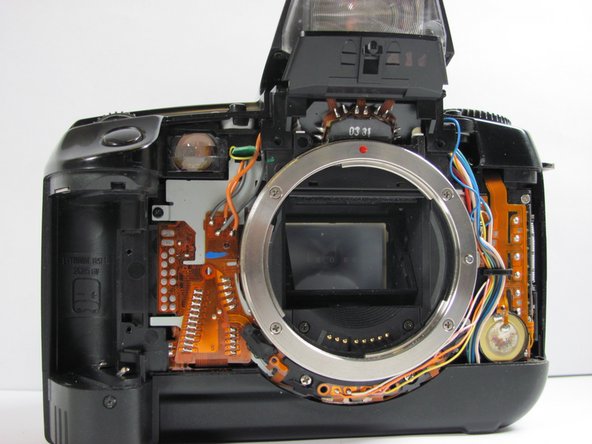
Canon EOS A2 Front Cover Replacement

Views: 60

View statistics:

Past 24 Hours:
0
Past 7 Days:
0
Past 30 Days:
3
All Time:
60
Comments: 0

No one has left comments on this guide. Will you be first?

Go to guide comments
Completed: 0

No one has marked this guide "completed." Will you be the first?

Favorites: 0

No one has favorited (and subscribed to) this guide. Will you be the first?

Time Required: No estimate
Difficulty: Easy
Canon EOS A2 Front Cover Replacement

Introduction

Go to step 1 ↓

Removing the front cover gives access to lens housing, and allows removal of the top cover.

What you need

    1. Canon EOS A2 Front Cover Replacement, Canon EOS A2 Front Cover Replacement: step 1, image 1 of 1
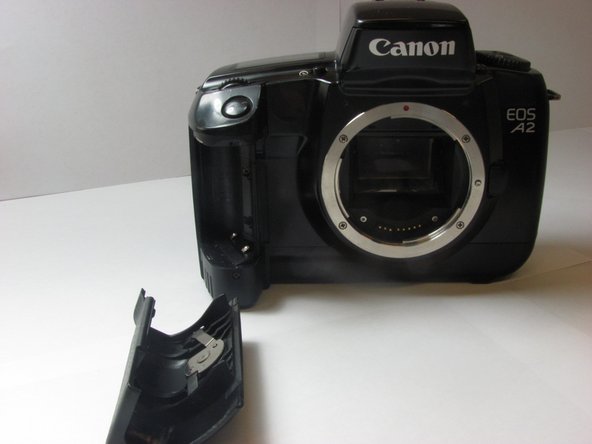
      • Locate the battery door/camera grip on the left side of the camera and lift the rotating removal tab.

      Add Comment

    2. Canon EOS A2 Front Cover Replacement: step 2, image 1 of 1
      • Twist the tab clockwise to unlock the door, then pull outward from the camera to remove it.

      Add Comment

    3. Canon EOS A2 Front Cover Replacement: step 3, image 1 of 1
      • Remove the battery from inside the battery housing and set the cover aside.

      Add Comment

    4. Canon EOS A2 Front Cover Replacement: step 4, image 1 of 1
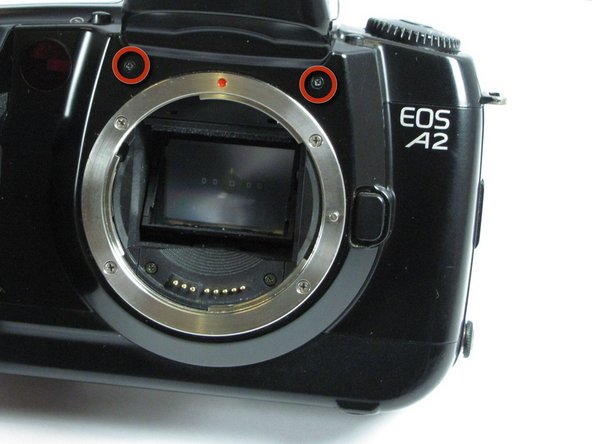
      • Remove the two 6.4mm screws above the lens aperture using a phillips #00 screw driver.

      Add Comment

    5. Canon EOS A2 Front Cover Replacement: step 5, image 1 of 1
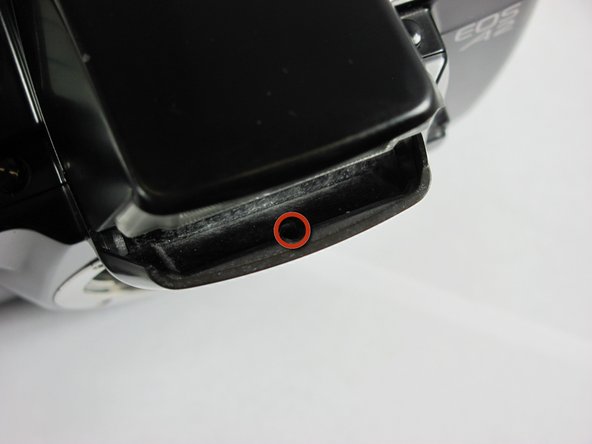
      • Remove the 6.4mm screw from the inside of the flash bezel.

      Add Comment

    6. Canon EOS A2 Front Cover Replacement: step 6, image 1 of 1
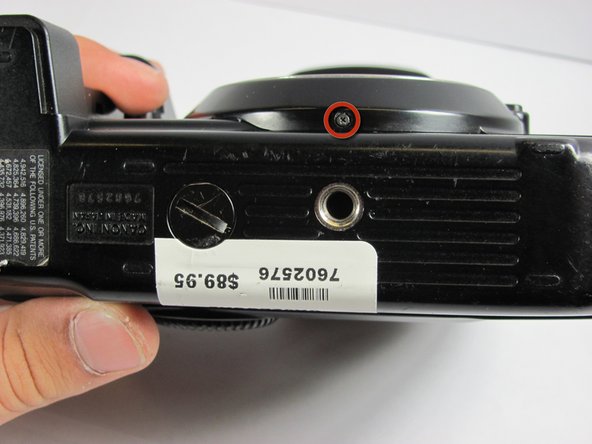
      • Flip the camera upside down and remove the 5.4mm screw below the lens bezel on the front of the camera.

      Add Comment

    7. Canon EOS A2 Front Cover Replacement: step 7, image 1 of 1
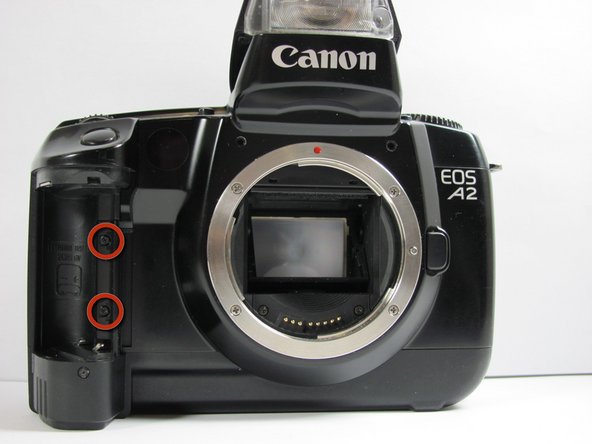
      • Remove the 5.6mm screws behind the battery cover.

      Add Comment

    8. Canon EOS A2 Front Cover Replacement: step 8, image 1 of 1
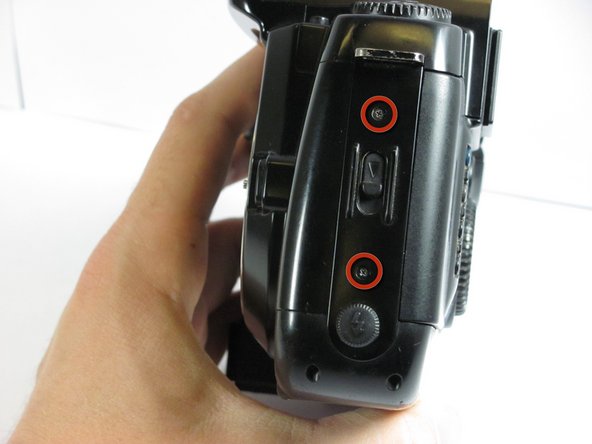
      • Remove two 6.4mm screws on the latch mechanism on the right side of the camera.

      Add Comment

    9. Canon EOS A2 Front Cover Replacement: step 9, image 1 of 1
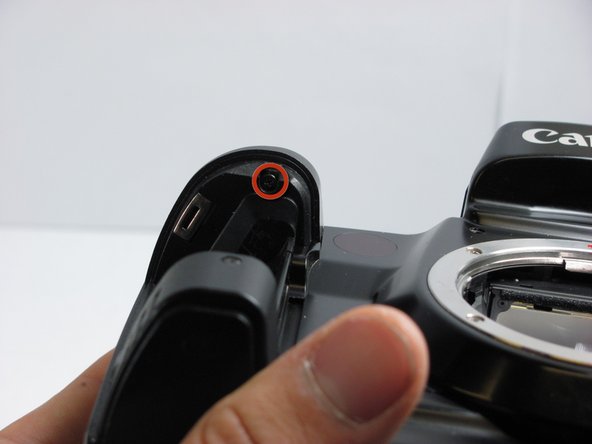
      • Remove the 6.4mm screw on the top of the inside edge of the battery hole.

      Add Comment

    10. Canon EOS A2 Front Cover Replacement: step 10, image 1 of 2 Canon EOS A2 Front Cover Replacement: step 10, image 2 of 2
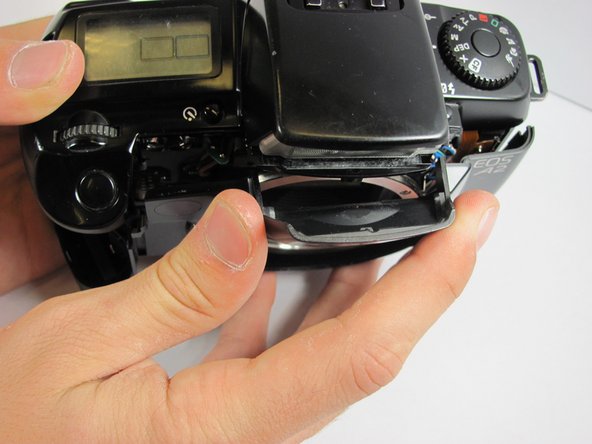
      • Starting at the flash, carefully pull the front cover away from the camera.

      Add Comment

Conclusion

To reassemble your device, follow these instructions in reverse order.

Cancel: I did not complete this guide.

System

Member since: 09/24/09

2,562 Guides authored

0 Guide Comments

Add Comment

View Statistics:

Past 24 Hours: 0

Past 7 Days: 0

Past 30 Days: 3

All Time: 60