Canon PowerShot S500 Front and Rear Casing Replacement

What you need

  1. Canon PowerShot S500 Front and Rear Casing  Replacement, Canon PowerShot S500 Front and Rear Casing  Replacement: step 1, image 1 of 2 Canon PowerShot S500 Front and Rear Casing  Replacement, Canon PowerShot S500 Front and Rear Casing  Replacement: step 1, image 2 of 2
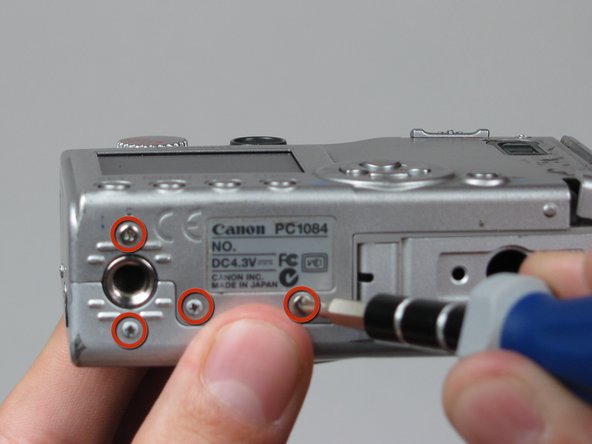
    • Unscrew five Phillips screws using a #0 Phillips screwdriver.

    • One screw is on upper right corner of the back panel.

    • The other four screws are on the bottom of the camera.

  2. Canon PowerShot S500 Front and Rear Casing  Replacement: step 2, image 1 of 1
    • Open memory card cover by moving the slide switch toward the top end of of the camera.

    • Remove the memory card from the slot.

  3. Canon PowerShot S500 Front and Rear Casing  Replacement: step 3, image 1 of 1
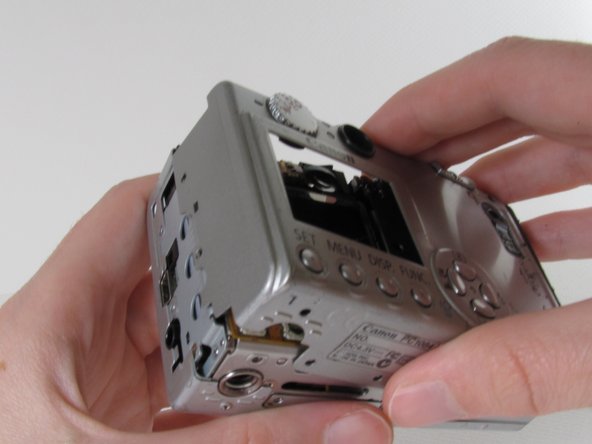
    • Remove the rear cover from the rest of the camera.

    • This may require gentle rocking of the case to free it.

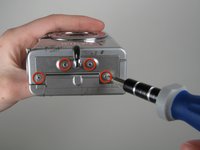
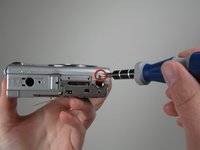
  4. Canon PowerShot S500 Front and Rear Casing  Replacement: step 4, image 1 of 2 Canon PowerShot S500 Front and Rear Casing  Replacement: step 4, image 2 of 2
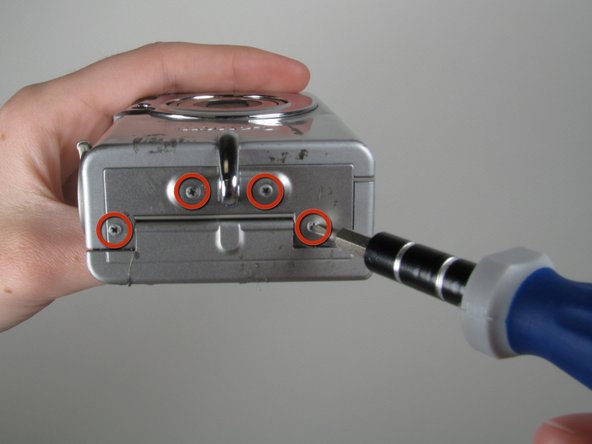
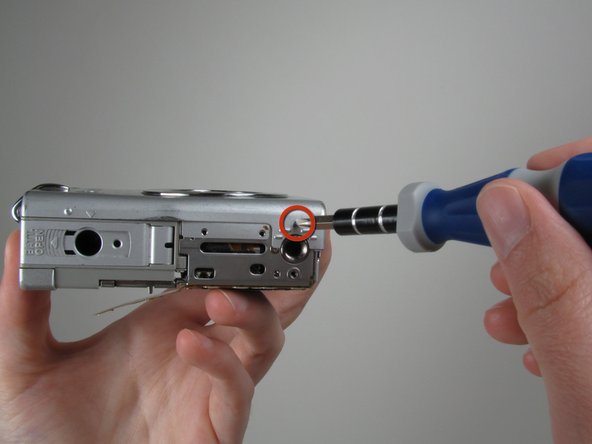
    • Unscrew the four Philips screws from the side of the casing and one screw from the bottom using a #0 Phillips screwdriver.

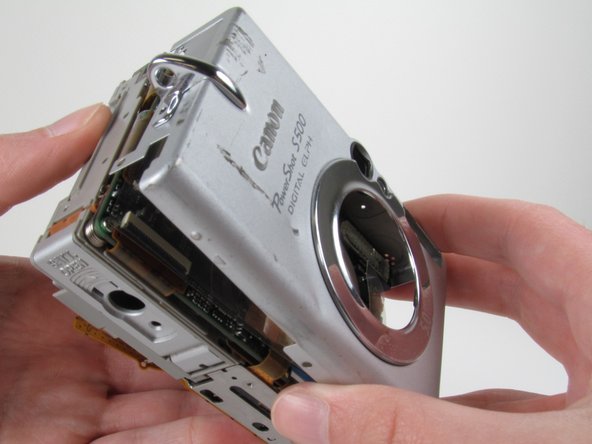
  5. Canon PowerShot S500 Front and Rear Casing  Replacement: step 5, image 1 of 1
    • Free the front cover from the rest of the camera.

    • The cover may require gentle rocking to remove.

Finish Line

System

Member since: 09/24/09

2,562 Guides authored

0 Guide Comments

Add Comment

View Statistics:

Past 24 Hours: 0

Past 7 Days: 0

Past 30 Days: 0

All Time: 7