
Game Boy Micro Faceplate Replacement

Last updated on Sep 17, 2016
Views: 53
View statistics:
- Past 24 Hours:
- 0
- Past 7 Days:
- 1
- Past 30 Days:
- 3
- All Time:
- 53
Comments: 0
No one has left comments on this guide. Will you be first?
Go to guide commentsCompleted: 0 1
No one has marked this guide "completed." Will you be the first?
1 person has marked this guide "completed." It's you — great job!
Favorites: 0 1
No one has favorited (and subscribed to) this guide. Will you be the first?
1 person has favorited (and subscribed to) this guide — and that's you!
Introduction
Go to step 1 ↓Use this guide to remove and change faceplates.
What you need
Tools
-
-
-
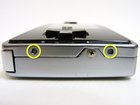
Locate the two circular holes on the side of the Game Boy nearest to the directional pad.
-
-
-
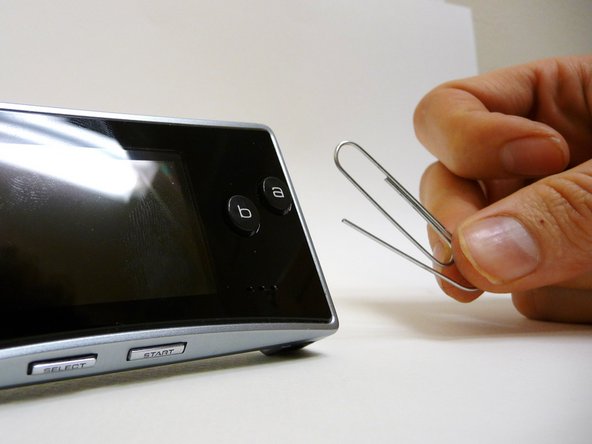
Straighten the end of a paper clip and push it into each of the circular holes.
-
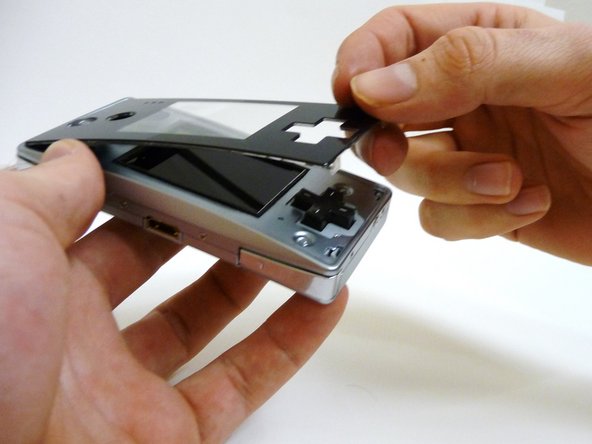
Use the paper clip to lever the faceplate off from the unit.
-
-





To reassemble your device, follow these instructions in reverse order.

