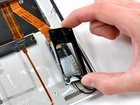
MacBook Air Models A1237 and A1304 AirPort/Bluetooth Bracket Replacement

Views: 49

View statistics:

Past 24 Hours:
0
Past 7 Days:
0
Past 30 Days:
0
All Time:
49
Comments: 0

No one has left comments on this guide. Will you be first?

Go to guide comments
Completed: 0

No one has marked this guide "completed." Will you be the first?

Favorites: 0

No one has favorited (and subscribed to) this guide. Will you be the first?

Time Required: No estimate
Difficulty: Moderate
MacBook Air Models A1237 and A1304 AirPort/Bluetooth Bracket Replacement

Introduction

Go to step 1 ↓

Replace the black plastic bracket holding your AirPort/Bluetooth board to the upper case.

    1. MacBook Air Models A1237 and A1304 AirPort/Bluetooth Bracket Replacement, MacBook Air Models A1237 and A1304 AirPort/Bluetooth Bracket Replacement: step 1, image 1 of 1
      • Remove the following 10 screws securing the lower case to the Air:

      • Six 2.8 mm Phillips screws.

      • Two 3.8 mm Phillips screws.

      • Two 5.4 mm Phillips screws.

      Add Comment

    2. MacBook Air Models A1237 and A1304 AirPort/Bluetooth Bracket Replacement: step 2, image 1 of 2 MacBook Air Models A1237 and A1304 AirPort/Bluetooth Bracket Replacement: step 2, image 2 of 2
      • Slightly lift the lower case near the vents and push it toward the rear of the computer to free the mounting tabs.

      Add Comment

    3. MacBook Air Models A1237 and A1304 AirPort/Bluetooth Bracket Replacement: step 3, image 1 of 1
      • Disconnect the battery connector by pulling it straight out of its socket.

      Add Comment

    4. MacBook Air Models A1237 and A1304 AirPort/Bluetooth Bracket Replacement: step 4, image 1 of 1
      • Remove the following nine screws securing the battery to the Air:

      • Four 2.9 mm Phillips.

      • Four 3.8 mm Phillips.

      • One 7.2 mm Phillips.

      Add Comment

    5. MacBook Air Models A1237 and A1304 AirPort/Bluetooth Bracket Replacement: step 5, image 1 of 1
      • Lift the battery out of the Air.

      Add Comment

    6. MacBook Air Models A1237 and A1304 AirPort/Bluetooth Bracket Replacement: step 6, image 1 of 1
      • Remove the two Phillips screws securing the AirPort/Bluetooth bracket to the upper case.

      Add Comment

    7. MacBook Air Models A1237 and A1304 AirPort/Bluetooth Bracket Replacement: step 7, image 1 of 1
      • Lift the AirPort/Bluetooth bracket out of the upper case.

      Add Comment

Conclusion

To reassemble your device, follow these instructions in reverse order.

Cancel: I did not complete this guide.

System

Member since: 09/24/09

2,562 Guides authored

0 Guide Comments

Add Comment

View Statistics:

Past 24 Hours: 0

Past 7 Days: 0

Past 30 Days: 0

All Time: 49