MacBook Air Models A1237 and A1304 Speaker Replacement

What you need

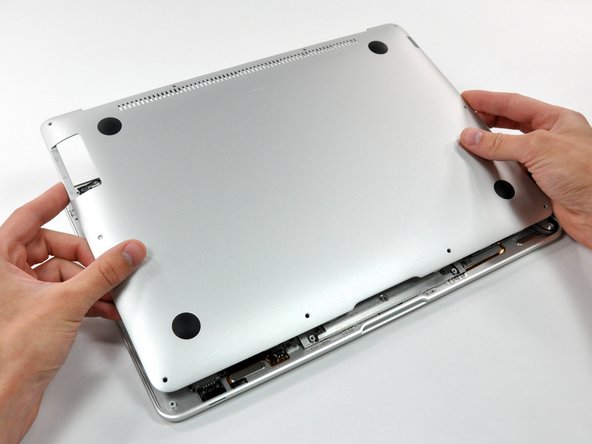
  1. MacBook Air Models A1237 and A1304 Speaker Replacement, MacBook Air Models A1237 and A1304 Speaker Replacement: step 1, image 1 of 1
    • Remove the following 10 screws securing the lower case to the Air:

    • Six 2.8 mm Phillips screws.

    • Two 3.8 mm Phillips screws.

    • Two 5.4 mm Phillips screws.

    Add Comment

  2. MacBook Air Models A1237 and A1304 Speaker Replacement: step 2, image 1 of 2 MacBook Air Models A1237 and A1304 Speaker Replacement: step 2, image 2 of 2
    • Slightly lift the lower case near the vents and push it toward the rear of the computer to free the mounting tabs.

    Add Comment

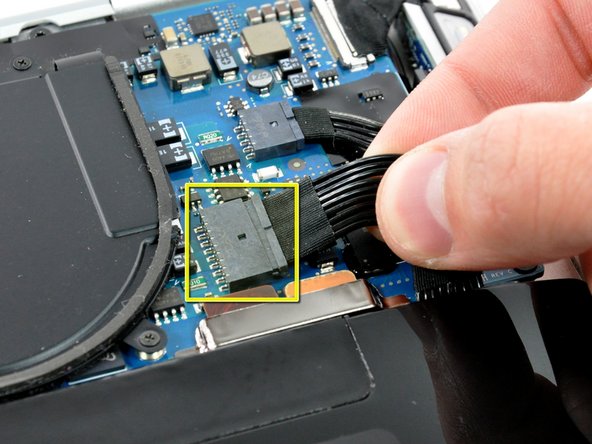
  3. MacBook Air Models A1237 and A1304 Speaker Replacement: step 3, image 1 of 1
    • Disconnect the battery connector by pulling it straight out of its socket.

    Add Comment

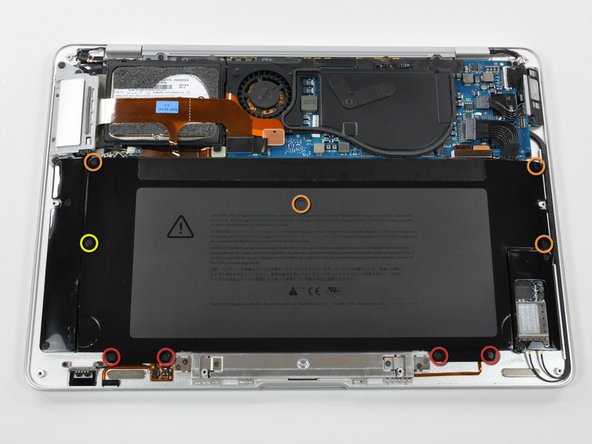
  4. MacBook Air Models A1237 and A1304 Speaker Replacement: step 4, image 1 of 1
    • Remove the following nine screws securing the battery to the Air:

    • Four 2.9 mm Phillips.

    • Four 3.8 mm Phillips.

    • One 7.2 mm Phillips.

    Add Comment

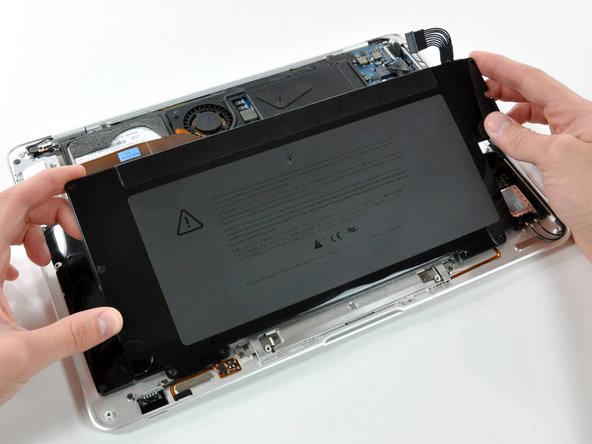
  5. MacBook Air Models A1237 and A1304 Speaker Replacement: step 5, image 1 of 1
    • Lift the battery out of the Air.

    Add Comment

  6. MacBook Air Models A1237 and A1304 Speaker Replacement: step 6, image 1 of 1
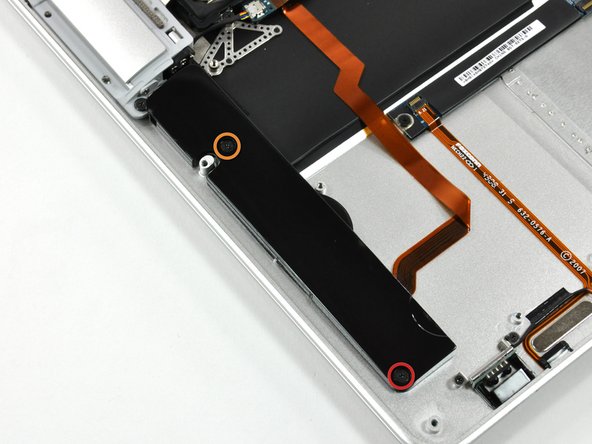
    • Remove the following two screws securing the speaker assembly to the upper case.

    • One 3 mm Phillips.

    • One 5.8 mm Phillips.

    Add Comment

  7. MacBook Air Models A1237 and A1304 Speaker Replacement: step 7, image 1 of 2 MacBook Air Models A1237 and A1304 Speaker Replacement: step 7, image 2 of 2
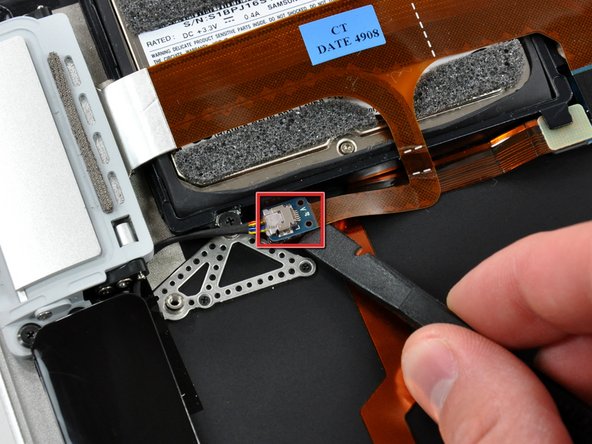
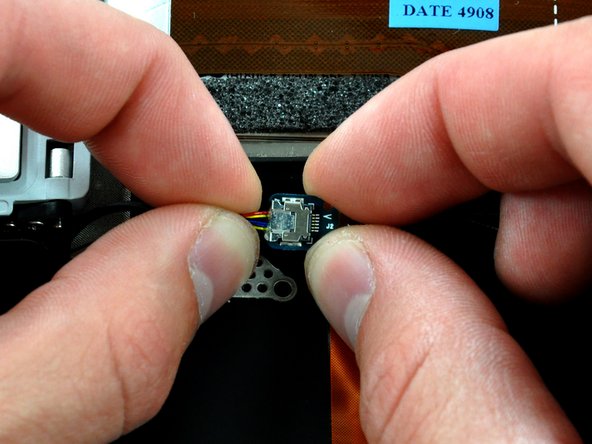
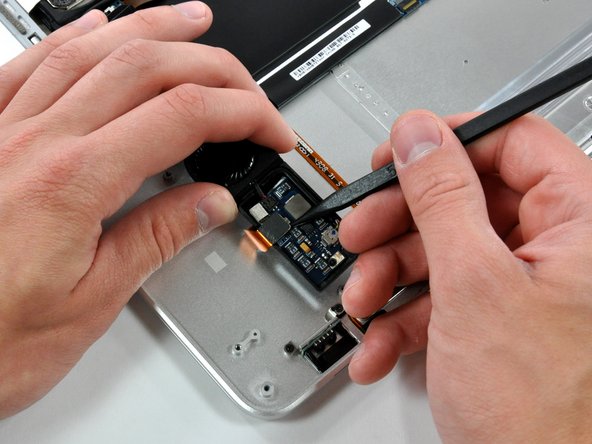
    • Use a spudger to lift the audio-out connector board off the adhesive that secures it to the hard drive bracket.

    • Disconnect the audio out connector from its socket.

    Add Comment

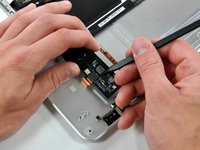
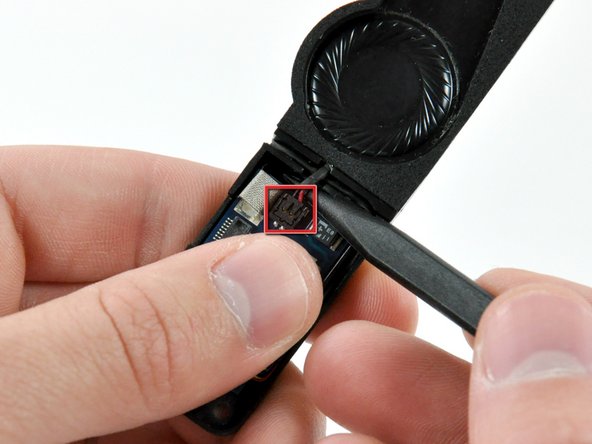
  8. MacBook Air Models A1237 and A1304 Speaker Replacement: step 8, image 1 of 2 MacBook Air Models A1237 and A1304 Speaker Replacement: step 8, image 2 of 2
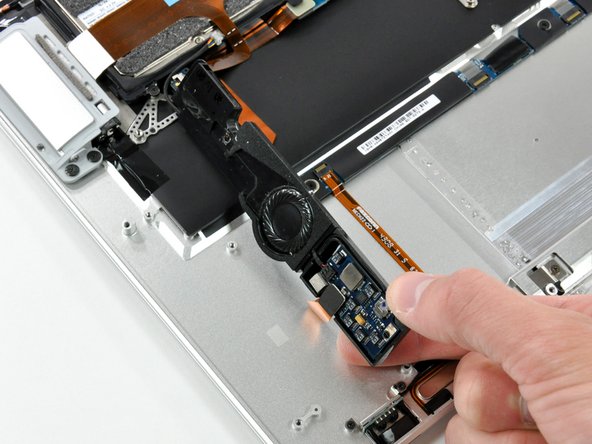
    • Rotate the speaker assembly toward the center of the Air.

    • Use a spudger to pry the speaker cable connector up off the audio board.

    Add Comment

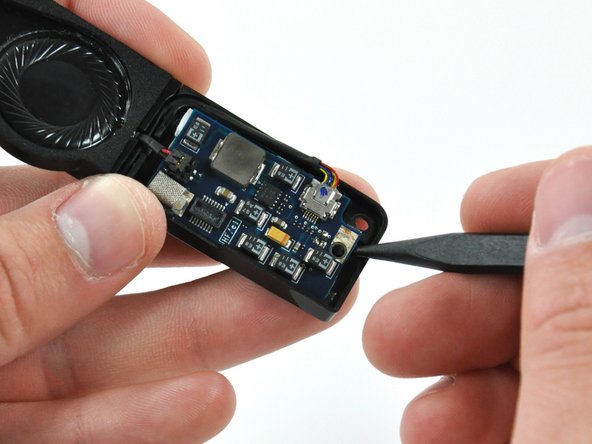
  9. MacBook Air Models A1237 and A1304 Speaker Replacement: step 9, image 1 of 1
    • Use the tip of a spudger to pry the speaker connector up off the audio board.

    Add Comment

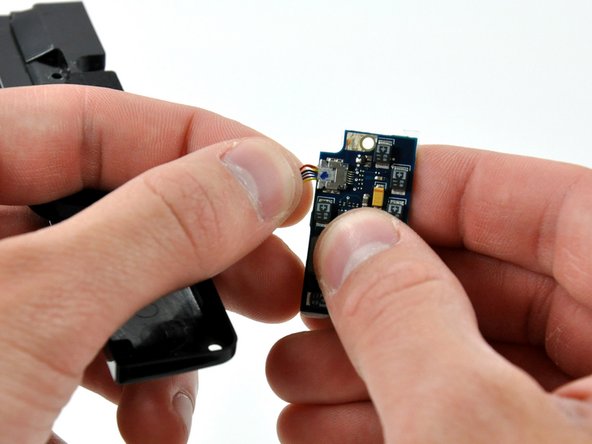
  10. MacBook Air Models A1237 and A1304 Speaker Replacement: step 10, image 1 of 1
    • Use the tip of a spudger to separate the audio board from the adhesive securing it to the logic board.

    Add Comment

  11. MacBook Air Models A1237 and A1304 Speaker Replacement: step 11, image 1 of 1
    • Disconnect the audio-out cable by pulling the male end straight away from its socket on the audio board.

    Add Comment

  12. MacBook Air Models A1237 and A1304 Speaker Replacement: step 12, image 1 of 1
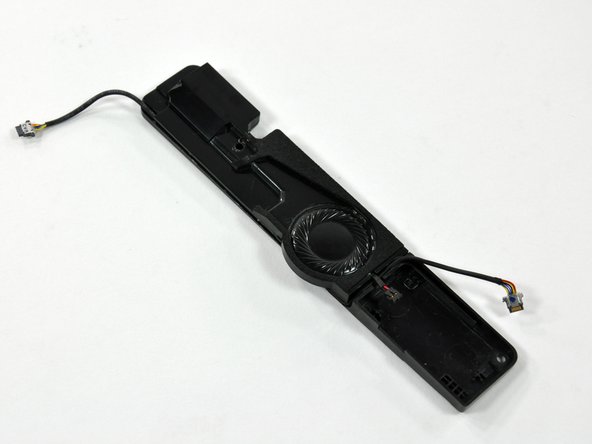
    • Speaker assembly remains.

    Add Comment

Conclusion

To reassemble your device, follow these instructions in reverse order.

Cancel: I did not complete this guide.

System

Member since: 09/24/09

2,562 Guides authored

0 Guide Comments

Add Comment

View Statistics:

Past 24 Hours: 0

Past 7 Days: 2

Past 30 Days: 3

All Time: 35