MacBook Pro 13" Unibody Early 2011 AirPort/Bluetooth Board Replacement

What you need

  1. MacBook Pro 13" Unibody Early 2011 AirPort/Bluetooth Board Replacement, MacBook Pro 13" Unibody Early 2011 AirPort/Bluetooth Board Replacement: step 1, image 1 of 1
    • Remove the following ten screws:

    • Three 14.4 mm Phillips #00 screws

    • Three 3.5 mm Phillips #00 screws

    • Four 3.5 mm shouldered Phillips #00 screws

    Add Comment

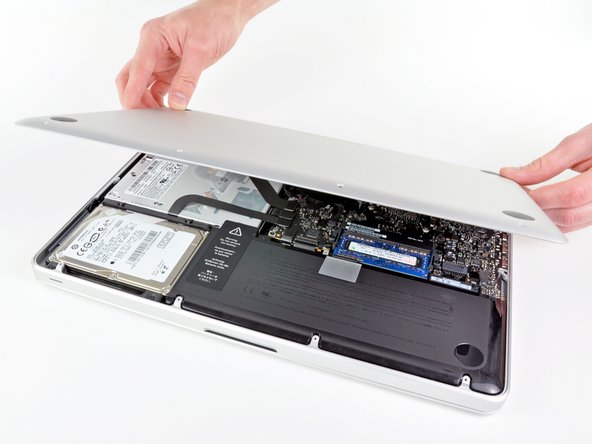
  2. MacBook Pro 13" Unibody Early 2011 AirPort/Bluetooth Board Replacement: step 2, image 1 of 2 MacBook Pro 13" Unibody Early 2011 AirPort/Bluetooth Board Replacement: step 2, image 2 of 2
    • Use your fingers to pry the lower case away from the body of the MacBook near the vent.

    • Remove the lower case.

    Add Comment

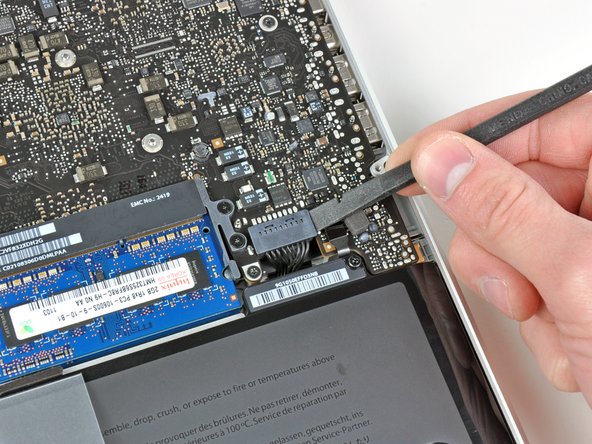
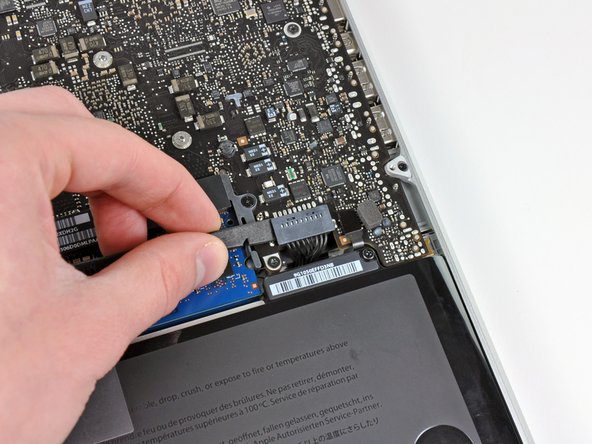
  3. MacBook Pro 13" Unibody Early 2011 AirPort/Bluetooth Board Replacement: step 3, image 1 of 2 MacBook Pro 13" Unibody Early 2011 AirPort/Bluetooth Board Replacement: step 3, image 2 of 2
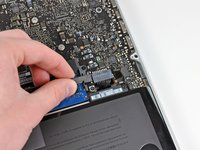
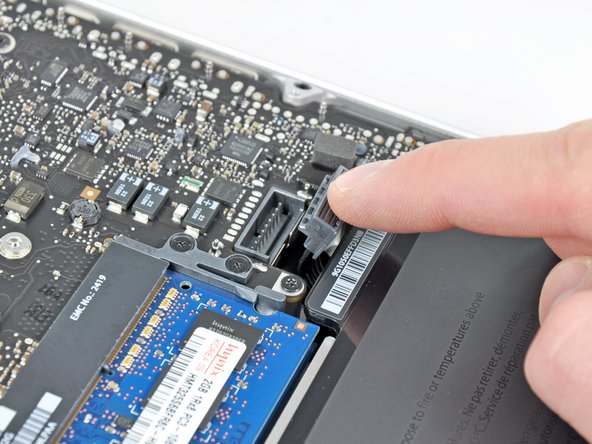
    • Use the edge of a spudger to pry the battery connector upwards from its socket on the logic board.

    • It is useful to pry upward on both short sides of the connector to "walk" it out of its socket. Be careful with the corners of the connectors, they can be easily broken off.

    Add Comment

  4. MacBook Pro 13" Unibody Early 2011 AirPort/Bluetooth Board Replacement: step 4, image 1 of 1
    • Bend the battery cable slightly away from its socket on the logic board so it does not accidentally connect itself while you work.

    Add Comment

  5. MacBook Pro 13" Unibody Early 2011 AirPort/Bluetooth Board Replacement: step 5, image 1 of 1
    • Use the flat end of a spudger to pry the AirPort/Bluetooth ribbon cable connector up from its socket on the logic board.

    Add Comment

  6. MacBook Pro 13" Unibody Early 2011 AirPort/Bluetooth Board Replacement: step 6, image 1 of 1
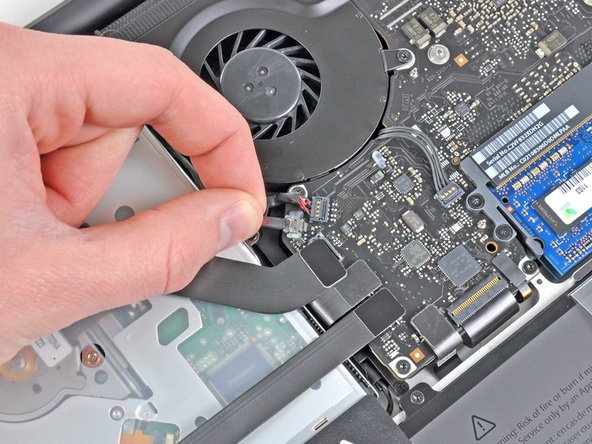
    • Carefully pull the camera cable out of its socket on the logic board.

    • Pull the cable parallel to the face of the logic board. Pulling it upward may damage the logic board or the cable itself.

    Add Comment

  7. MacBook Pro 13" Unibody Early 2011 AirPort/Bluetooth Board Replacement: step 7, image 1 of 2 MacBook Pro 13" Unibody Early 2011 AirPort/Bluetooth Board Replacement: step 7, image 2 of 2
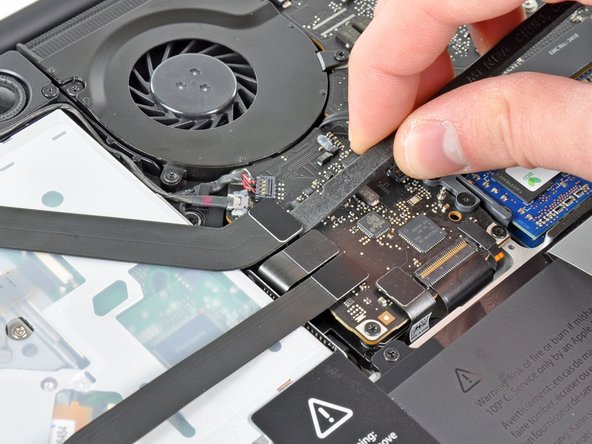
    • Carefully move the AirPort/Bluetooth ribbon cable out of the way as you peel the camera cable off the adhesive securing it to the subwoofer and the AirPort/Bluetooth bracket.

    • De-route the camera cable out from under the retaining finger molded into the AirPort/Bluetooth bracket.

    Add Comment

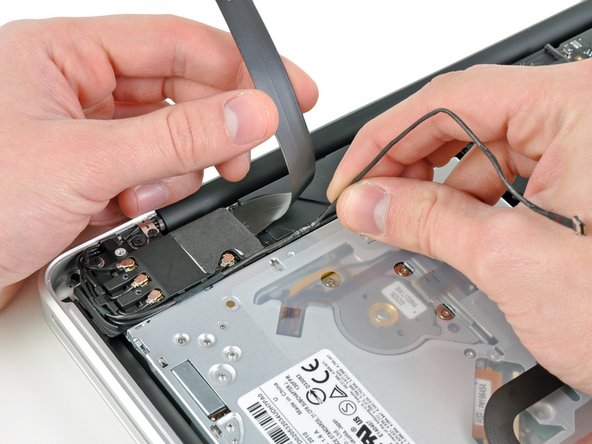
  8. MacBook Pro 13" Unibody Early 2011 AirPort/Bluetooth Board Replacement: step 8, image 1 of 2 MacBook Pro 13" Unibody Early 2011 AirPort/Bluetooth Board Replacement: step 8, image 2 of 2
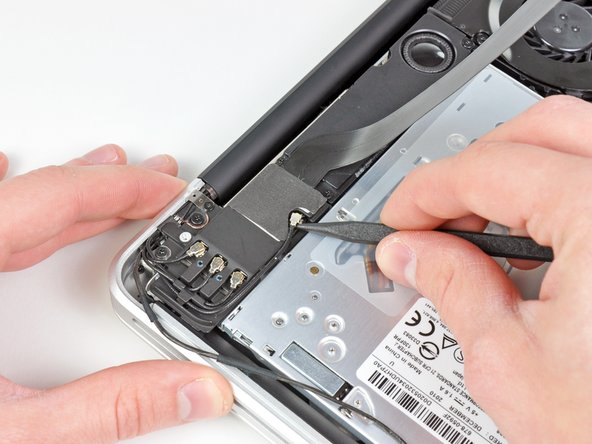
    • Use the tip of a spudger to pry the antenna connector closest to the logic board up from its socket on the AirPort/Bluetooth board.

    • De-route the antenna cable from under the finger molded into the AirPort/Bluetooth bracket.

    Add Comment

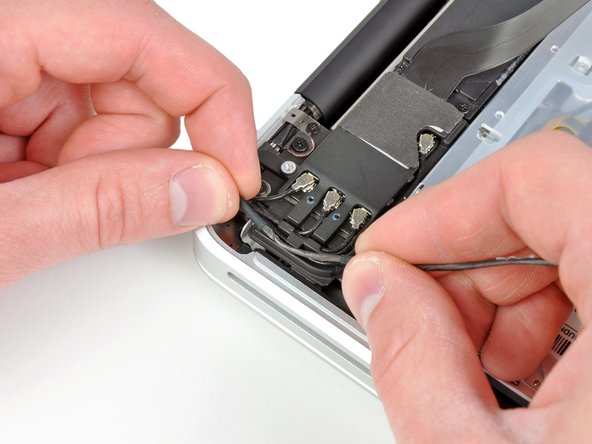
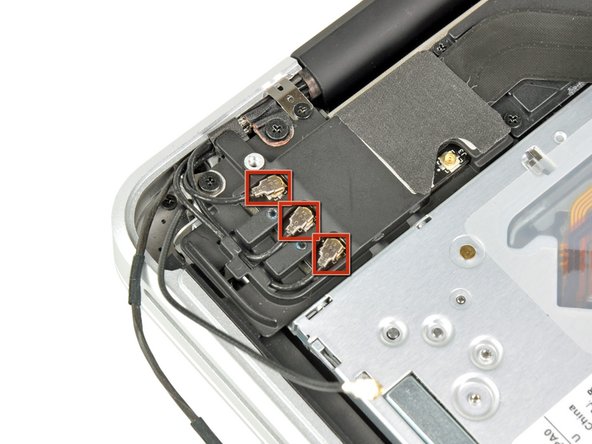
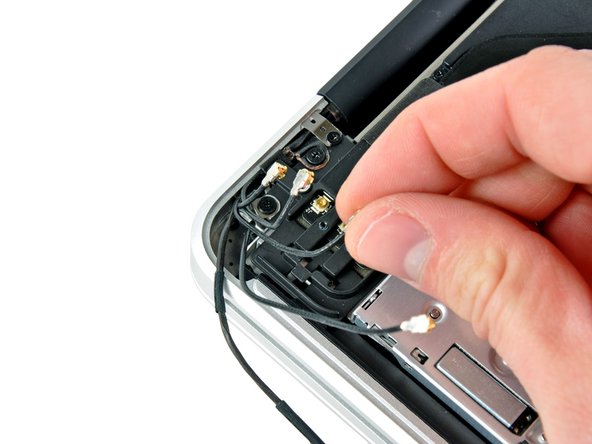
  9. MacBook Pro 13" Unibody Early 2011 AirPort/Bluetooth Board Replacement: step 9, image 1 of 2 MacBook Pro 13" Unibody Early 2011 AirPort/Bluetooth Board Replacement: step 9, image 2 of 2
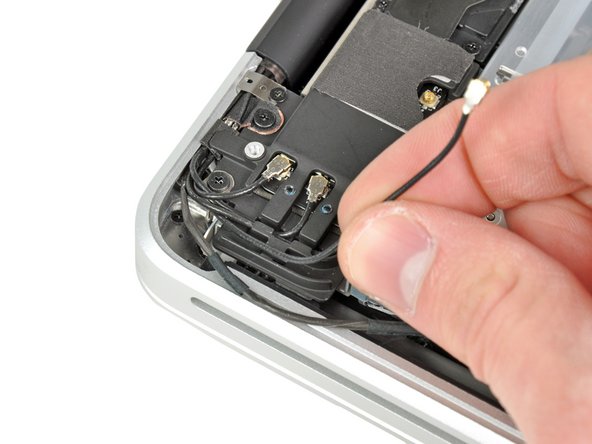
    • Using the method described in the last step, disconnect the remaining three antenna connectors.

    • De-route their cables from the slots cut in the AirPort/Bluetooth bracket.

    Add Comment

  10. MacBook Pro 13" Unibody Early 2011 AirPort/Bluetooth Board Replacement: step 10, image 1 of 1
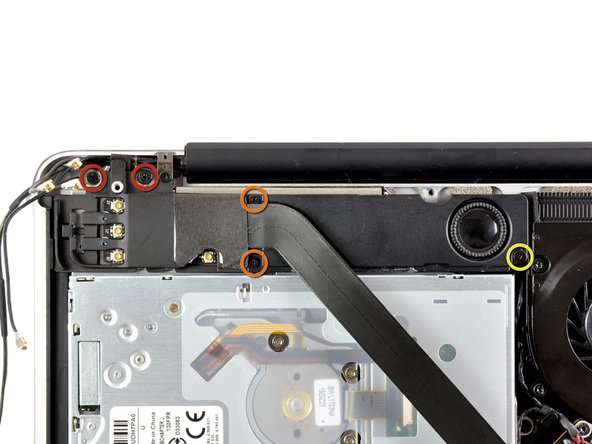
    • Remove the following five screws:

    • Two 10.3 mm Phillips screws

    • Two 3.1 mm Phillips screws

    • One 5 mm Phillips screw

    Add Comment

  11. MacBook Pro 13" Unibody Early 2011 AirPort/Bluetooth Board Replacement: step 11, image 1 of 1
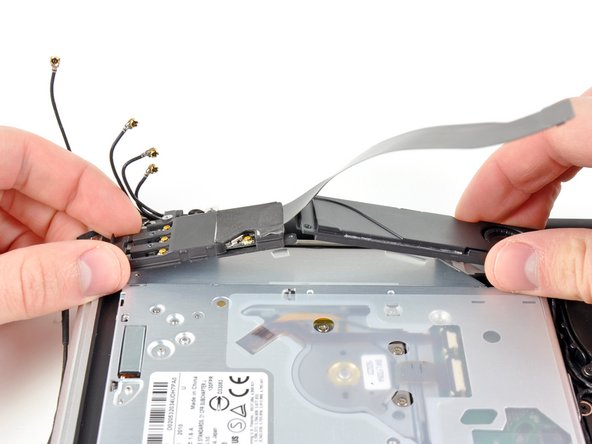
    • Pull the AirPort/Bluetooth assembly and the Subwoofer upward near the center of the side of the optical drive until they clear each other.

    Add Comment

  12. MacBook Pro 13" Unibody Early 2011 AirPort/Bluetooth Board Replacement: step 12, image 1 of 1
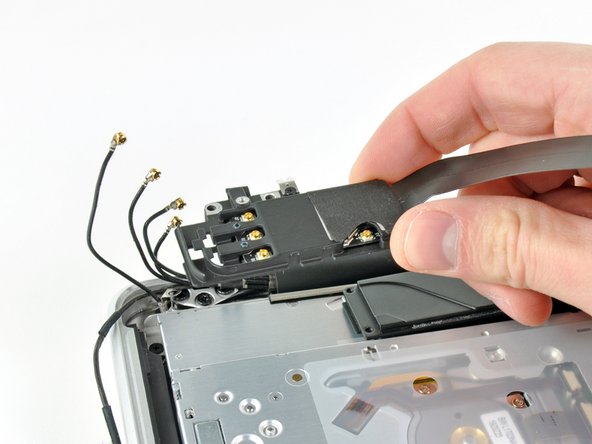
    • Remove the AirPort/Bluetooth assembly, minding the fragile antenna contact near the corner of the upper case.

    Add Comment

  13. MacBook Pro 13" Unibody Early 2011 AirPort/Bluetooth Board Replacement: step 13, image 1 of 1
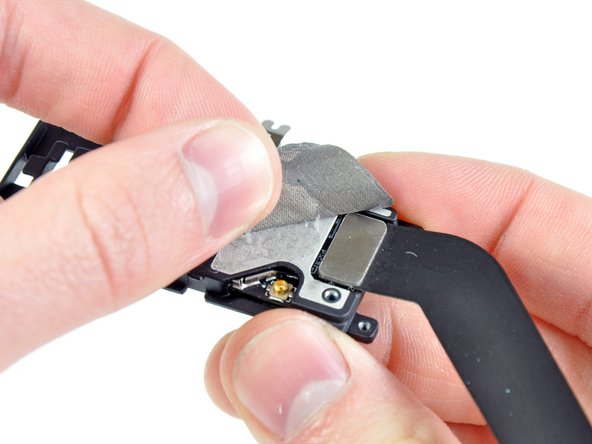
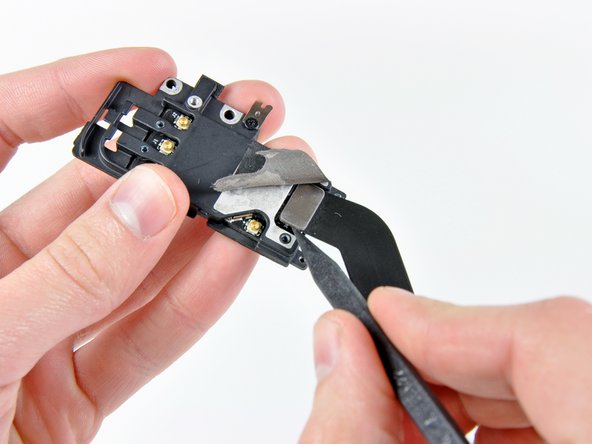
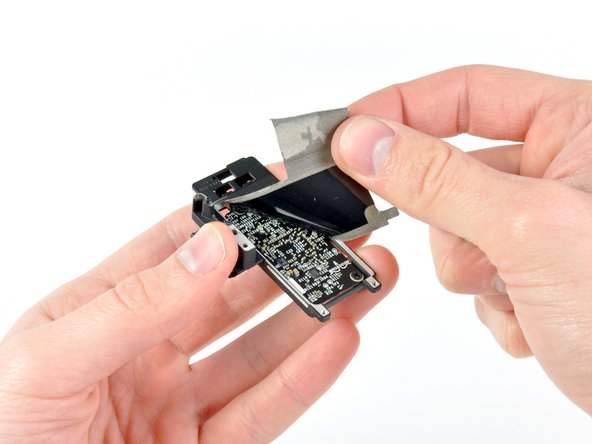
    • Peel back the piece of EMI tape covering the AirPort/Bluetooth cable connector.

    Add Comment

  14. MacBook Pro 13" Unibody Early 2011 AirPort/Bluetooth Board Replacement: step 14, image 1 of 2 MacBook Pro 13" Unibody Early 2011 AirPort/Bluetooth Board Replacement: step 14, image 2 of 2
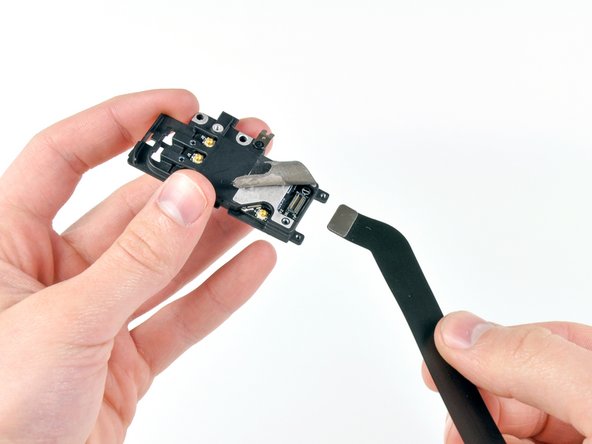
    • Use the tip of a spudger to lift the AirPort/Bluetooth cable connector out of its socket on the AirPort/Bluetooth board.

    • Remove the AirPort/Bluetooth cable.

    Add Comment

  15. MacBook Pro 13" Unibody Early 2011 AirPort/Bluetooth Board Replacement: step 15, image 1 of 1
    • Continue peeling the EMI tape off the bottom of the AirPort/Bluetooth bracket and remove it from the assembly.

    Add Comment

  16. MacBook Pro 13" Unibody Early 2011 AirPort/Bluetooth Board Replacement: step 16, image 1 of 1
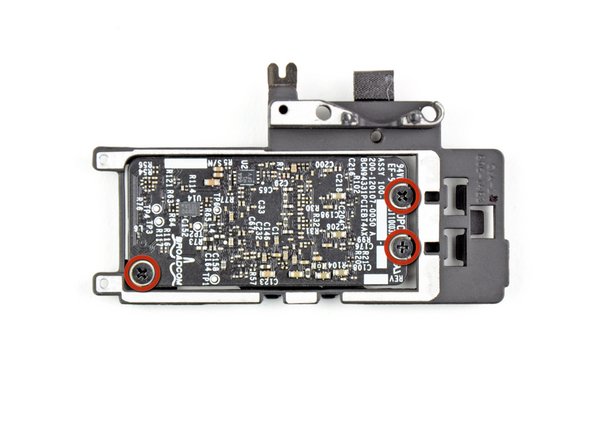
    • Remove the three 3 mm Phillips screws securing the AirPort/Bluetooth board to its bracket.

    Add Comment

  17. MacBook Pro 13" Unibody Early 2011 AirPort/Bluetooth Board Replacement: step 17, image 1 of 1
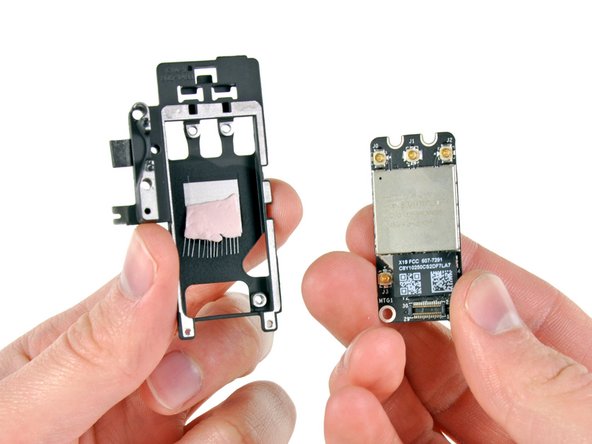
    • Remove the AirPort/Bluetooth board from its bracket.

    • Be careful not to damage the pink thermal pad attached to the bracket.

    Add Comment

Conclusion

To reassemble your device, follow these instructions in reverse order.

Cancel: I did not complete this guide.

System

Member since: 09/24/09

2,562 Guides authored

0 Guide Comments

Add Comment

View Statistics:

Past 24 Hours: 0

Past 7 Days: 0

Past 30 Days: 0

All Time: 34