
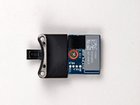
MacBook Pro 15" Unibody Mid 2009 Bluetooth Board Replacement

Last updated on Sep 17, 2016
Views: 46
View statistics:
- Past 24 Hours:
- 0
- Past 7 Days:
- 0
- Past 30 Days:
- 0
- All Time:
- 46
Comments: 0
No one has left comments on this guide. Will you be first?
Go to guide commentsCompleted: 0 1
No one has marked this guide "completed." Will you be the first?
1 person has marked this guide "completed." It's you — great job!
Favorites: 0 1
No one has favorited (and subscribed to) this guide. Will you be the first?
1 person has favorited (and subscribed to) this guide — and that's you!
Introduction
Go to step 1 ↓Use this guide to replace a non-functioning Bluetooth board in the Anti-Glare option of the Mid 2009 MacBook Pro.
The Glossy display option does not have this display-mounted bluetooth card, it is found under the clutch cover.
-
-
-
Remove the following ten screws securing the lower case to the upper case:
-
Seven 3 mm Phillips screws.
-
Three 13.5 mm Phillips screws.
-
-
-
Using both hands, lift the lower case near the vent to pop it off two clips securing it to the upper case.
-
Remove the lower case and set it aside.
-
-
-
Disconnect the Bluetooth cable by pulling the male end straight away from its socket.
-
Use the flat end of a spudger to pry the Bluetooth antenna cable from its socket on the board.
-
-
-
Remove the two 8 mm Phillips screws securing the Bluetooth/camera cable retainer to the upper case.
-
Lift the Bluetooth board/cable retainer assembly out of the upper case.
-
-
-
Remove the single Phillips screw securing the Bluetooth board to the retainer.
-
Lift the Bluetooth board off the retainer.
-
-


To reassemble your device, follow these instructions in reverse order.

