MacBook Unibody Model A1278 Battery Connector Replacement

What you need

  1. MacBook Unibody Model A1278 Battery Connector Replacement, MacBook Unibody Model A1278 Battery Connector Replacement: step 1, image 1 of 1
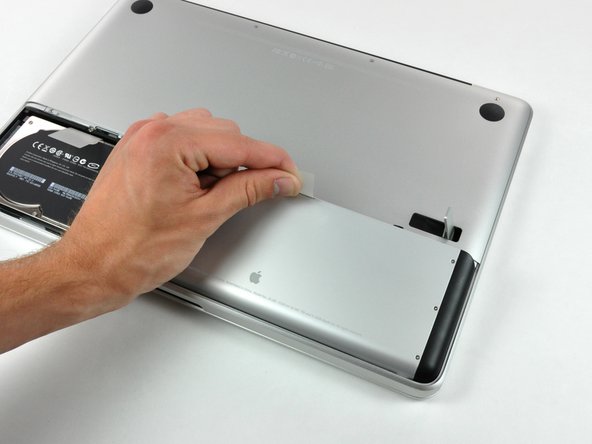
    • With the case closed, place the Unibody top-side down on a flat surface.

    • Depress the grooved side of the access door release latch enough to grab the free end. Lift the release latch until it is vertical.

    Add Comment

  2. MacBook Unibody Model A1278 Battery Connector Replacement: step 2, image 1 of 1
    • The access door should now be raised enough to lift it up and out of the Unibody.

    Add Comment

  3. MacBook Unibody Model A1278 Battery Connector Replacement: step 3, image 1 of 1
    • Be sure the access door release latch is vertical before proceeding.

    • Grab the white plastic tab and pull the battery up and out of the Unibody.

    Add Comment

  4. MacBook Unibody Model A1278 Battery Connector Replacement: step 4, image 1 of 1
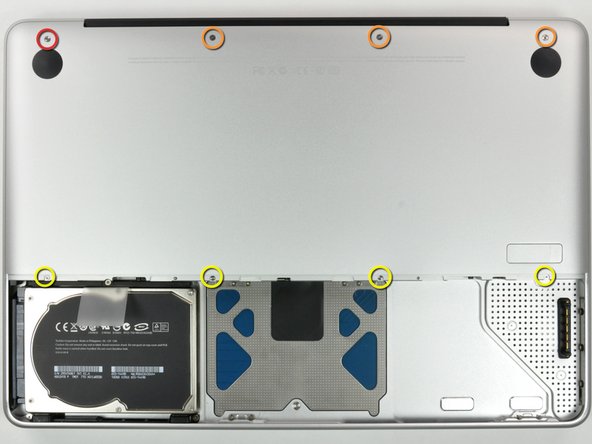
    • Remove the following eight screws securing the lower case to the chassis:

    • One 3 mm Phillips screw.

    • Three 13.5 mm Phillips screws.

    • Four 3.5 mm Phillips screws.

    Add Comment

  5. MacBook Unibody Model A1278 Battery Connector Replacement: step 5, image 1 of 1
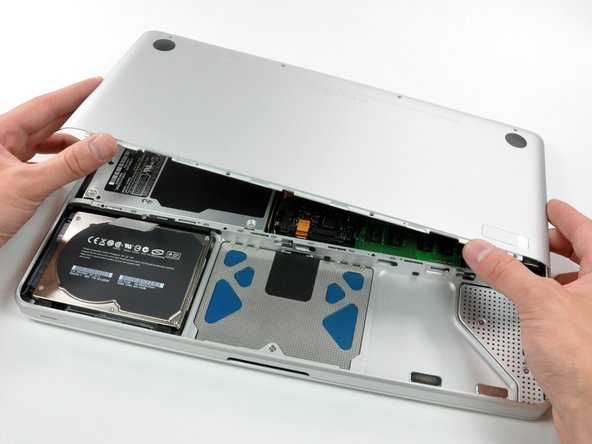
    • Using both hands, lift and remove the lower case off the upper case.

    Add Comment

  6. MacBook Unibody Model A1278 Battery Connector Replacement: step 6, image 1 of 1
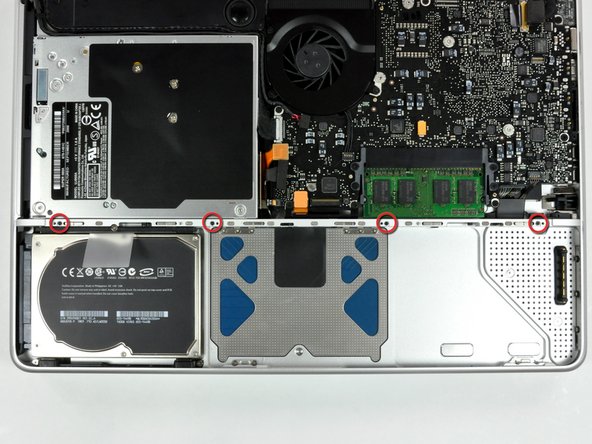
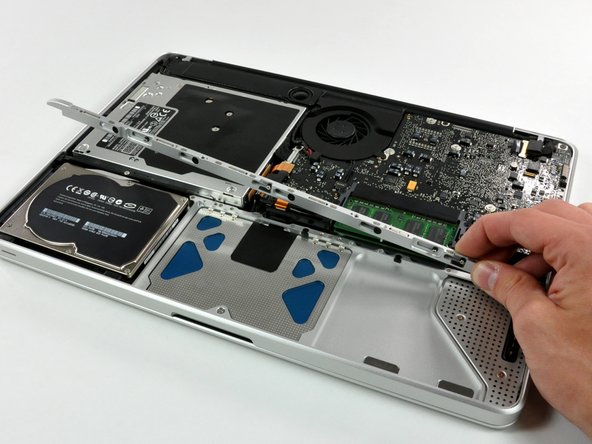
    • Remove the four 10.3 mm Phillips screws securing the mid wall to the upper case.

    Add Comment

  7. MacBook Unibody Model A1278 Battery Connector Replacement: step 7, image 1 of 1
    • Lift the mid wall out of the upper case.

    Add Comment

  8. MacBook Unibody Model A1278 Battery Connector Replacement: step 8, image 1 of 1
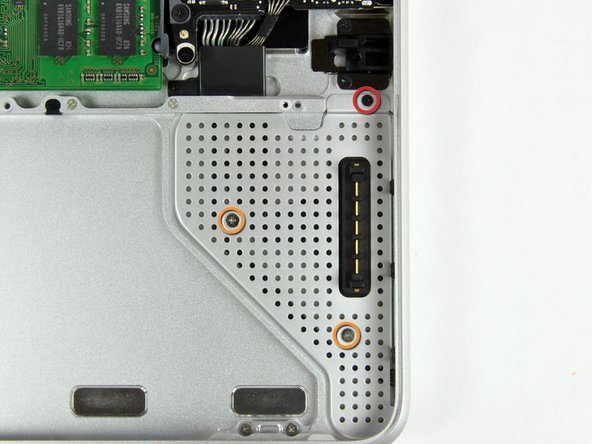
    • Remove the following screws securing the battery connector cover to the upper case:

    • One 2.5 mm Phillips screw.

    • Two 1.5 mm Phillips screws.

    Add Comment

  9. MacBook Unibody Model A1278 Battery Connector Replacement: step 9, image 1 of 1
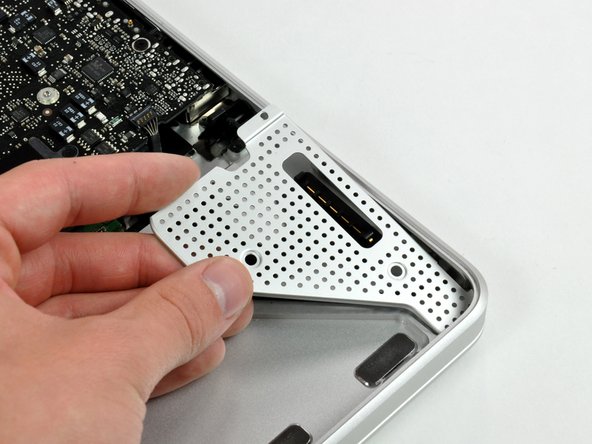
    • Lift the battery connector cover out of the upper case.

    Add Comment

  10. MacBook Unibody Model A1278 Battery Connector Replacement: step 10, image 1 of 2 MacBook Unibody Model A1278 Battery Connector Replacement: step 10, image 2 of 2
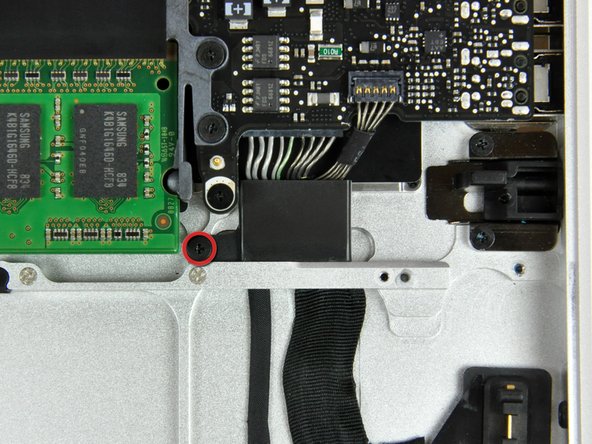
    • Remove the single 2.7 mm Phillips screw securing the battery cable cover to the upper case.

    • Lift the battery cable cover out of the upper case.

    Add Comment

  11. MacBook Unibody Model A1278 Battery Connector Replacement: step 11, image 1 of 1
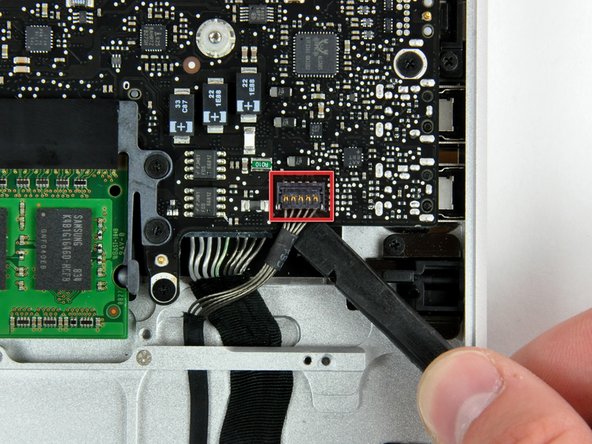
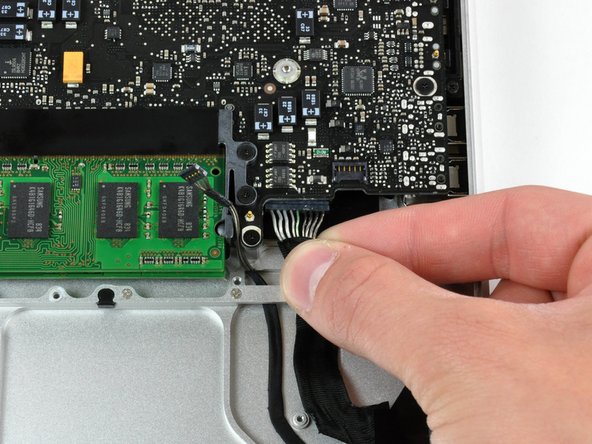
    • Using a spudger, pry the battery level indicator cable connector straight up off the logic board.

    Add Comment

  12. MacBook Unibody Model A1278 Battery Connector Replacement: step 12, image 1 of 1
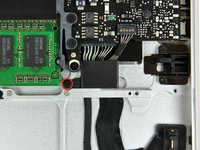
    • Peel the battery connector cable off the adhesive securing it to the upper case.

    Add Comment

  13. MacBook Unibody Model A1278 Battery Connector Replacement: step 13, image 1 of 1
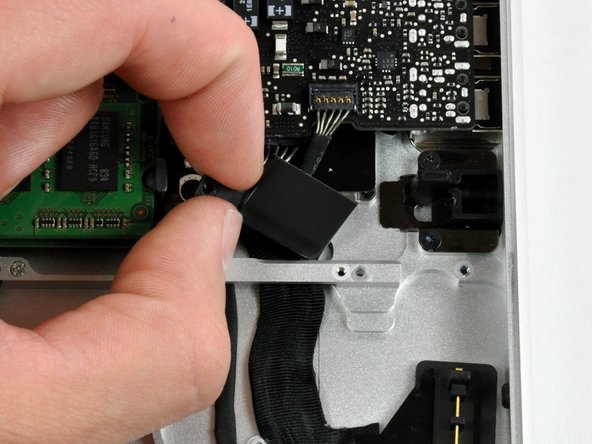
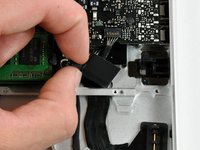
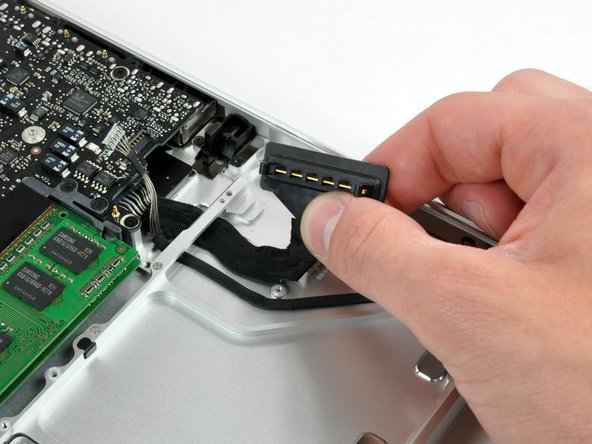
    • Pull the battery connector cable slightly toward the logic board to give yourself enough slack to grab the cable with your fingers.

    • Disconnect the cable by pulling it straight away from the logic board.

    Add Comment

  14. MacBook Unibody Model A1278 Battery Connector Replacement: step 14, image 1 of 1
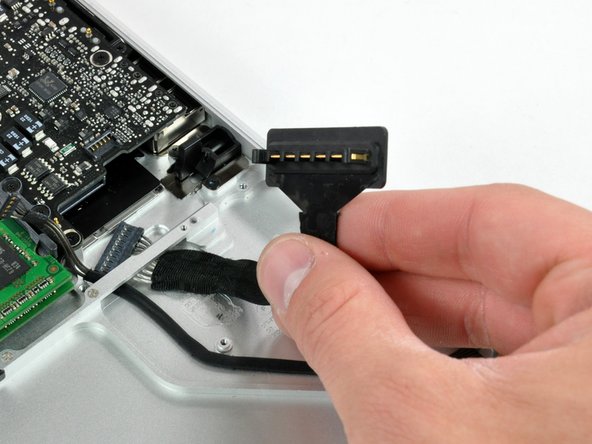
    • De-route the battery connector cable through the gap in the upper case and remove it from the computer.

    Add Comment

Conclusion

To reassemble your device, follow these instructions in reverse order.

Cancel: I did not complete this guide.

System

Member since: 09/24/09

2,562 Guides authored

0 Guide Comments

Add Comment

View Statistics:

Past 24 Hours: 0

Past 7 Days: 0

Past 30 Days: 0

All Time: 28