MacBook Unibody Model A1342 Battery Replacement

What you need

    1. MacBook Unibody Model A1342 Battery Replacement, MacBook Unibody Model A1342 Battery Replacement: step 1, image 1 of 1
      • Remove the eight 4 mm Phillips screws securing the lower case to the MacBook.

      Add Comment

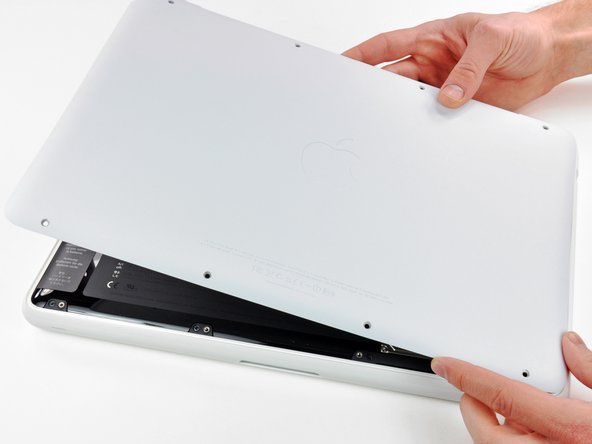
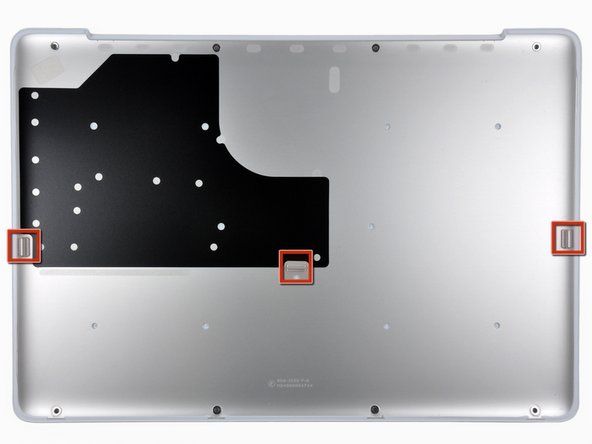
    2. MacBook Unibody Model A1342 Battery Replacement: step 2, image 1 of 3 MacBook Unibody Model A1342 Battery Replacement: step 2, image 2 of 3 MacBook Unibody Model A1342 Battery Replacement: step 2, image 3 of 3
      • The lower case is constructed of rubber-coated aluminum. Do not excessively bend the aluminum during removal, as any permanent deformation will cause tolerance issues after reassembly.

      • Slightly lift the lower case near the vent opening.

      • Continue running your fingers between the lower and upper cases until the upper case pops off its retaining clips.

      • The location of these three clips is shown in the third picture.

      Add Comment

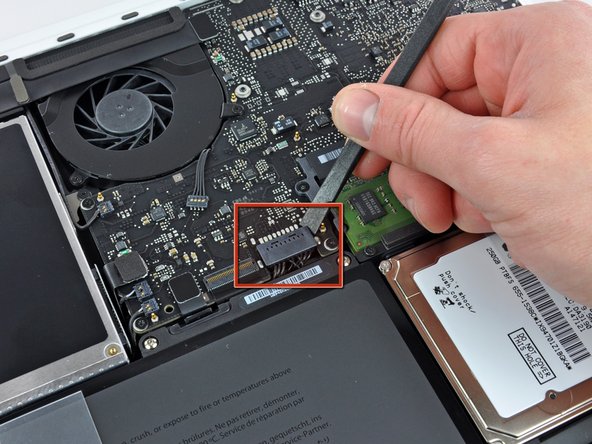
    3. MacBook Unibody Model A1342 Battery Replacement: step 3, image 1 of 1
      • Use the flat end of a spudger to lift the battery connector up out of its socket on the logic board.

      • It may be easier to use your fingernails to lift up on both sides of the connector.

      Add Comment

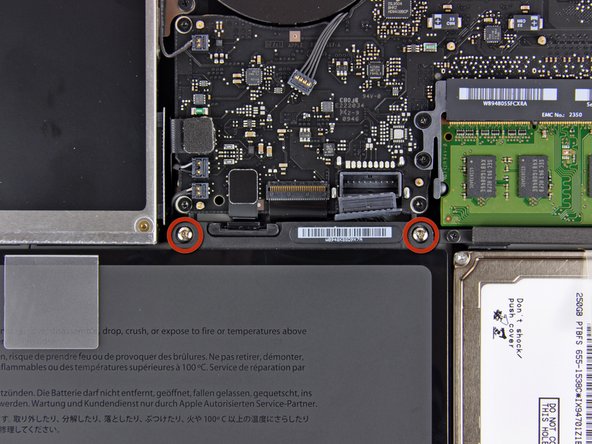
    4. MacBook Unibody Model A1342 Battery Replacement: step 4, image 1 of 1
      • Remove two 5 mm Tri-Wing screws securing the battery to the upper case.

      Add Comment

    5. MacBook Unibody Model A1342 Battery Replacement: step 5, image 1 of 1
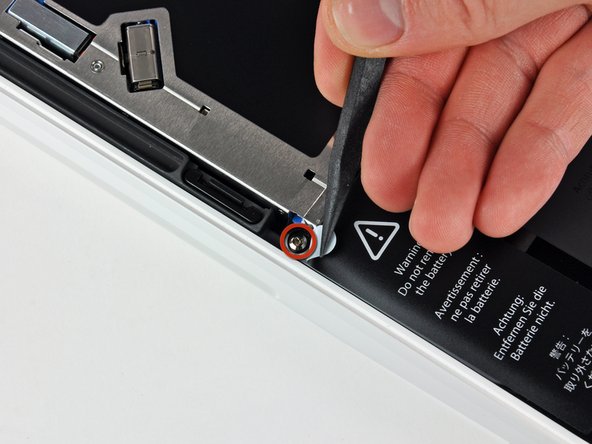
      • Use the tip of a spudger to carefully peel back the finger of the warning label to reveal a hidden Tri-Wing screw.

      • Remove the 5 mm Tri-Wing screw securing the battery to the upper case.

      Add Comment

    6. MacBook Unibody Model A1342 Battery Replacement: step 6, image 1 of 1
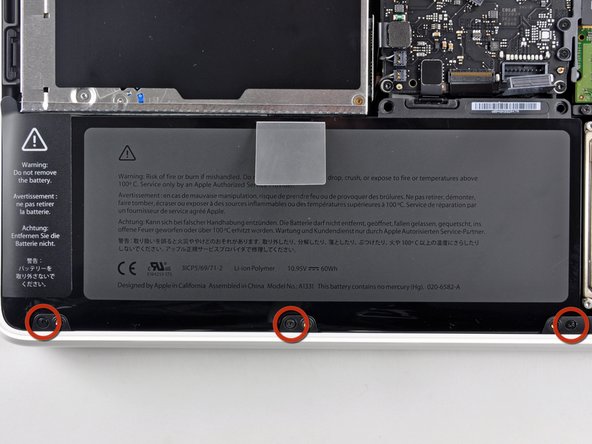
      • Remove three 3.1 mm Phillips screws securing the battery near the edge of the upper case.

      • When reinstalling the battery, be sure to install these three screws before proceeding to fasten the Tri-Wing screws.

      Add Comment

    7. MacBook Unibody Model A1342 Battery Replacement: step 7, image 1 of 1
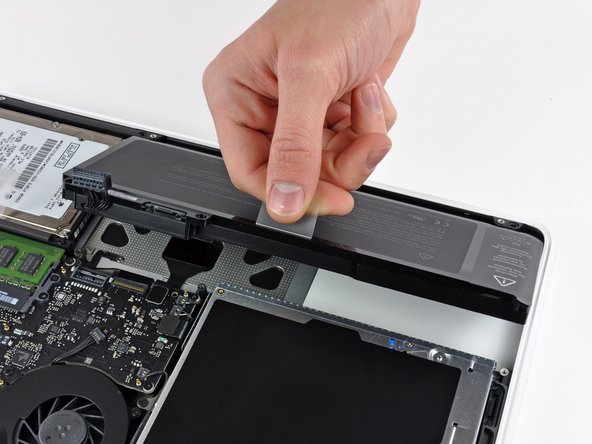
      • Use the battery's plastic pull tab to lift and remove the battery from the upper case.

      Add Comment

Conclusion

To reassemble your device, follow these instructions in reverse order.

Cancel: I did not complete this guide.

System

Member since: 09/24/09

2,562 Guides authored

0 Guide Comments

Add Comment

View Statistics:

Past 24 Hours: 0

Past 7 Days: 0

Past 30 Days: 0

All Time: 12