

Microsoft Zune HD Upper Rear Panel Replacement

Last updated on Sep 17, 2016
Views: 12
View statistics:
- Past 24 Hours:
- 0
- Past 7 Days:
- 0
- Past 30 Days:
- 2
- All Time:
- 12
Comments: 0
No one has left comments on this guide. Will you be first?
Go to guide commentsCompleted: 0 1
No one has marked this guide "completed." Will you be the first?
1 person has marked this guide "completed." It's you — great job!
Favorites: 0 1
No one has favorited (and subscribed to) this guide. Will you be the first?
1 person has favorited (and subscribed to) this guide — and that's you!
Introduction
Go to step 1 ↓Replace the upper rear panel and keep your Zune HD nice and shiny.
What you need
-
-
-
Remove the four Tri-Wing screws securing the upper rear panel to the inner chassis.
-
-
-
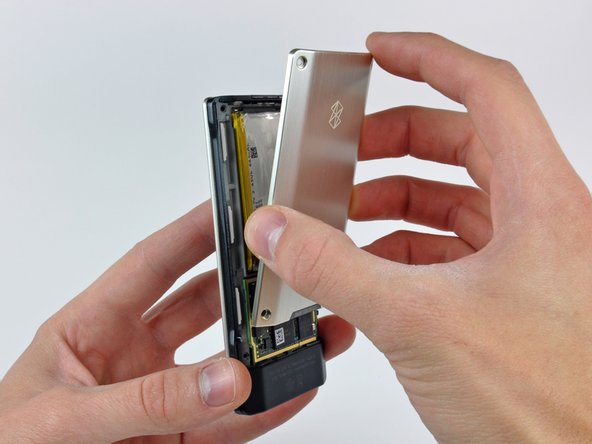
Slightly rotate the top edge of the upper rear panel away from the Zune.
-
Lift the upper rear panel straight up off the black plastic lower rear panel.
-
-




To reassemble your device, follow these instructions in reverse order.

