

Nintendo DSi XL Upper Screen Replacement

Last updated on Sep 17, 2016
Views: 54
View statistics:
- Past 24 Hours:
- 0
- Past 7 Days:
- 0
- Past 30 Days:
- 2
- All Time:
- 54
Comments: 0
No one has left comments on this guide. Will you be first?
Go to guide commentsCompleted: 0 1
No one has marked this guide "completed." Will you be the first?
1 person has marked this guide "completed." It's you — great job!
Favorites: 0 1
No one has favorited (and subscribed to) this guide. Will you be the first?
1 person has favorited (and subscribed to) this guide — and that's you!
Introduction
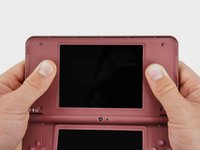
Go to step 1 ↓Get a better view of whats going on in your games by replacing a scratched upper screen. This is not the touchscreen.
-
-
-
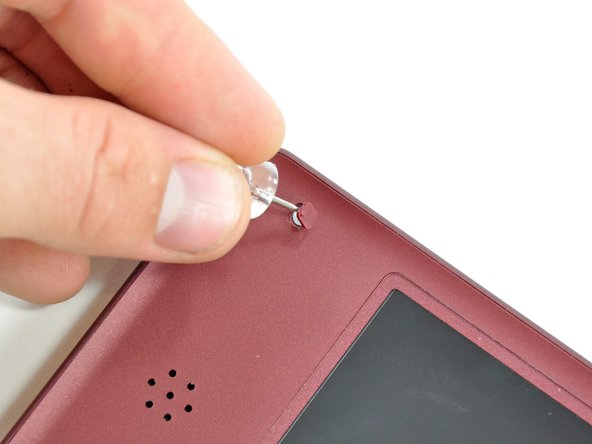
Use a push pin to remove the four plastic screw covers on the front bezel.
-
-
-
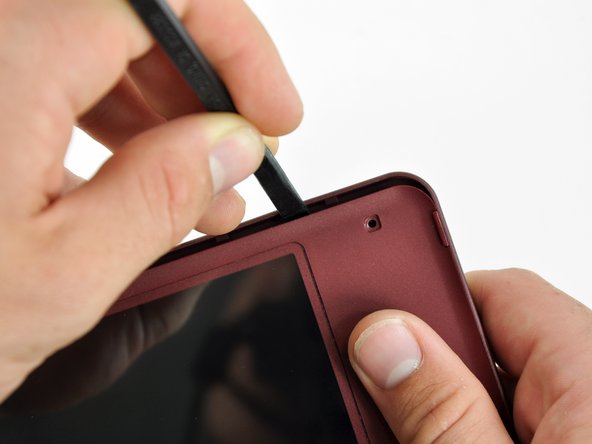
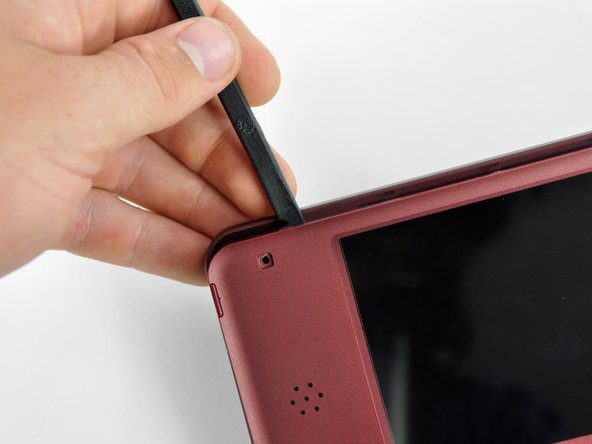
Insert a spudger into the gap between the front and rear bezel
-
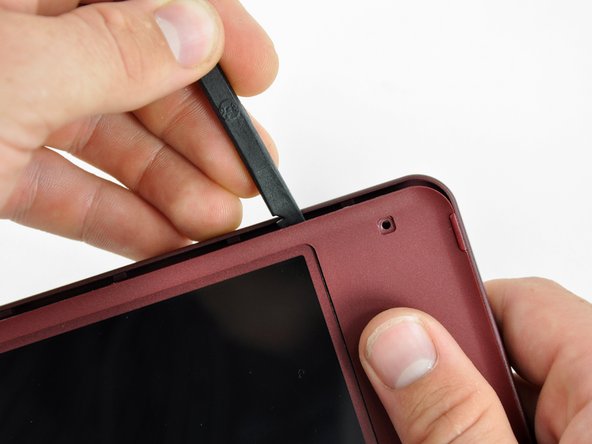
Rotate the spudger away from the DSi XL, prying the two bezels apart.
-
-
-
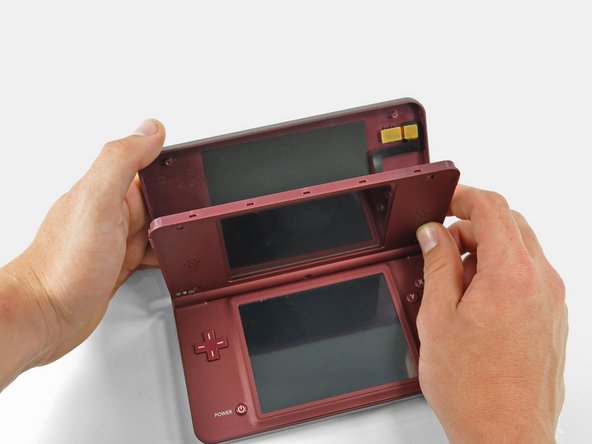
In the same manner as described above, continue prying along the top edge of the front and rear bezels.
-
-
-
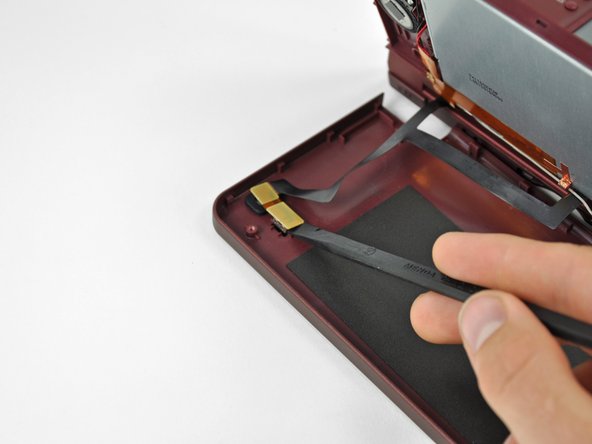
Use the flat end of a spudger to pry the rear camera off the rear bezel.
-
Remove the rear bezel.
-
-
-
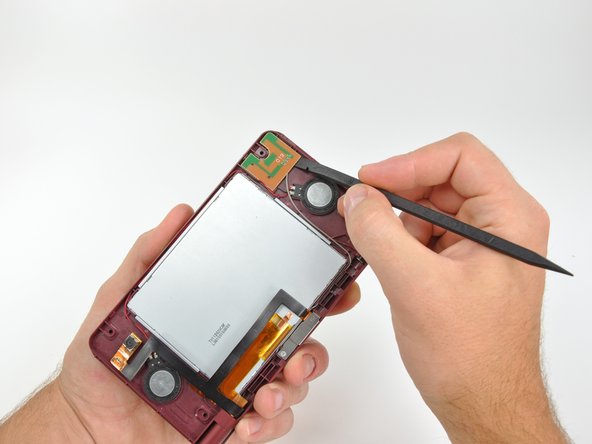
Using the flat end of a spudger, pry the Wi-Fi antenna out of its housing from within the front bezel and move it aside.
-
-
-
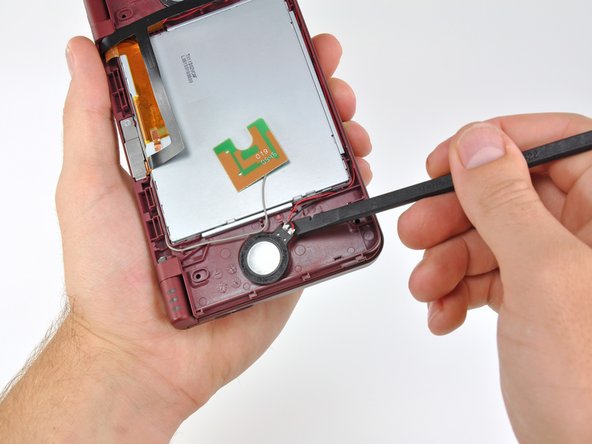
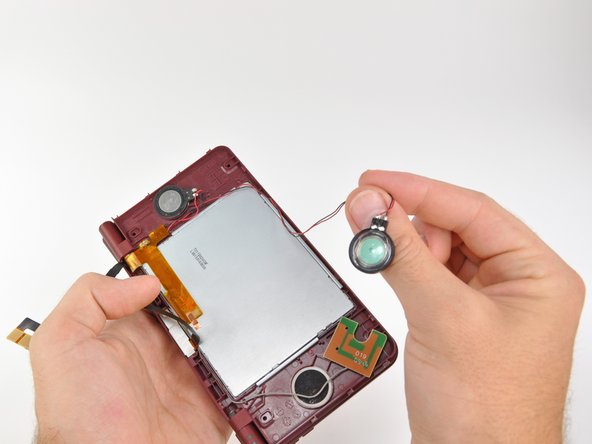
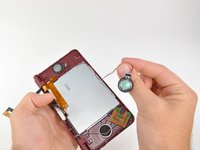
Using the flat end of a spudger, pry the left speaker out of its socket on the front bezel.
-
De-route the speaker cable along the top edge of the screen.
-
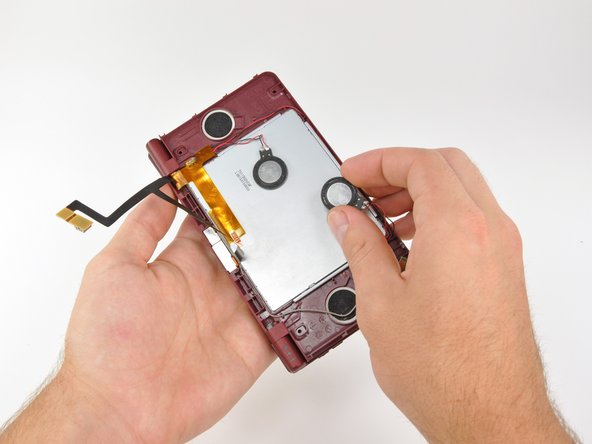
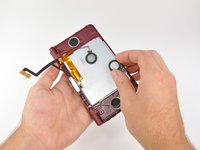
In the same manner as described above, remove the right speaker from its socket on the front bezel.
-
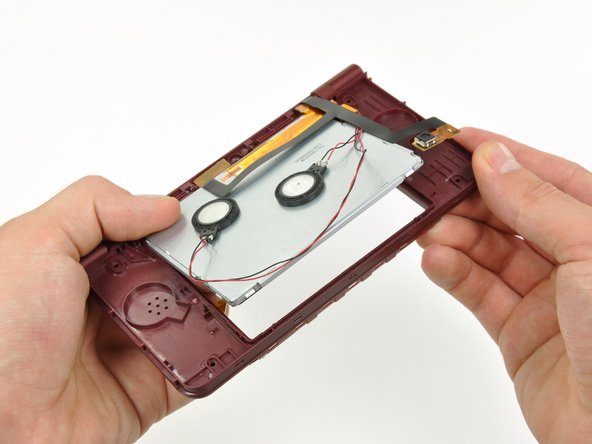
Place both speakers on the back of the upper LCD.
-
-
-
Carefully push the upper display assembly through its housing in the front bezel.
-
Rotate the upper display assembly out of the front bezel.
-
-
-
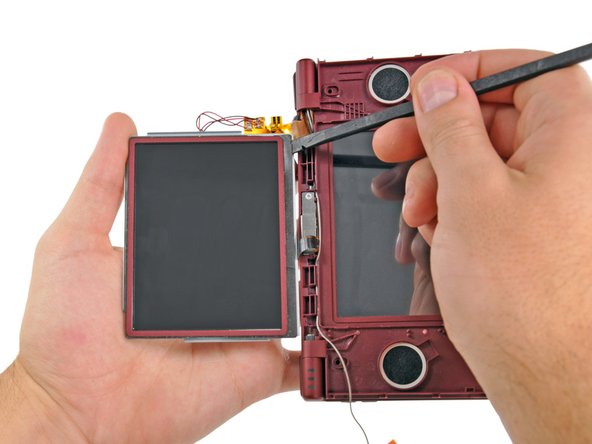
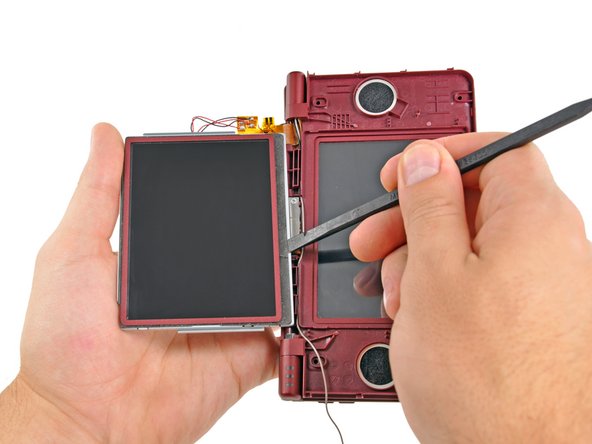
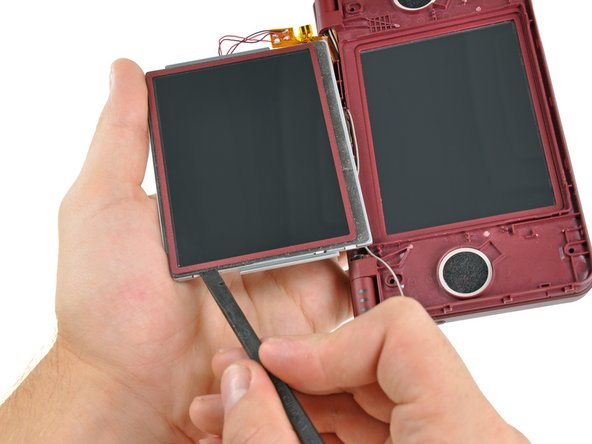
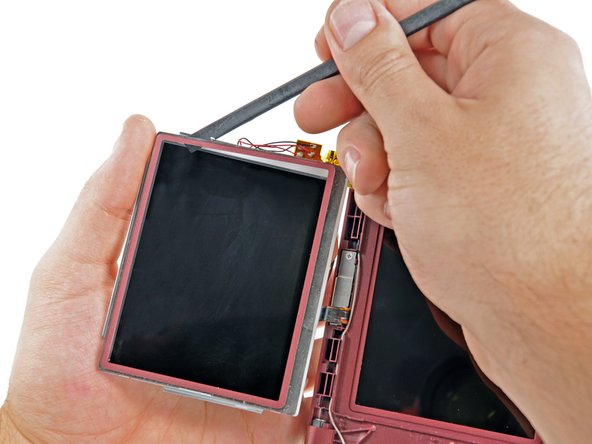
Insert the flat end of a spudger underneath the adhesive strip that secures the front screen to the upper LCD.
-
Slide the spudger along the bottom side of the upper LCD, freeing the adhesive along that edge.
-
-
-
In the same manner as previously described, detach the adhesive along the left edge of the upper LCD.
-
-
-
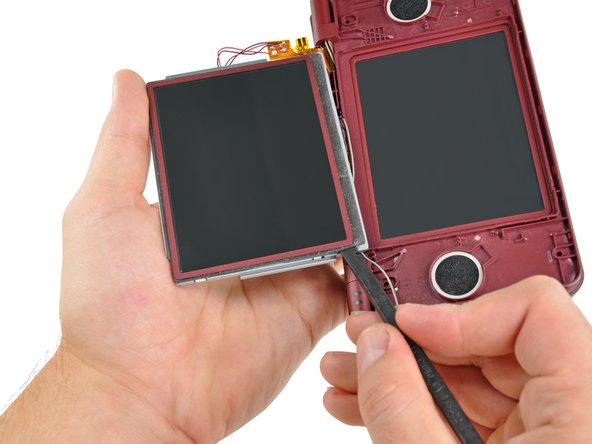
In the same manner as previously described, detach the adhesive along the right side of the upper LCD.
-
-
-
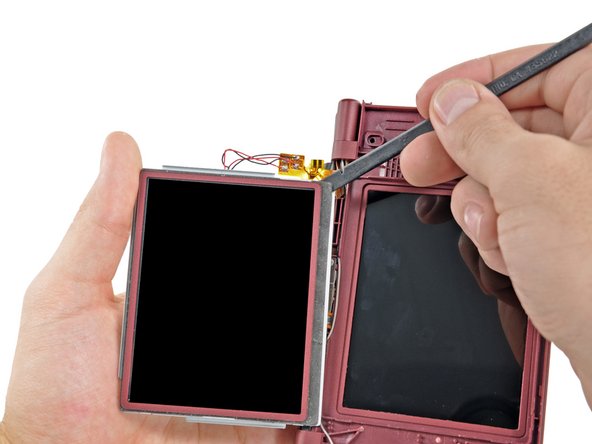
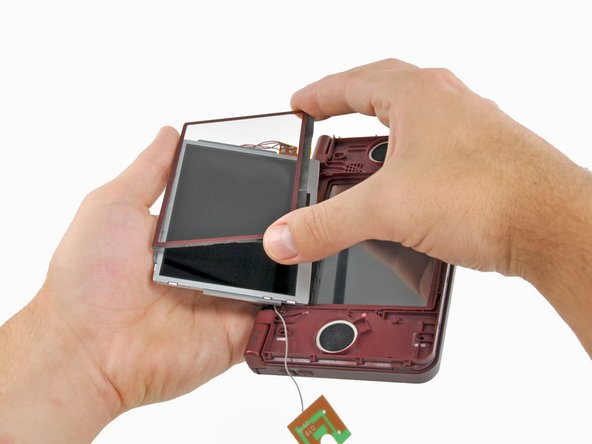
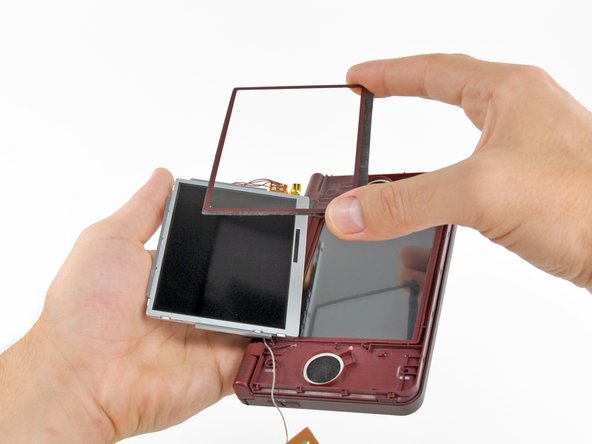
Carefully lift the upper screen from the bottom edge.
-
Pull the upper screen away from the upper LCD.
-
-





To reassemble your device, follow these instructions in reverse order.

