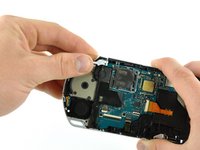
PSP 300xc Power Switch Board Replacement

What you need

  1. PSP 300xc Power Switch Board Replacement, PSP 300xc Power Switch Board Replacement: step 1, image 1 of 2 PSP 300xc Power Switch Board Replacement, PSP 300xc Power Switch Board Replacement: step 1, image 2 of 2
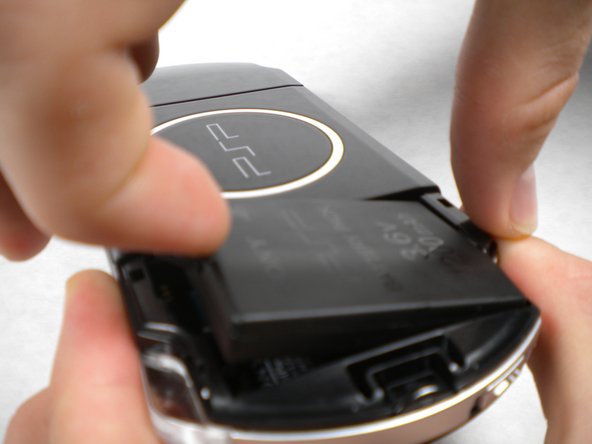
    • Press the button securing the battery door to the PSP 300xc, and lift the battery door off.

    • Lift the battery out of the PSP.

    Add Comment

  2. PSP 300xc Power Switch Board Replacement: step 2, image 1 of 1
    • Use a spudger or your fingernail to remove the warranty sticker stuck to the inside of the battery tray

    Add Comment

  3. PSP 300xc Power Switch Board Replacement: step 3, image 1 of 2 PSP 300xc Power Switch Board Replacement: step 3, image 2 of 2
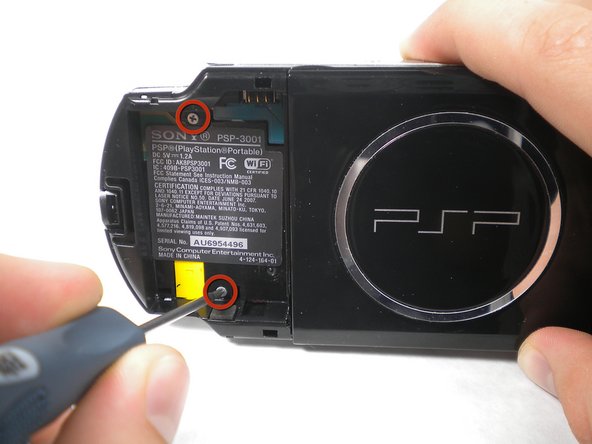
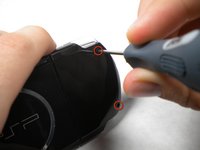
    • Remove four Phillips screws from the back of the PSP.

    Add Comment

  4. PSP 300xc Power Switch Board Replacement: step 4, image 1 of 1
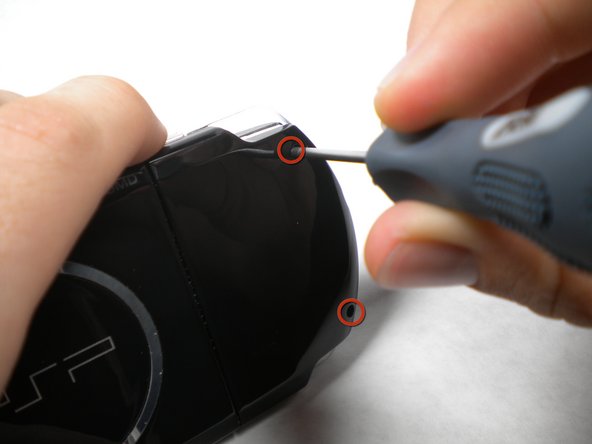
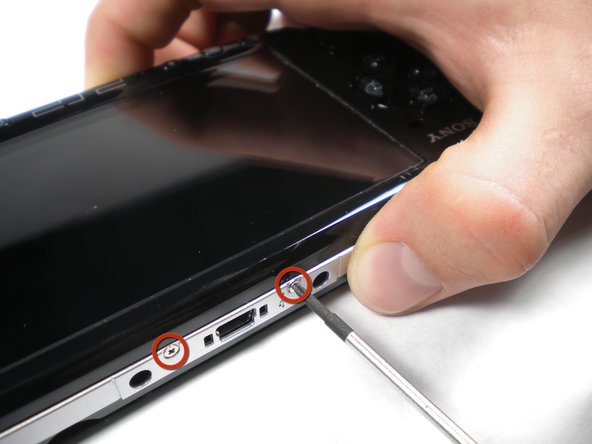
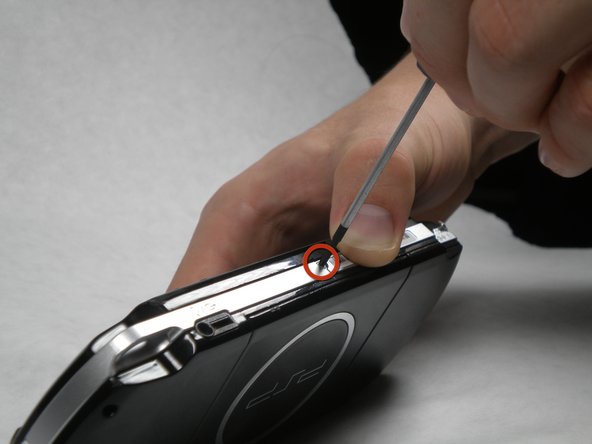
    • Remove two Phillips screws from the top of the PSP.

    Add Comment

  5. PSP 300xc Power Switch Board Replacement: step 5, image 1 of 1
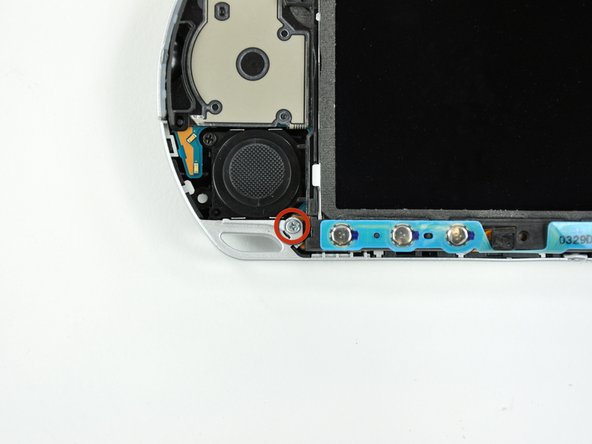
    • Remove a single screw from the bottom edge of the PSP.

    Add Comment

  6. PSP 300xc Power Switch Board Replacement: step 6, image 1 of 2 PSP 300xc Power Switch Board Replacement: step 6, image 2 of 2
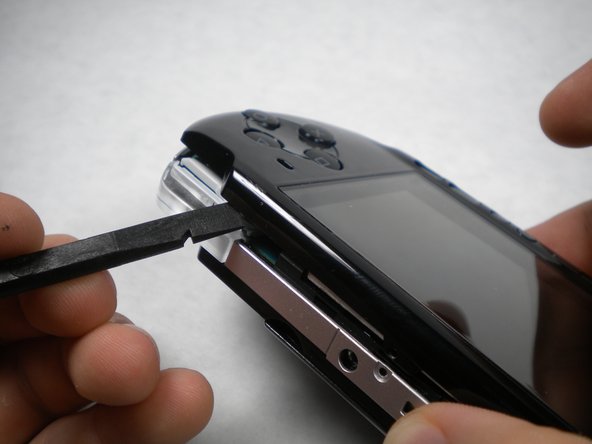
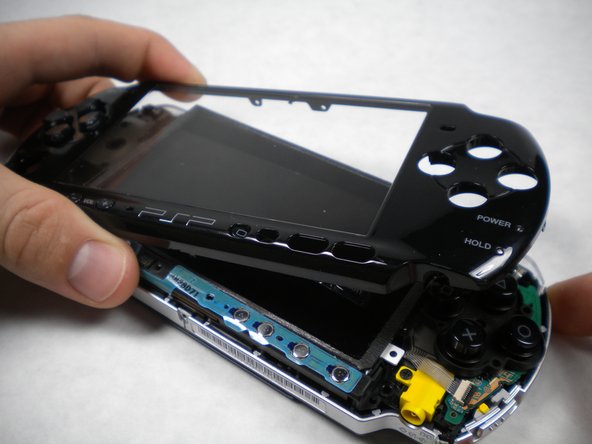
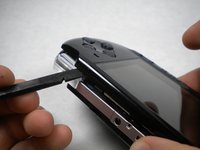
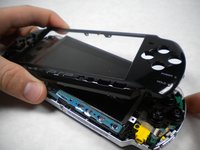
    • Insert a spudger between the front case and PSP, and slide the spudger along the perimeter of the front case to remove it.

    Add Comment

  7. PSP 300xc Power Switch Board Replacement: step 7, image 1 of 1
    • Remove a single Phillips screw securing the home bar to the PSP 300xc.

    Add Comment

  8. PSP 300xc Power Switch Board Replacement: step 8, image 1 of 2 PSP 300xc Power Switch Board Replacement: step 8, image 2 of 2
    • Push the home bar to the right about 1cm to release a tab, and begin to lift the right end of the home bar slightly.

    • Do not attempt to remove the home bar yet, it is still attached to the PSP 300xc.

    Add Comment

  9. PSP 300xc Power Switch Board Replacement: step 9, image 1 of 1
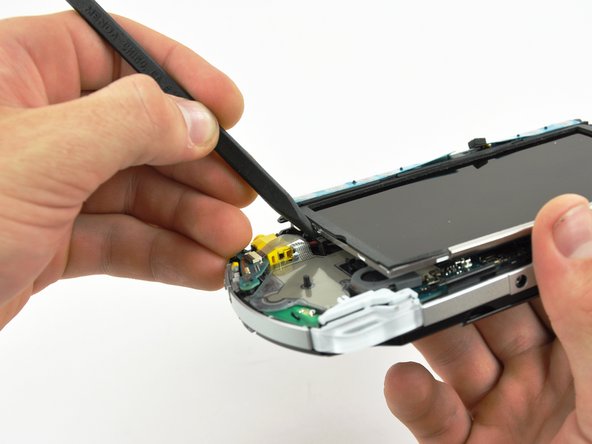
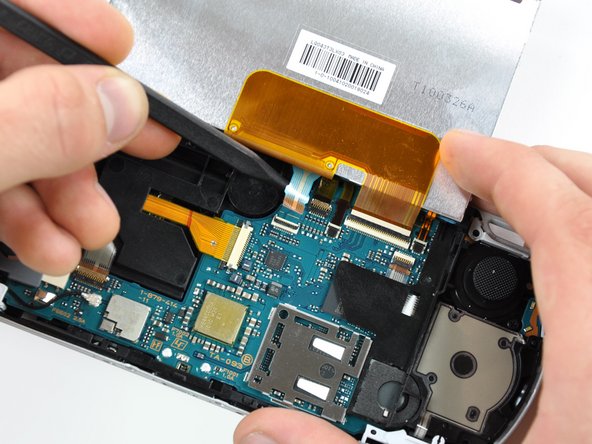
    • Insert a spudger under the LCD, beside the black plastic tab.

    • Push the LCD to the left and pry up to release the left edge of the LCD from under the plastic tab.

    Add Comment

  10. PSP 300xc Power Switch Board Replacement: step 10, image 1 of 1
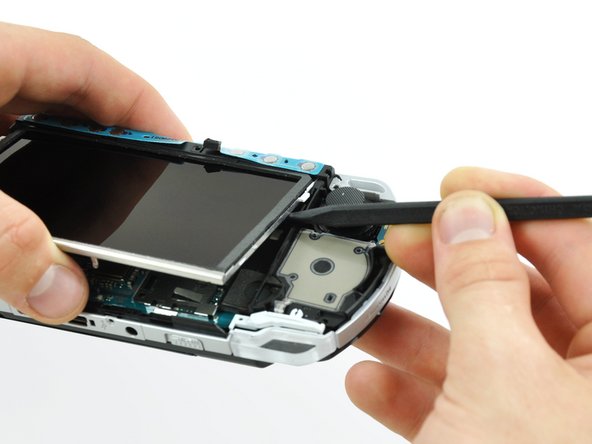
    • Insert a spudger under the LCD, beside the black plastic tab.

    • Push the LCD to the right and pry up to release the right edge of the LCD from under the plastic tab.

    Add Comment

  11. PSP 300xc Power Switch Board Replacement: step 11, image 1 of 3 PSP 300xc Power Switch Board Replacement: step 11, image 2 of 3 PSP 300xc Power Switch Board Replacement: step 11, image 3 of 3
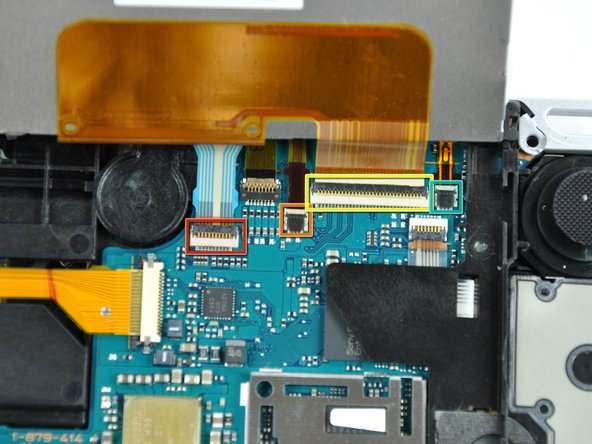
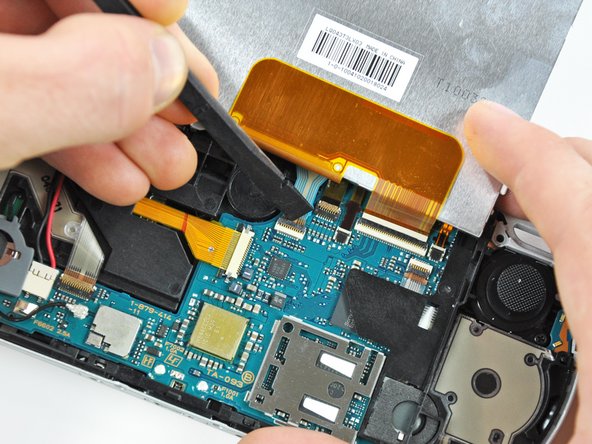
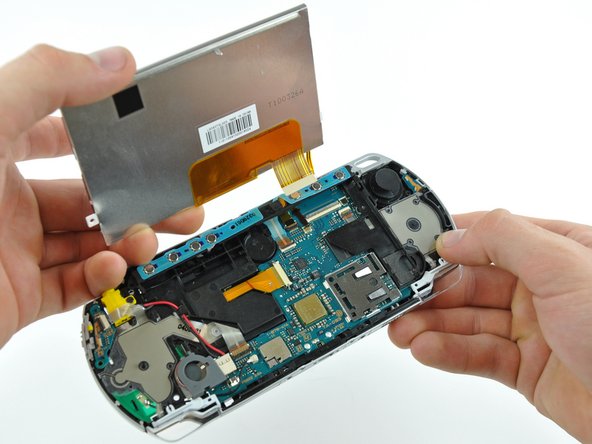
    • Rotate the LCD away from the PSP to reveal the LCD and home bar ribbon cables.

    • Use your fingernail or the edge of a plastic opening tool to flip up the retaining flap on the following four ZIF connectors:

    • Home bar cable

    • Microphone cable

    • LCD display data cable

    • Touchscreen cable

    • Be sure you are prying up on the retaining flap, not the socket itself

    • After flipping up the locking tabs on all four connectors, use your fingers or a spudger to gently pull the cables straight out of the connectors.

    Add Comment

  12. PSP 300xc Power Switch Board Replacement: step 12, image 1 of 1
    • Remove the LCD from the PSP 300xc.

    Add Comment

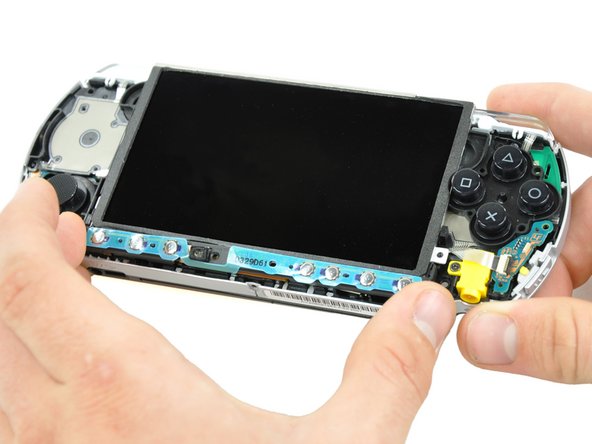
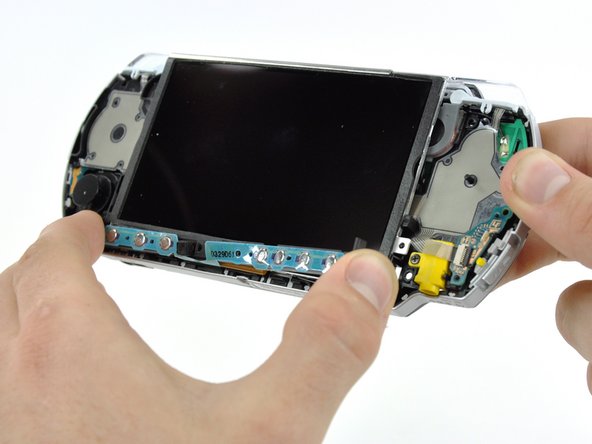
  13. PSP 300xc Power Switch Board Replacement: step 13, image 1 of 3 PSP 300xc Power Switch Board Replacement: step 13, image 2 of 3 PSP 300xc Power Switch Board Replacement: step 13, image 3 of 3
    • Lift the home bar up as high as it will go, but not so high that the wires disconnect.

    • Try to bend the small tab under the silver rim as little as possible it the following steps. The more you bend, the more likely it will snap.

    • Twist the home bar counter clockwise while carefully lifting it further. The left edge has to lift over the black plastic frame to allow it to rotate.

    • The home bar should now lift out of the PSP 300xc.

    Add Comment

  14. PSP 300xc Power Switch Board Replacement: step 14, image 1 of 2 PSP 300xc Power Switch Board Replacement: step 14, image 2 of 2
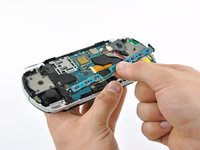
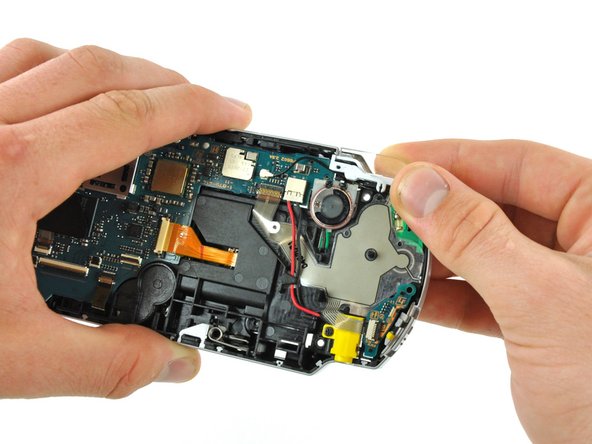
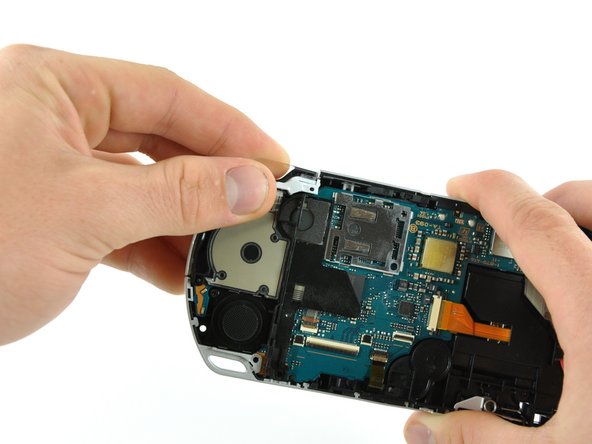
    • Remove both trigger buttons by lifting them off the PSP 300xc.

    Add Comment

  15. PSP 300xc Power Switch Board Replacement: step 15, image 1 of 1
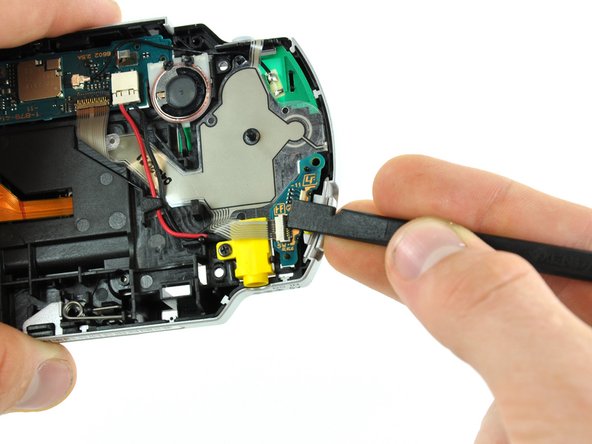
    • Using a finger or spudger, flip up the retaining flap on the power switch board ribbon cable socket.

    • Pull the ribbon cable out of its socket.

    Add Comment

  16. PSP 300xc Power Switch Board Replacement: step 16, image 1 of 1
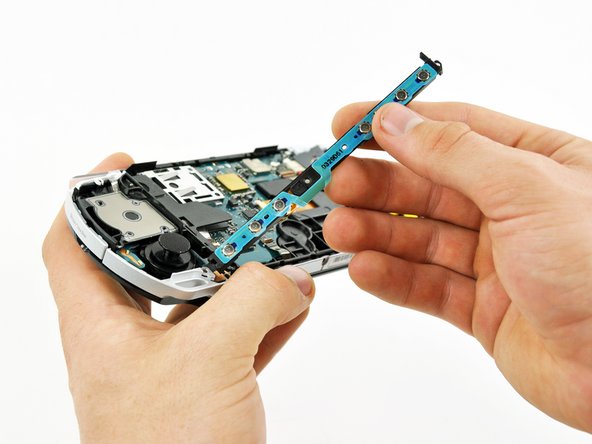
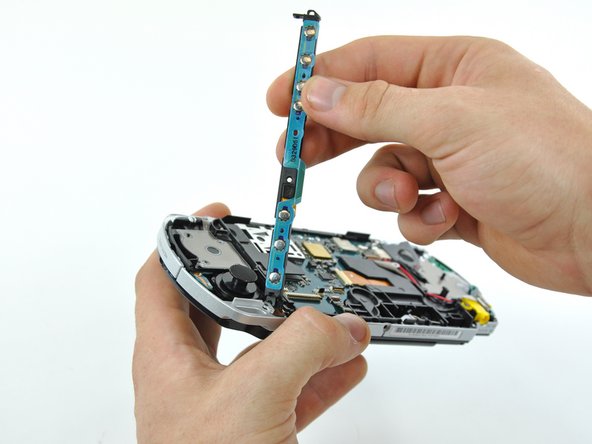
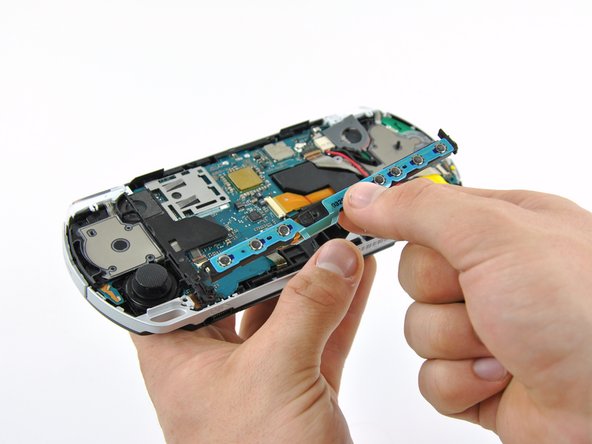
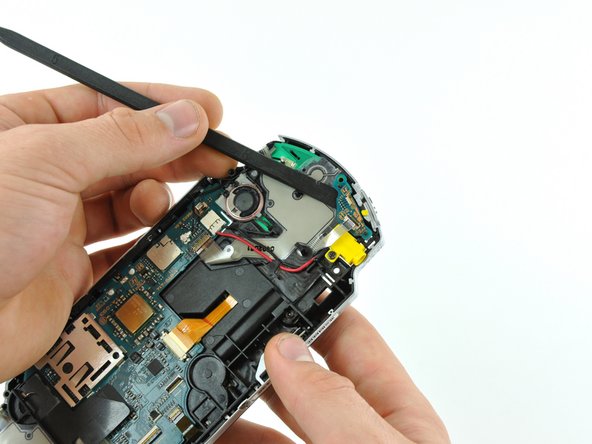
    • Using the flat end of a spudger, pry the power switch board up and off the PSP 300xc.

    • Remove the power switch board from the PSP.

    Add Comment

Conclusion

To reassemble your device, follow these instructions in reverse order.

Cancel: I did not complete this guide.

System

Member since: 09/24/09

2,562 Guides authored

0 Guide Comments

Add Comment

View Statistics:

Past 24 Hours: 0

Past 7 Days: 0

Past 30 Days: 1

All Time: 13