PlayStation 2 Optical Disc Drive Lens Cleaning

What you need

    1. PlayStation 2 Optical Disc Drive Lens Cleaning, PlayStation 2 Optical Disc Drive Lens Cleaning: step 1, image 1 of 3 PlayStation 2 Optical Disc Drive Lens Cleaning, PlayStation 2 Optical Disc Drive Lens Cleaning: step 1, image 2 of 3 PlayStation 2 Optical Disc Drive Lens Cleaning, PlayStation 2 Optical Disc Drive Lens Cleaning: step 1, image 3 of 3
      • Flip the PlayStation 2 over so it lays with the bottom of the device facing upwards.

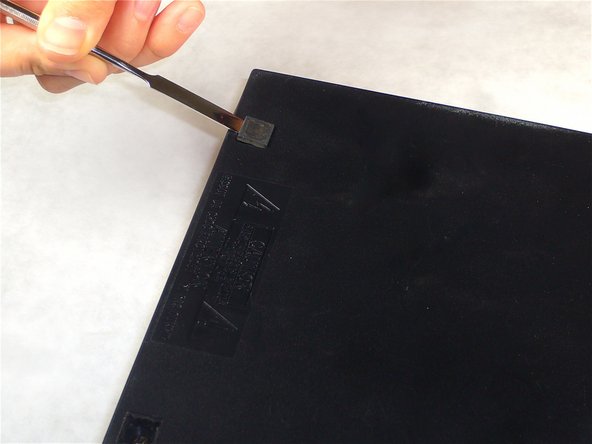
      • Use the flat edge of a metal spudger to pry the eight flat screw covers out.

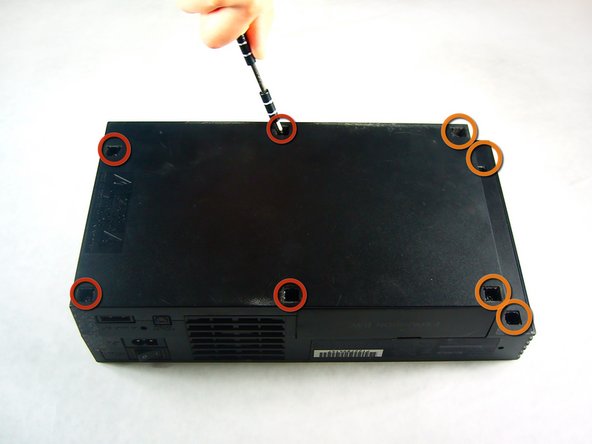
      • Remove the following eight screws securing the top cover to the bottom case:

      • Four 55.4 mm Philips screws

      • Four 18.0 mm Phillips screws

      Add Comment

    2. PlayStation 2 Optical Disc Drive Lens Cleaning: step 2, image 1 of 1
      • Some models have a different number of screws and feet. Remove all the feet and screws in the bottom of the case.

      • The 10 screw model has 6 screws in the bottom-most portion and 4 in the upper tray.

      Add Comment

    3. PlayStation 2 Optical Disc Drive Lens Cleaning: step 3, image 1 of 1
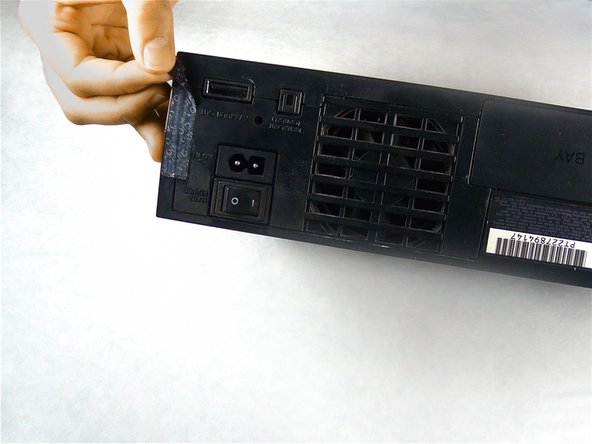
      • Peel the warranty sticker (located next to the main power switch) straight away from the case.

      • To avoid activating the VOID that may come up, heat it carefully to remove and replace it clean

      Add Comment

    4. PlayStation 2 Optical Disc Drive Lens Cleaning: step 4, image 1 of 2 PlayStation 2 Optical Disc Drive Lens Cleaning: step 4, image 2 of 2
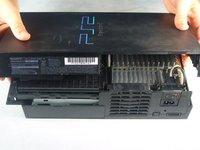
      • Flip the PlayStation 2 back to its original upside position.

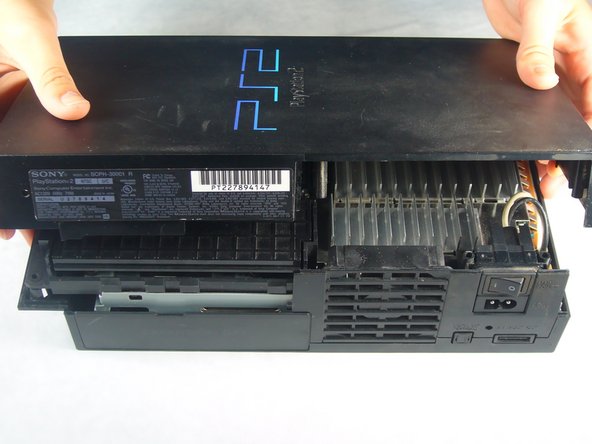
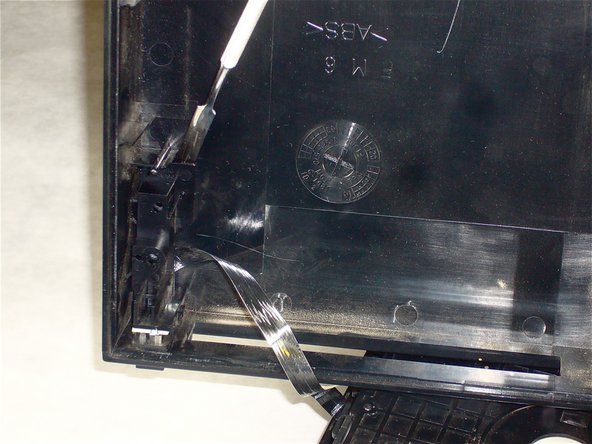
      • Lift the top cover off the bottom case.

      • To facilitate the removal, it is recommended to pry open the half closer to the power switch first while rocking the top cover towards the front of the bottom case.

      • Carefully remove the power cord that attaches the top and bottom halves by disconnecting the power cord assembly from the bottom case.

      Add Comment

    5. PlayStation 2 Optical Disc Drive Lens Cleaning: step 5, image 1 of 2 PlayStation 2 Optical Disc Drive Lens Cleaning: step 5, image 2 of 2
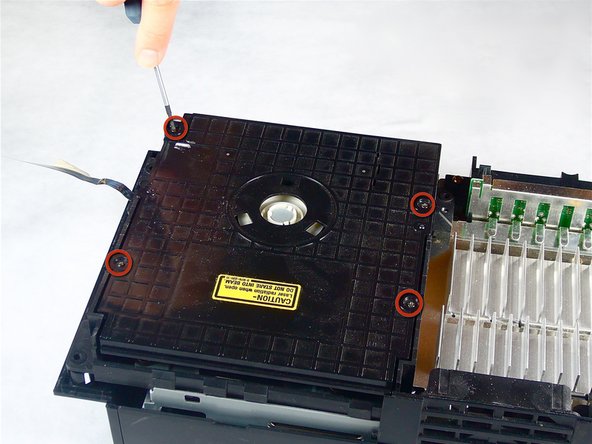
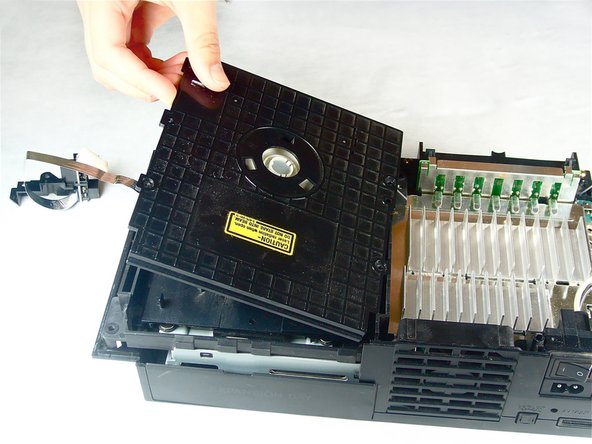
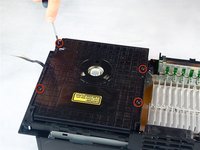
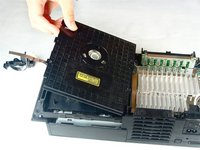
      • Remove the four 6.4 mm Phillips screws securing the top lid of the optical disc drive.

      • Lift and remove the lid from the optical disc drive.

      Add Comment

    6. PlayStation 2 Optical Disc Drive Lens Cleaning: step 6, image 1 of 1
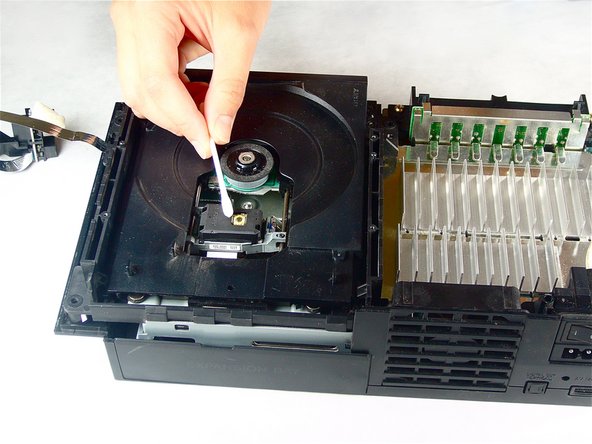
      • Carefully wipe the lens in a circular motion with a rubbing alcohol damped Q-Tip.

      • Do not over-dampen the Q-Tip with rubbing alcohol.

      • Allow a few minutes for the rubbing alcohol to evaporate.

      Add Comment

Conclusion

To reassemble your device, follow these instructions in reverse order.

Cancel: I did not complete this guide.

System

Member since: 09/24/09

2,562 Guides authored

0 Guide Comments

Add Comment

View Statistics:

Past 24 Hours: 0

Past 7 Days: 0

Past 30 Days: 0

All Time: 14