PowerBook G3 Lombard PRAM Battery Replacement

Views: 79

View statistics:

Past 24 Hours:
0
Past 7 Days:
0
Past 30 Days:
2
All Time:
79
Comments: 0

No one has left comments on this guide. Will you be first?

Go to guide comments
Completed: 0

No one has marked this guide "completed." Will you be the first?

Favorites: 0

No one has favorited (and subscribed to) this guide. Will you be the first?

Time Required: No estimate
Difficulty: Easy
PowerBook G3 Lombard PRAM Battery Replacement

Introduction

Go to step 1 ↓

The time and date, as well as other settings, are kept by the PRAM battery when your machine is off.

    1. PowerBook G3 Lombard PRAM Battery Replacement, PowerBook G3 Lombard PRAM Battery Replacement: step 1, image 1 of 1
      • Turn the computer so that the ports are facing you.

      • If the keyboard is locked, open the port cover and turn the keyboard locking screw until the keyboard is unlocked.

      Add Comment

    2. PowerBook G3 Lombard PRAM Battery Replacement: step 2, image 1 of 1
      • Pull the keyboard release tabs toward you and lift up on the keyboard until it pops free.

      • Make sure you have removed the laptop battery and CD/DVD module from the expansion bays before proceeding.

      Add Comment

    3. PowerBook G3 Lombard PRAM Battery Replacement: step 3, image 1 of 1
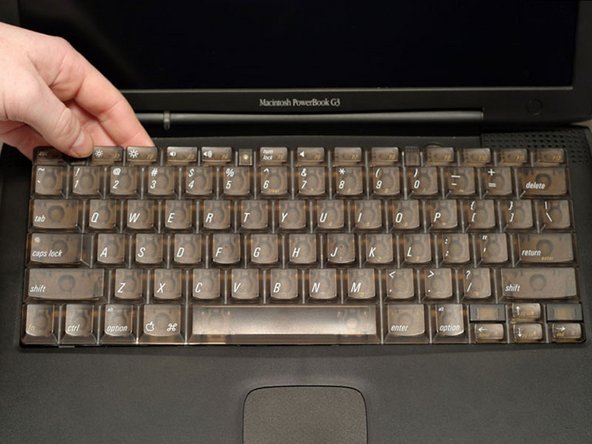
      • Lift the keyboard out by pulling it up and away from you. Rest the keyboard, face down, on top of the trackpad.

      • In order to replace the keyboard, you must first remove the modem.

      Add Comment

    4. PowerBook G3 Lombard PRAM Battery Replacement: step 4, image 1 of 1
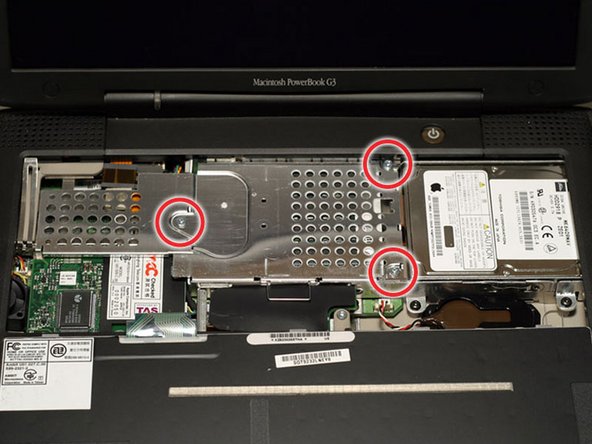
      • Remove the three silver Phillips screws that attach the heat shield to the internal metal framework.

      Add Comment

    5. PowerBook G3 Lombard PRAM Battery Replacement: step 5, image 1 of 1
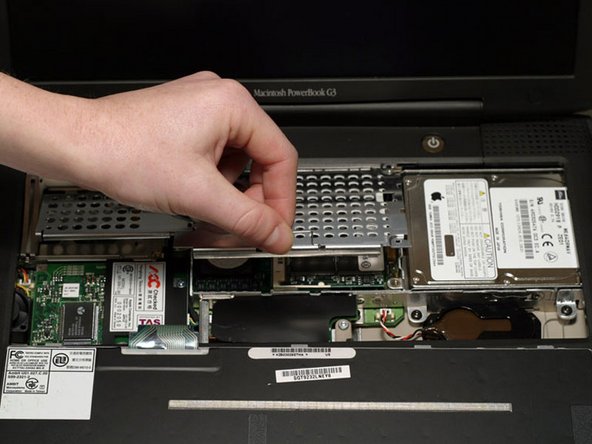
      • Lift the heat shield up and pull it toward you.

      Add Comment

    6. PowerBook G3 Lombard PRAM Battery Replacement: step 6, image 1 of 1
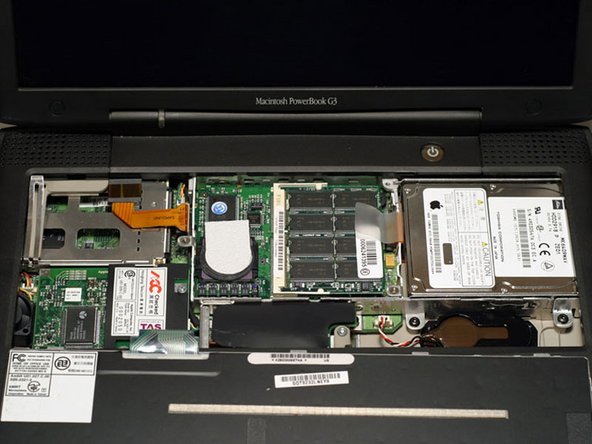
      • Your laptop should look approximately like this.

      Add Comment

    7. PowerBook G3 Lombard PRAM Battery Replacement: step 7, image 1 of 1
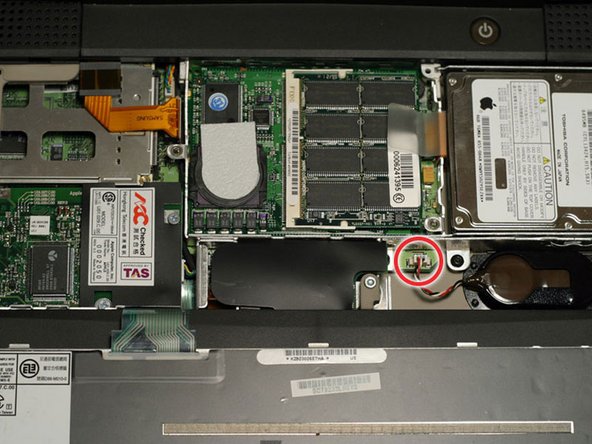
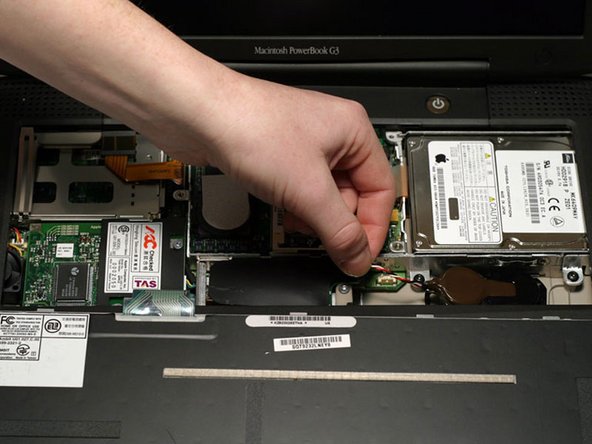
      • Pull the battery cable directly up from the logic board.

      Add Comment

    8. PowerBook G3 Lombard PRAM Battery Replacement: step 8, image 1 of 1
      • Remove the battery from its holder by pulling up and to the left.

      Add Comment

Conclusion

To reassemble your device, follow these instructions in reverse order.

Cancel: I did not complete this guide.

System

Member since: 09/24/09

2,562 Guides authored

0 Guide Comments

Add Comment

View Statistics:

Past 24 Hours: 0

Past 7 Days: 0

Past 30 Days: 2

All Time: 79