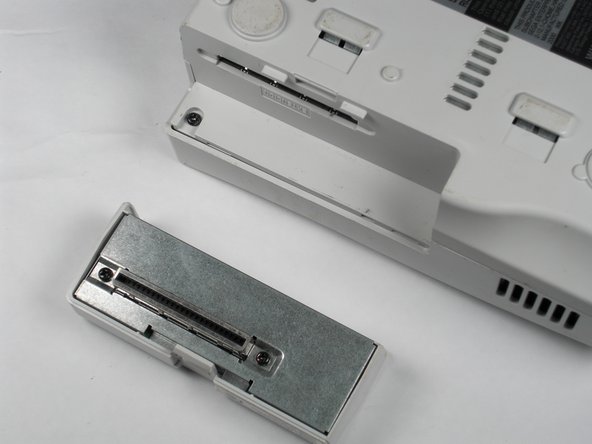
Sega Dreamcast Expansion Bay Replacement

  1. Sega Dreamcast Expansion Bay Replacement, Sega Dreamcast Expansion Bay Replacement: step 1, image 1 of 2 Sega Dreamcast Expansion Bay Replacement, Sega Dreamcast Expansion Bay Replacement: step 1, image 2 of 2
    • Verify that the console is disconnected from the AC outlet before you begin.

    • Flip the console over on its back.

    • Take note of your model number, in case replacement parts are needed.

    Add Comment

  2. Sega Dreamcast Expansion Bay Replacement: step 2, image 1 of 3 Sega Dreamcast Expansion Bay Replacement: step 2, image 2 of 3 Sega Dreamcast Expansion Bay Replacement: step 2, image 3 of 3
    • Remove the expansion bay by applying pressure to the small clip on the expansion bay while prying it away from the console.

    Add Comment

Conclusion

To reassemble your device, follow these instructions in reverse order.

Cancel: I did not complete this guide.

System

Member since: 09/24/09

2,562 Guides authored

0 Guide Comments

Add Comment

View Statistics:

Past 24 Hours: 0

Past 7 Days: 0

Past 30 Days: 1

All Time: 18