Sony Cyber-shot DSC-P52 Outer Case Replacement

Views: 11

View statistics:

Past 24 Hours:
0
Past 7 Days:
0
Past 30 Days:
2
All Time:
11
Comments: 0

No one has left comments on this guide. Will you be first?

Go to guide comments
Completed: 0

No one has marked this guide "completed." Will you be the first?

Favorites: 0

No one has favorited (and subscribed to) this guide. Will you be the first?

Time Required: No estimate
Difficulty: Moderate
Sony Cyber-shot DSC-P52 Outer Case Replacement

Introduction

Go to step 1 ↓

This guide is used for taking apart the case to fix many of the issues of the Sony Cybershot DSC-P52.

What you need

    1. Sony Cyber-shot DSC-P52 Outer Case Replacement, Sony Cyber-shot DSC-P52 Outer Case Replacement: step 1, image 1 of 1
      • Open battery compartment and remove batteries.

      • Remove all visible screws on the outside of the case.

      • There should be three of them that are all easily located.

      Add Comment

    2. Sony Cyber-shot DSC-P52 Outer Case Replacement: step 2, image 1 of 1
      • Open the memory card compartment.

      • Remove the screw next to the memory card slot.

      Add Comment

    3. Sony Cyber-shot DSC-P52 Outer Case Replacement: step 3, image 1 of 1
      • Pull apart front and back cover pieces carefully.

      • The front cover should come completely free with little effort.

      • The back cover will still be attached to the circuit board.

      Add Comment

    4. Sony Cyber-shot DSC-P52 Outer Case Replacement: step 4, image 1 of 1
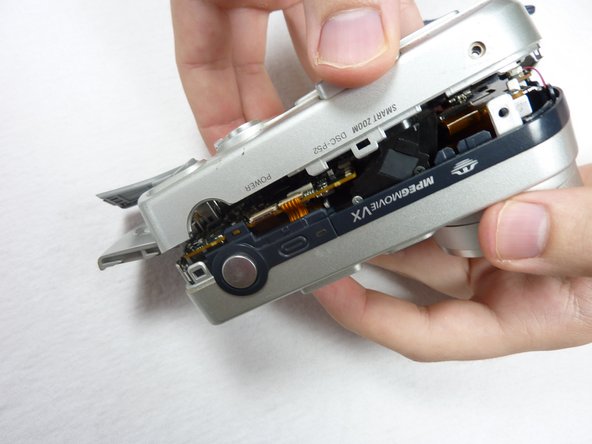
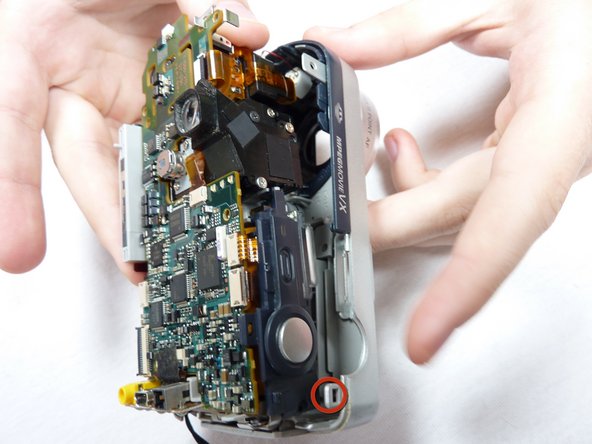
      • Unclip all of the clips holding in the circuitry simultaneously and remove the back case.

      • The circuitry will still be connected to the back case by ribbon cables.

      Add Comment

    5. Sony Cyber-shot DSC-P52 Outer Case Replacement: step 5, image 1 of 1
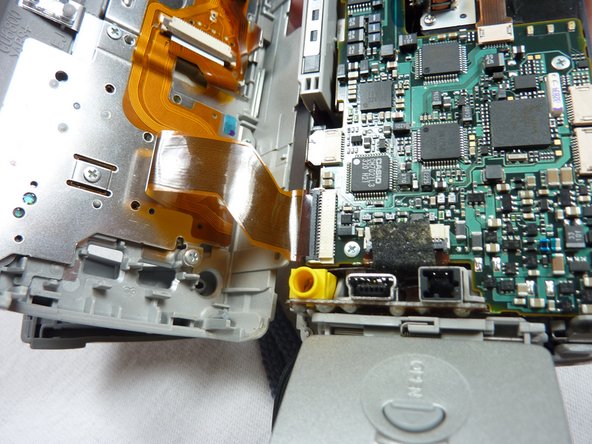
      • Open case as shown.

      Add Comment

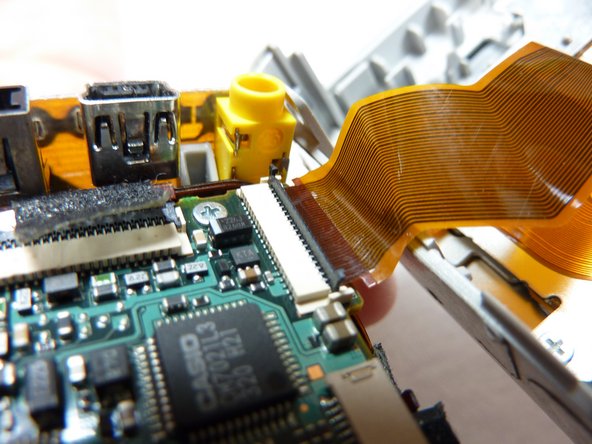
    6. Sony Cyber-shot DSC-P52 Outer Case Replacement: step 6, image 1 of 1
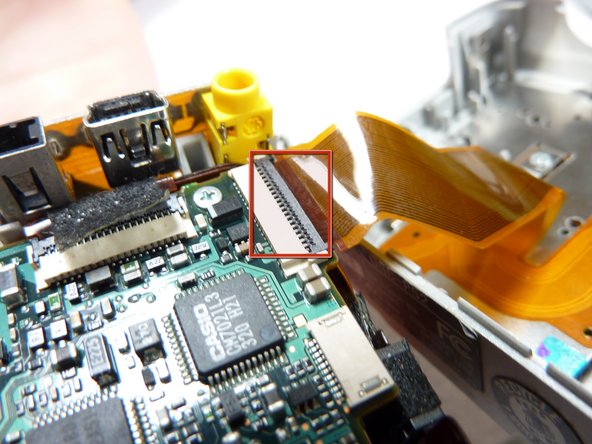
      • Unclip the clip holding the ribbon cable in.

      • Other ribbon cables might not have a clips.

      Add Comment

    7. Sony Cyber-shot DSC-P52 Outer Case Replacement: step 7, image 1 of 1
      • Pull the ribbon cable out.

      Add Comment

Conclusion

To reassemble your device, follow these instructions in reverse order.

Cancel: I did not complete this guide.

System

Member since: 09/24/09

2,562 Guides authored

0 Guide Comments

Add Comment

View Statistics:

Past 24 Hours: 0

Past 7 Days: 0

Past 30 Days: 2

All Time: 11