
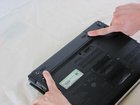
Sony Vaio PCG-6J2L Battery Replacement

Last updated on Apr 11, 2016
Views: 48
View statistics:
- Past 24 Hours:
- 0
- Past 7 Days:
- 0
- Past 30 Days:
- 4
- All Time:
- 48
Comments: 0
No one has left comments on this guide. Will you be first?
Go to guide commentsCompleted: 0 1
No one has marked this guide "completed." Will you be the first?
1 person has marked this guide "completed." It's you — great job!
Favorites: 0 1
No one has favorited (and subscribed to) this guide. Will you be the first?
1 person has favorited (and subscribed to) this guide — and that's you!
Introduction
Go to step 1 ↓If your current battery is dead or no longer works, you will need to remove the battery. This is shown below in just a few simple steps.
Hazards
Keep out of reach of children and pets.
DO NOT attempt to teardown or repair your device under the influence of drugs or alcohol.
DO NOT ingest any parts of the system.
Use the correct tools as stated in the tools section.
DO NOT touch any gold connectors on interior or exterior of the system.
Make sure system is unplugged and turned off before performing any maintenance on the system.
-
-
-
Set the computer display-side down.
-
Unlock the battery by sliding the port-side latch to the 'unlock' position.
-
-
-
On the opposite side of the battery, press the release latch and slide the battery away from the main body to remove.
-
-


To reassemble your device, follow these instructions in reverse order.

