Toshiba Satellite M305D-S4829 CD/DVD Drive Replacement

What you need

    1. Toshiba Satellite M305D-S4829 CD/DVD Drive Replacement, Toshiba Satellite M305D-S4829 CD/DVD Drive Replacement: step 1, image 1 of 1
      • Unlatch the battery by pushing outward on both latches.

      Add Comment

    2. Toshiba Satellite M305D-S4829 CD/DVD Drive Replacement: step 2, image 1 of 1
      • Slide battery out.

      Add Comment

    3. Toshiba Satellite M305D-S4829 CD/DVD Drive Replacement: step 3, image 1 of 1
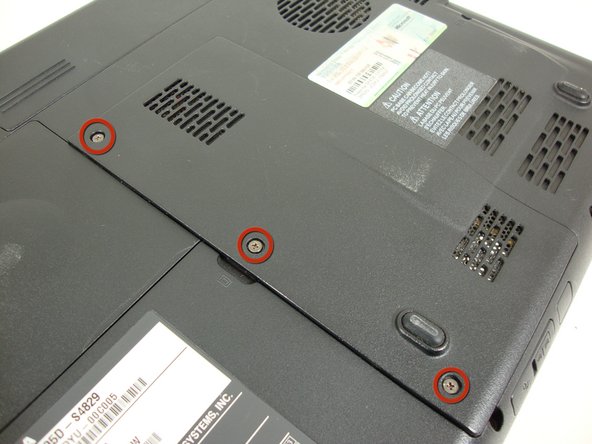
      • Remove the back panel by removing the three labeled screws with a Phillips #0 screwdriver.

      Add Comment

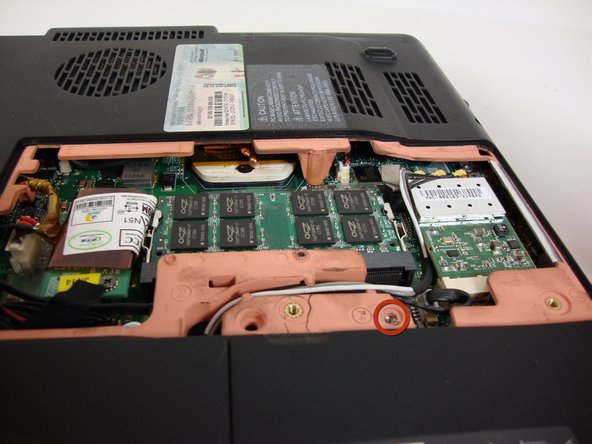
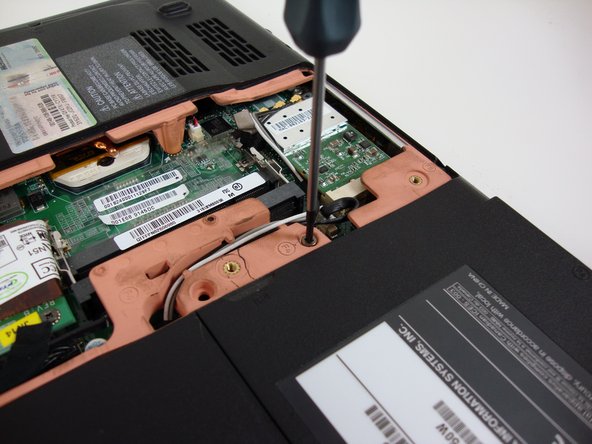
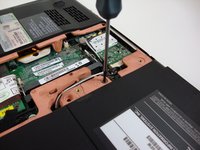
    4. Toshiba Satellite M305D-S4829 CD/DVD Drive Replacement: step 4, image 1 of 2 Toshiba Satellite M305D-S4829 CD/DVD Drive Replacement: step 4, image 2 of 2
      • Locate and remove the circled screw with a Phillips #0 screwdriver.

      Add Comment

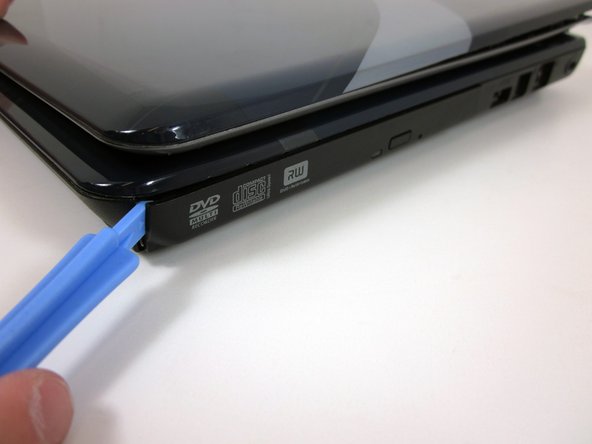
    5. Toshiba Satellite M305D-S4829 CD/DVD Drive Replacement: step 5, image 1 of 1
      • Use the plastic opening tool to pry the CD/DVD drive out of the frame.

      Add Comment

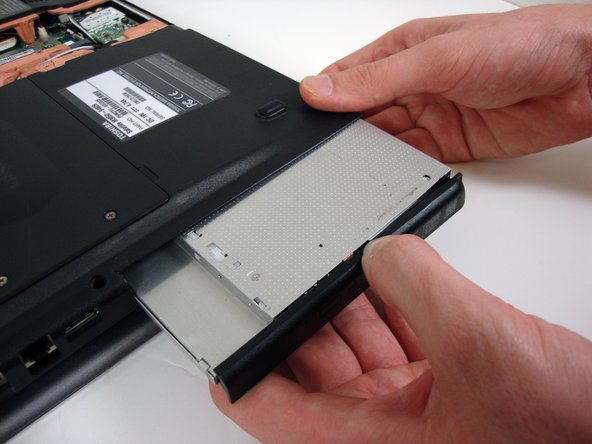
    6. Toshiba Satellite M305D-S4829 CD/DVD Drive Replacement: step 6, image 1 of 1
      • Gently remove the CD/DVD drive from the laptop body.

      Add Comment

Conclusion

To reassemble your device, follow these instructions in reverse order.

Cancel: I did not complete this guide.

System

Member since: 09/24/09

2,562 Guides authored

0 Guide Comments

Add Comment

View Statistics:

Past 24 Hours: 0

Past 7 Days: 0

Past 30 Days: 0

All Time: 17