Xbox 360 S Hard Drive Replacement

What you need

  1. Xbox 360 S Hard Drive Replacement, Xbox 360 S Hard Drive Replacement: step 1, image 1 of 3 Xbox 360 S Hard Drive Replacement, Xbox 360 S Hard Drive Replacement: step 1, image 2 of 3 Xbox 360 S Hard Drive Replacement, Xbox 360 S Hard Drive Replacement: step 1, image 3 of 3
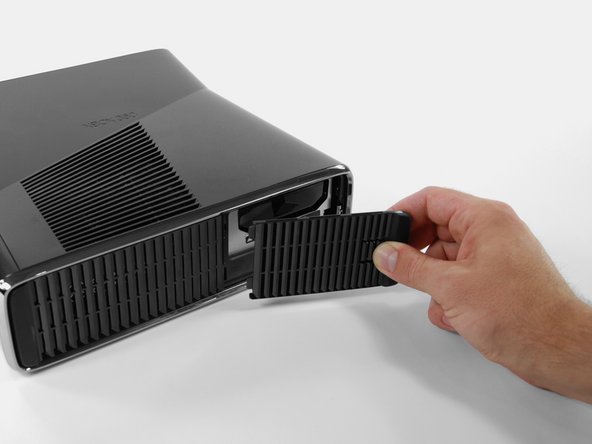
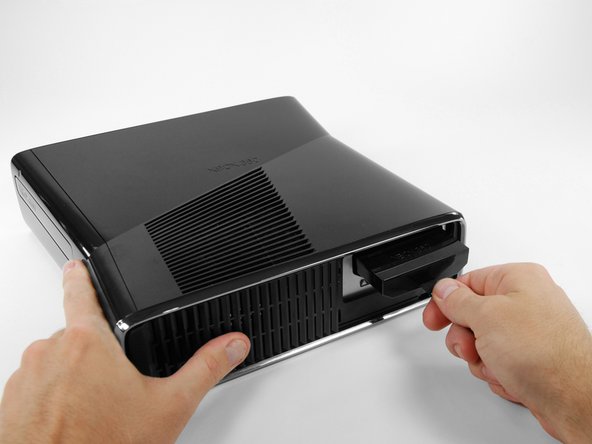
    • Orient the Xbox 360 S so that the bottom of the console is facing toward you.

    • Push the latch holding down the hard drive cover to the left.

    • Pull the hard drive cover away from the console.

    Add Comment

  2. Xbox 360 S Hard Drive Replacement: step 2, image 1 of 3 Xbox 360 S Hard Drive Replacement: step 2, image 2 of 3 Xbox 360 S Hard Drive Replacement: step 2, image 3 of 3
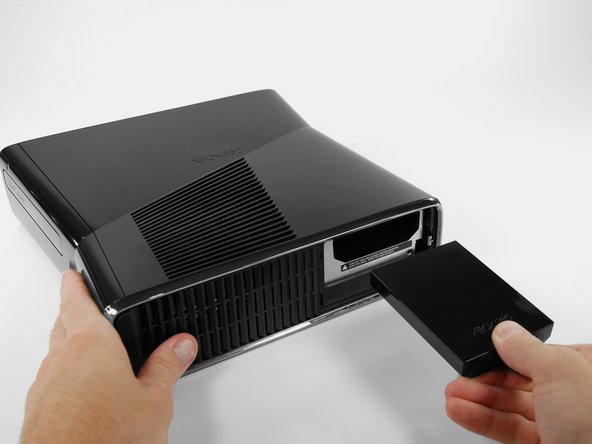
    • Firmly grasp the fabric tab labeled "250 GB" attached to the hard drive.

    • Pull the hard drive straight out of the console.

    • The fabric tab is attached to a catch further inside the hard drive housing. It will take some force to pull the hard drive out.

    Add Comment

Conclusion

To reassemble your device, follow these instructions in reverse order.

Cancel: I did not complete this guide.

System

Member since: 09/24/09

2,562 Guides authored

0 Guide Comments

Add Comment

View Statistics:

Past 24 Hours: 0

Past 7 Days: 1

Past 30 Days: 8

All Time: 32