iMac G5 17" Model A1058 Upper Left Fan Replacement

What you need

  1. iMac G5 17" Model A1058 Upper Left Fan Replacement, iMac G5 17" Model A1058 Upper Left Fan Replacement: step 1, image 1 of 1
    • Lay the iMac display-side down on a flat surface.

    • Loosen the three Phillips screws securing the rear panel to the iMac.

    • These screws are captive in the iMac. The center screw will stop turning after about 3.5 turns and the outer screws will stop turning after about 5.5 turns. Do not try to remove these screws from your iMac.

    Add Comment

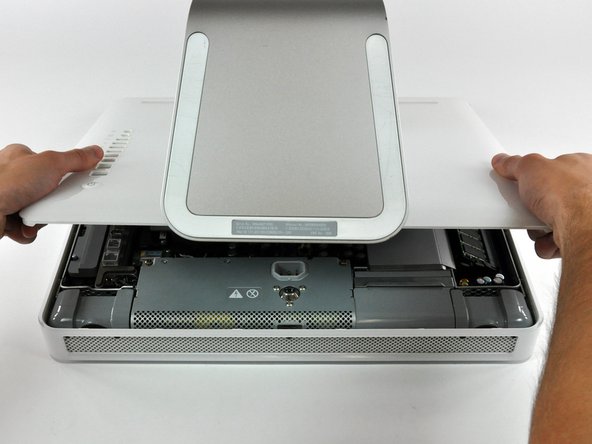
  2. iMac G5 17" Model A1058 Upper Left Fan Replacement: step 2, image 1 of 3 iMac G5 17" Model A1058 Upper Left Fan Replacement: step 2, image 2 of 3 iMac G5 17" Model A1058 Upper Left Fan Replacement: step 2, image 3 of 3
    • Lift the rear panel slightly from the bottom edge of the iMac.

    • Pull the rear panel toward yourself and remove it from the iMac.

    Add Comment

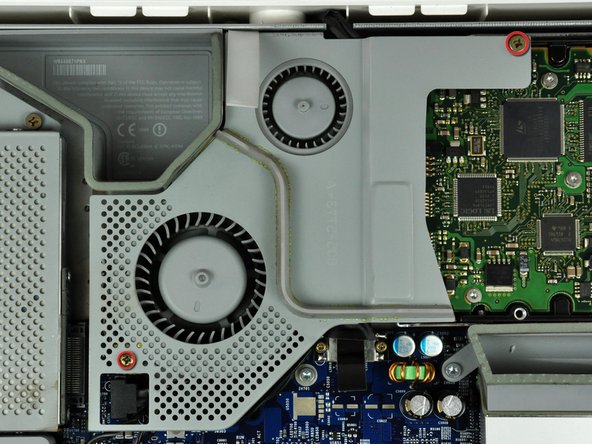
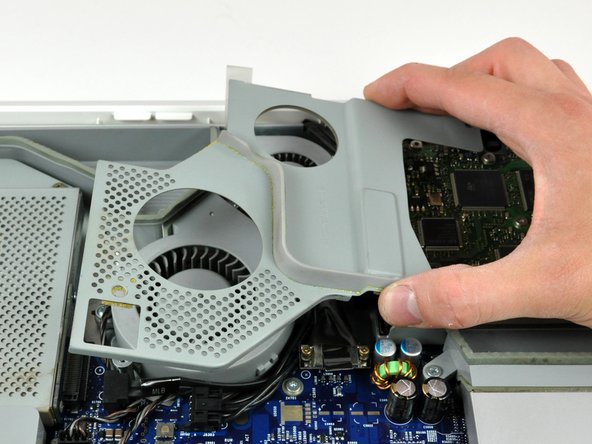
  3. iMac G5 17" Model A1058 Upper Left Fan Replacement: step 3, image 1 of 2 iMac G5 17" Model A1058 Upper Left Fan Replacement: step 3, image 2 of 2
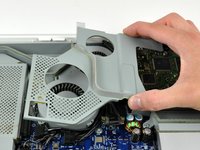
    • Remove the two Phillips screws securing the fan cover to the midplane.

    • The shouldered screw belongs in the lower left corner of the fan cover.

    • Lift the fan cover up off midplane.

    Add Comment

  4. iMac G5 17" Model A1058 Upper Left Fan Replacement: step 4, image 1 of 1
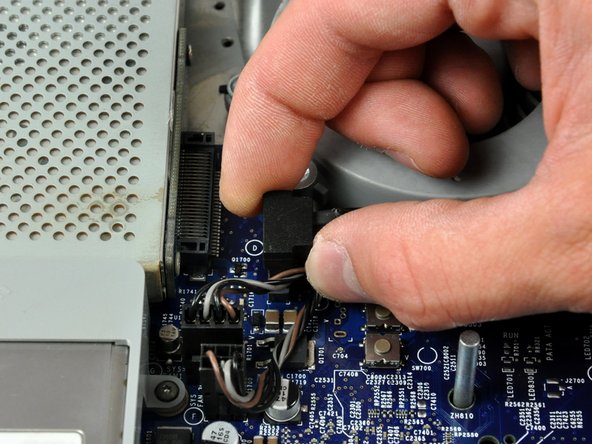
    • Disconnect the hard drive data cable connector from the logic board by pulling its connector straight up.

    Add Comment

  5. iMac G5 17" Model A1058 Upper Left Fan Replacement: step 5, image 1 of 1
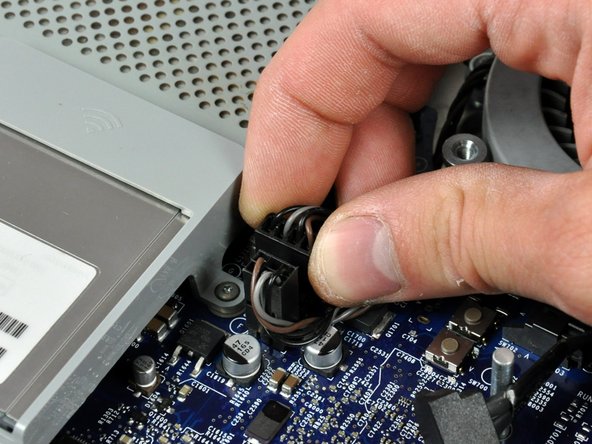
    • Disconnect the upper left fan cable connector from the logic board by pulling its connector straight up.

    Add Comment

  6. iMac G5 17" Model A1058 Upper Left Fan Replacement: step 6, image 1 of 1
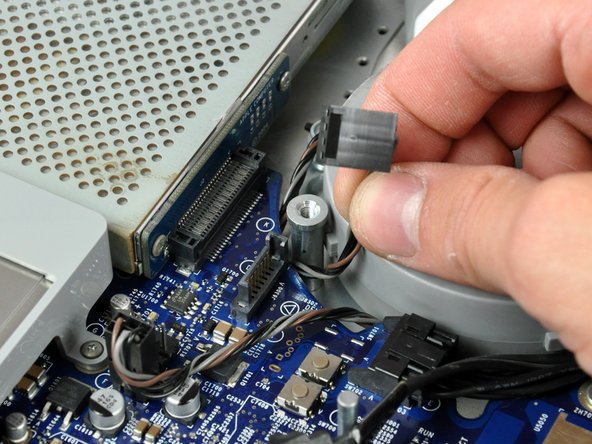
    • De-route the fan cable from around the edge of the logic board as necessary.

    Add Comment

  7. iMac G5 17" Model A1058 Upper Left Fan Replacement: step 7, image 1 of 2 iMac G5 17" Model A1058 Upper Left Fan Replacement: step 7, image 2 of 2
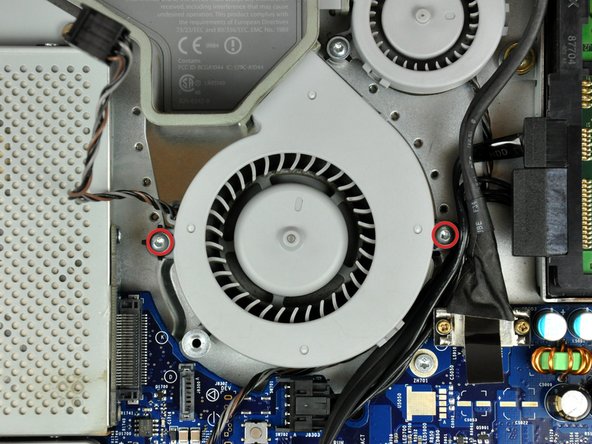
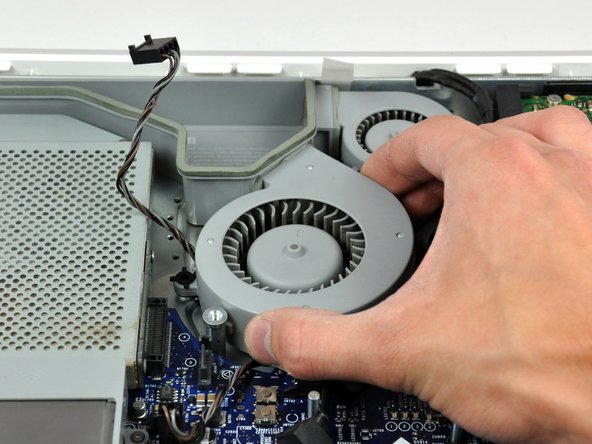
    • Remove the two T8 Torx screws securing the upper left fan to the chassis.

    • Lift the upper left fan out of the chassis.

    • Lift the upper left fan out of the chassis.

    Add Comment

Conclusion

To reassemble your device, follow these instructions in reverse order.

Cancel: I did not complete this guide.

System

Member since: 09/24/09

2,562 Guides authored

0 Guide Comments

Add Comment

View Statistics:

Past 24 Hours: 0

Past 7 Days: 0

Past 30 Days: 0

All Time: 8