
iPod Shuffle 1st Generation Casing Replacement

Last updated on Sep 17, 2016
Views: 15
View statistics:
- Past 24 Hours:
- 0
- Past 7 Days:
- 2
- Past 30 Days:
- 3
- All Time:
- 15
Comments: 0
No one has left comments on this guide. Will you be first?
Go to guide commentsCompleted: 0 1
No one has marked this guide "completed." Will you be the first?
1 person has marked this guide "completed." It's you — great job!
Favorites: 0 1
No one has favorited (and subscribed to) this guide. Will you be the first?
1 person has favorited (and subscribed to) this guide — and that's you!
Introduction
Go to step 1 ↓The white plastic casing.
-
-
-
The following step can be challenging and time consuming. Be sure to go slowly and have patience to prevent damaging your iPod.
-
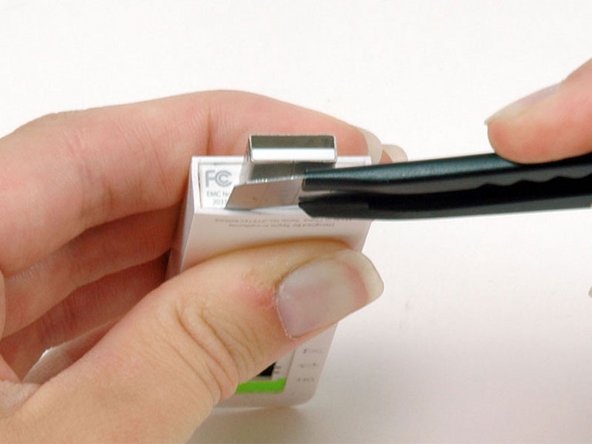
Use an Exacto knife to separate the glue holding the USB port on the iPod. Run the knife along the seam between the two sections of the iPod until the glue is separated. Expect to run the knife along this edge 20-30 times before the glue will be entirely freed.
-
-
-
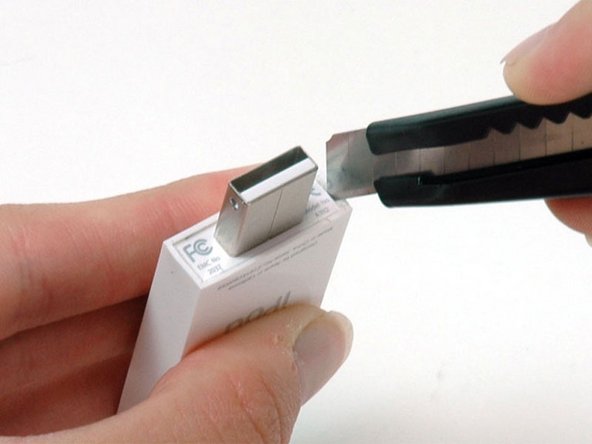
Continue to run the knife around all four edges of the USB port until the glue is released. You may be able to gently wiggle the knife from side to side to help release the glue.
-
-
-
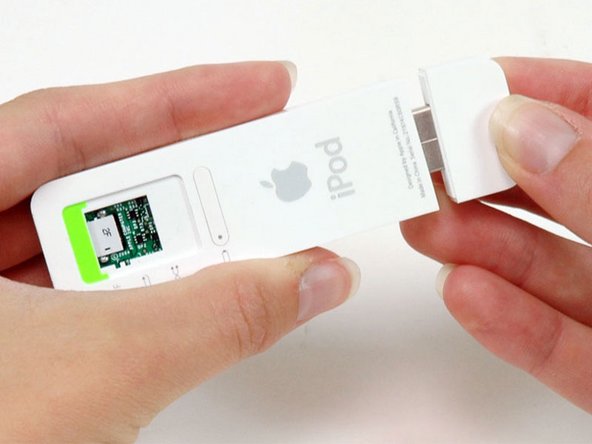
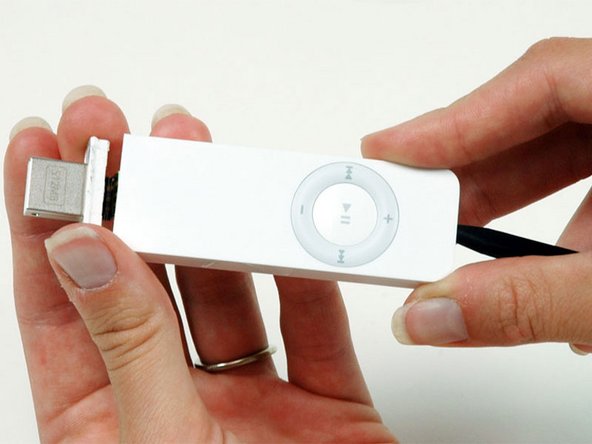
After the USB port comes free, carefully slide it out of its housing. Don't pull it out too far because there's still a ribbon cable connecting it to the logic board.
-
-
-
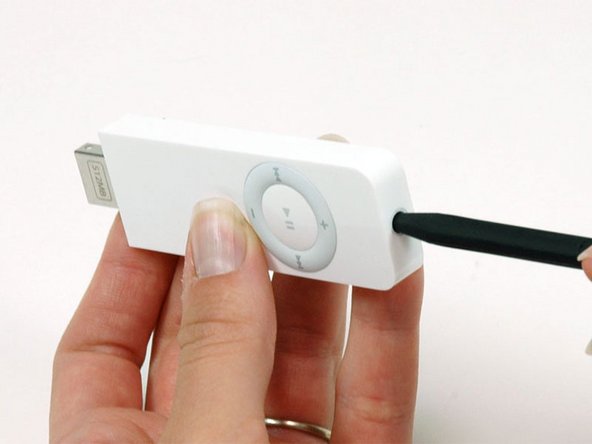
Continue to slide the iPod out of its casing by using a spudger to push on the logic board near the headphone jack.
-
-
-
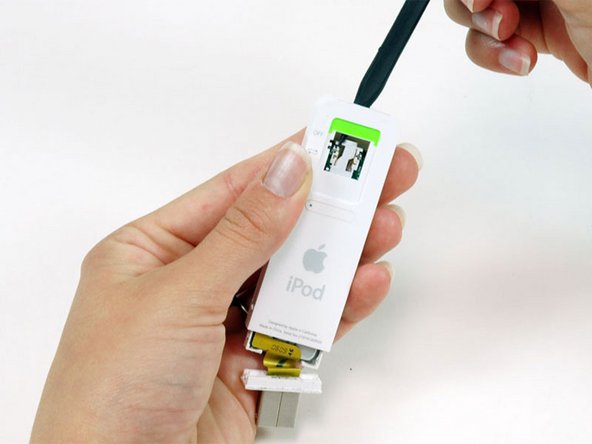
Turn the iPod so that the click wheel is facing up. This will prevent the battery indicator from falling out.
-
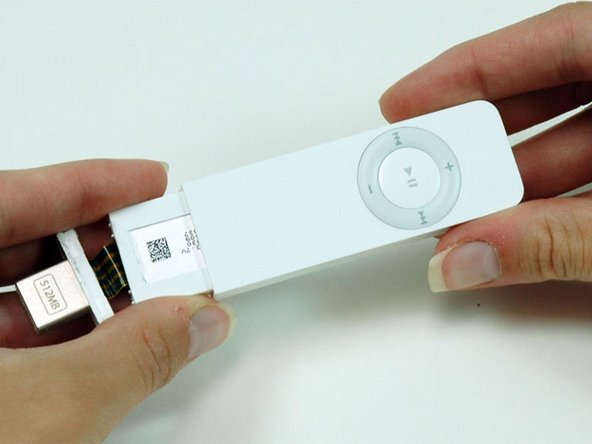
Slide the iPod out of its casing.
-


To reassemble your device, follow these instructions in reverse order.

