
iPod Shuffle 4th Generation Logic Board Assembly Replacement

Last updated on Sep 17, 2016
Views: 15
View statistics:
- Past 24 Hours:
- 0
- Past 7 Days:
- 1
- Past 30 Days:
- 2
- All Time:
- 15
Comments: 0
No one has left comments on this guide. Will you be first?
Go to guide commentsCompleted: 0 1
No one has marked this guide "completed." Will you be the first?
1 person has marked this guide "completed." It's you — great job!
Favorites: 0 1
No one has favorited (and subscribed to) this guide. Will you be the first?
1 person has favorited (and subscribed to) this guide — and that's you!
Introduction
Go to step 1 ↓Remove the logic board and battery as one unit.
-
-
-
Before proceeding, be sure your Shuffle is switched off.
-
-
-
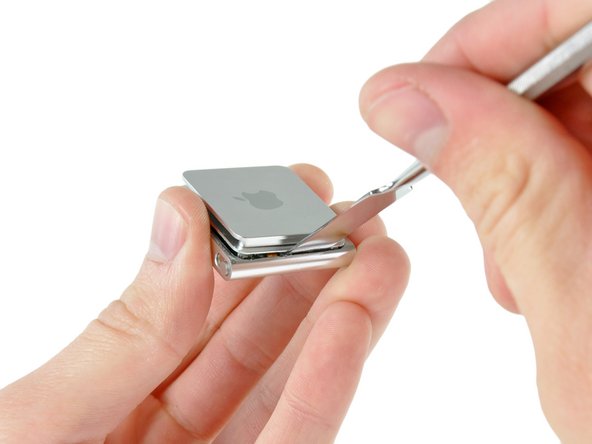
Use a combination of iPod opening tools and metal spudgers to pry the rear panel away from the Shuffle by the seam nearest the ON/OFF switch.
-
-
-
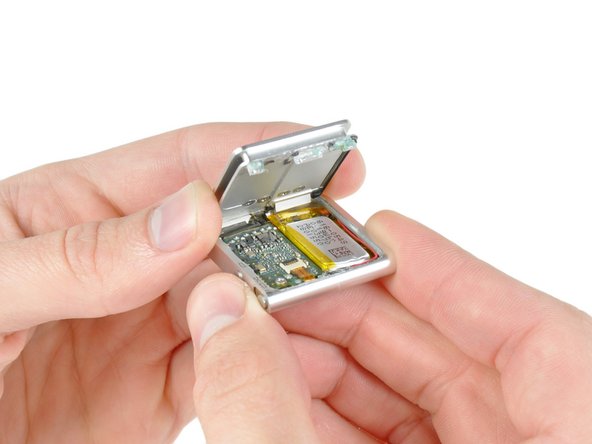
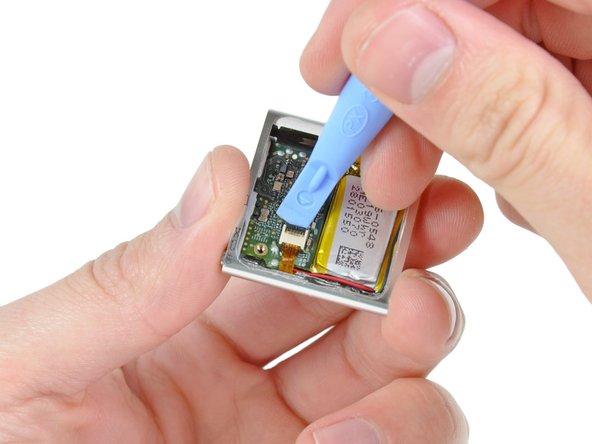
Use the edge of an iPod opening tool to flip up the retaining flap on the control button cable ZIF socket.
-
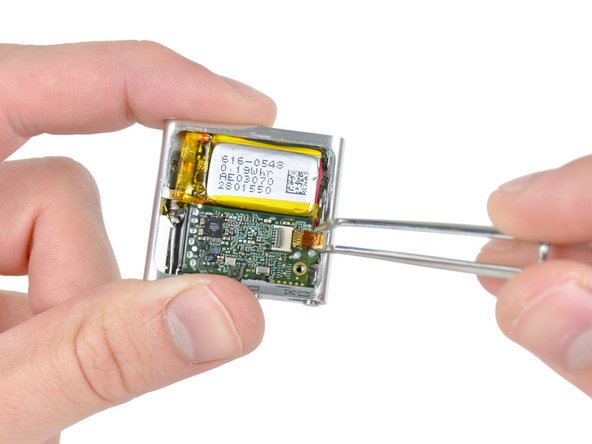
Use a pair of tweezers to gently pull the control button ribbon cable out of its socket.
-
-
-
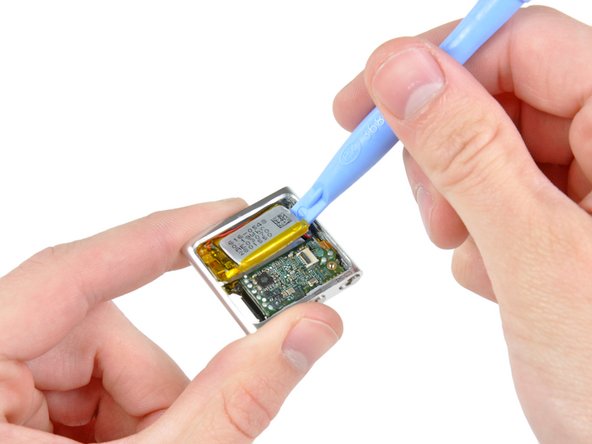
Use an iPod opening tool to gently pry the battery off the adhesive securing it to the front case.
-
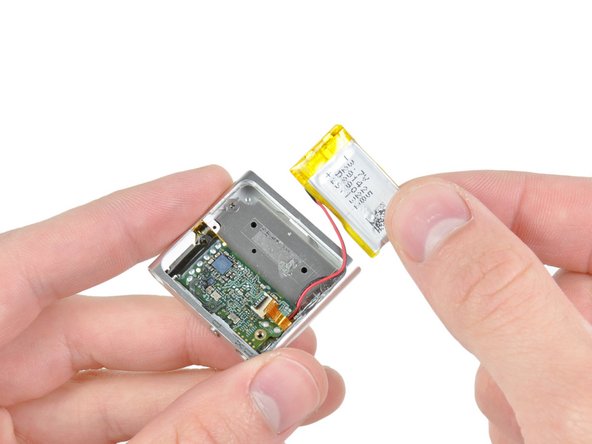
Lift the battery out of the front case, being sure not to strain its delicate leads.
-
-
-
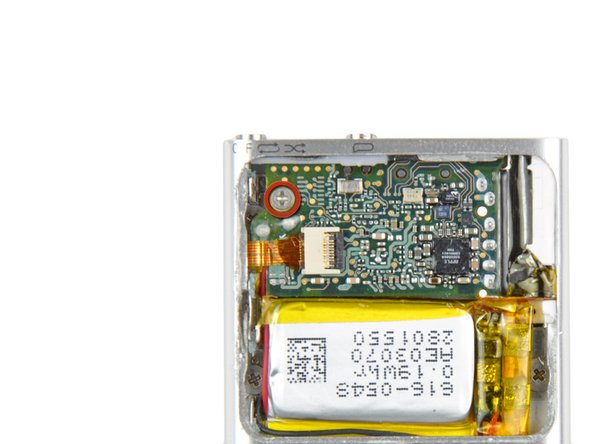
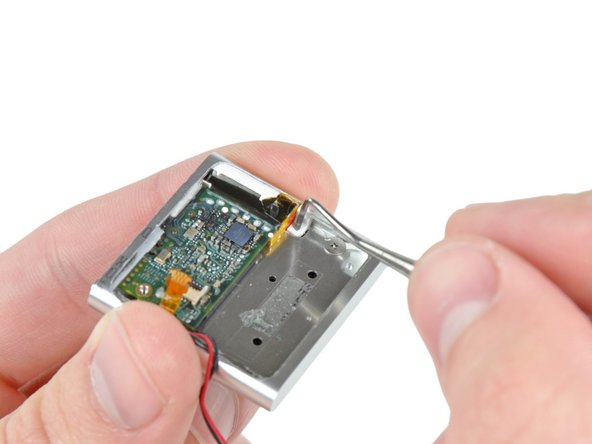
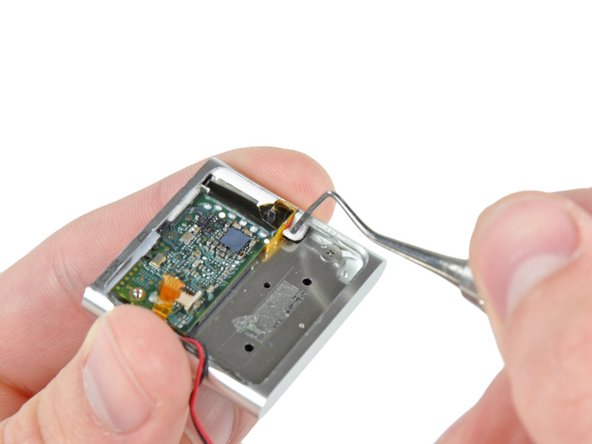
Insert the tip of a metal probe into the hole molded into the logic board retainer nearest the logic board.
-
Pry the retainer first away from the front of the front case, then pull it away from the side of the front case.
-
Remove the logic board retainer from the Shuffle.
-
-
-
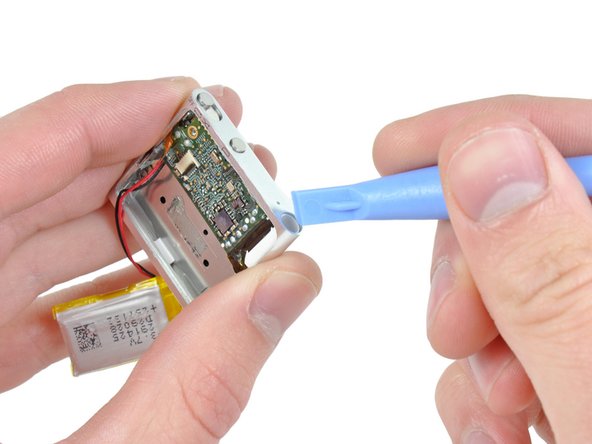
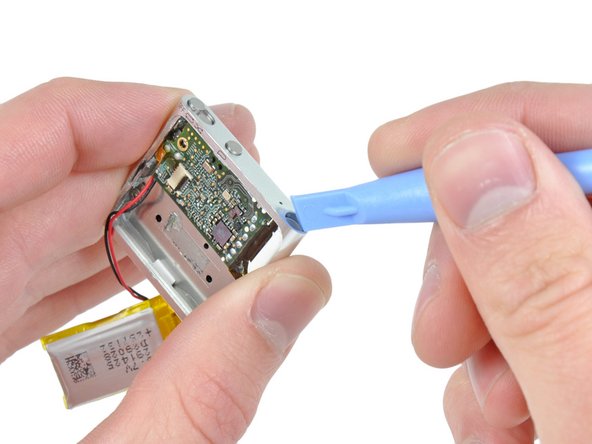
Use the edge of an iPod opening tool to push the headphone jack down toward the center of the Shuffle.
-
-
-
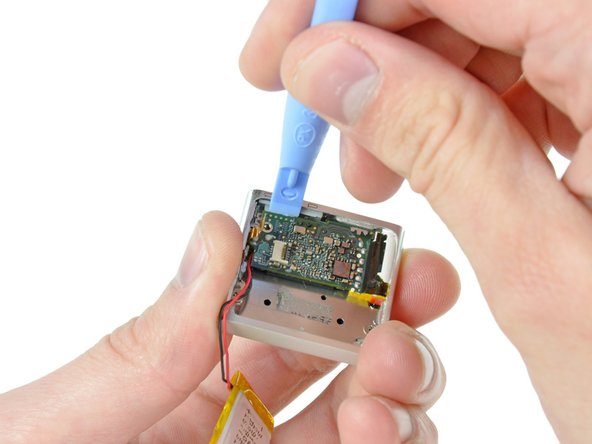
Continue pushing the logic board down away from the top edge of the Shuffle.
-
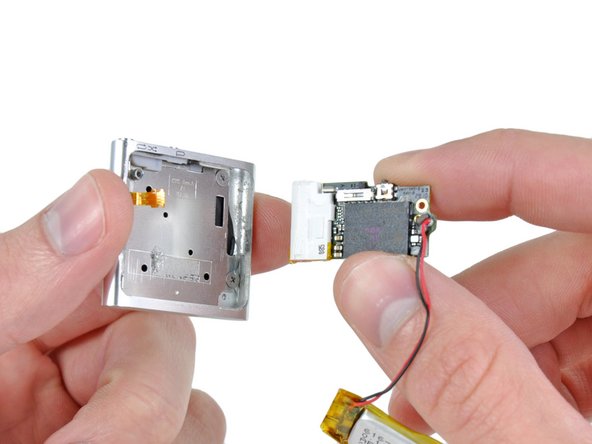
Pull the logic board out of the front case by the side nearest the ON/OFF button and gently maneuver the headphone jack out of its recess in the front case.
-
Remove the logic board assembly from the Shuffle.
-
-




To reassemble your device, follow these instructions in reverse order.

