
iPhone 1st Generation Logic Board Replacement

Last updated on Sep 17, 2016
Views: 34
View statistics:
- Past 24 Hours:
- 0
- Past 7 Days:
- 1
- Past 30 Days:
- 4
- All Time:
- 34
Comments: 0
No one has left comments on this guide. Will you be first?
Go to guide commentsCompleted: 0 1
No one has marked this guide "completed." Will you be the first?
1 person has marked this guide "completed." It's you — great job!
Favorites: 0 1
No one has favorited (and subscribed to) this guide. Will you be the first?
1 person has favorited (and subscribed to) this guide — and that's you!
Introduction
Go to step 1 ↓The motherboard of your iPhone controls everything except the "phone" part of the iPhone.
What you need
Parts
Tools
-
-
-
Insert a SIM card eject tool or paper clip into the hole next to the headphone jack.
-
Press down on the paper clip until the SIM card tray pops out.
-
-
-
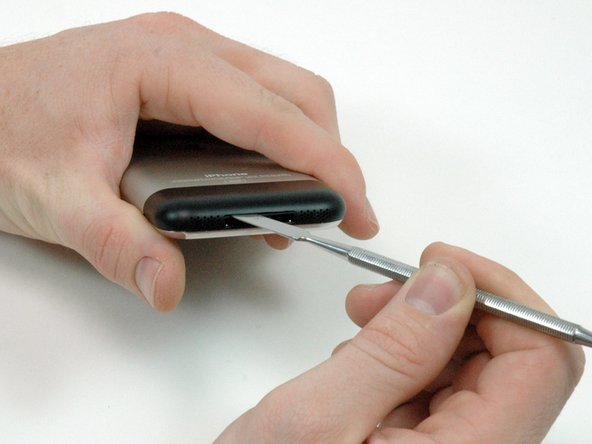
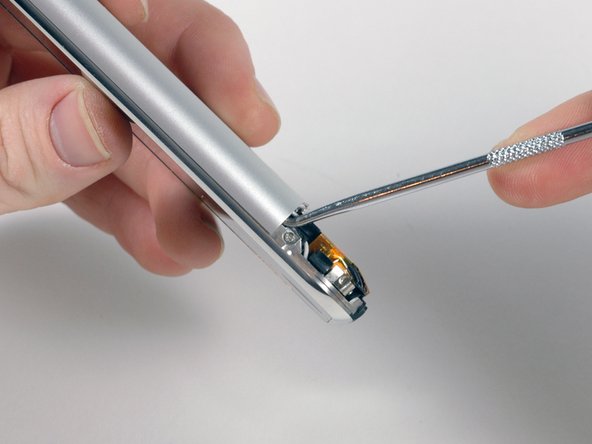
Insert a metal spudger into the slot between the dock connector and the antenna cover. Gently pry up near the two tabs to create a small gap between the antenna cover and the silver front bezel.
-
-
-
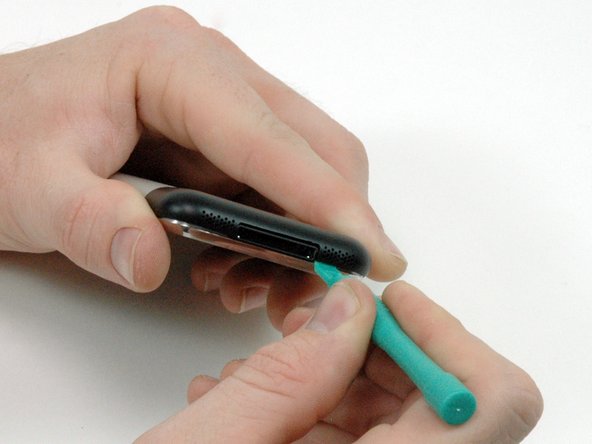
Insert an iPod opening tool in the gap between the antenna cover and the front bezel. The wedge of the tool should be pointing towards the antenna cover. Slide the tool around the corner and up until you reach the metal backing.
-
Repeat the same procedure on the other side of the dock connector.
-
-
-
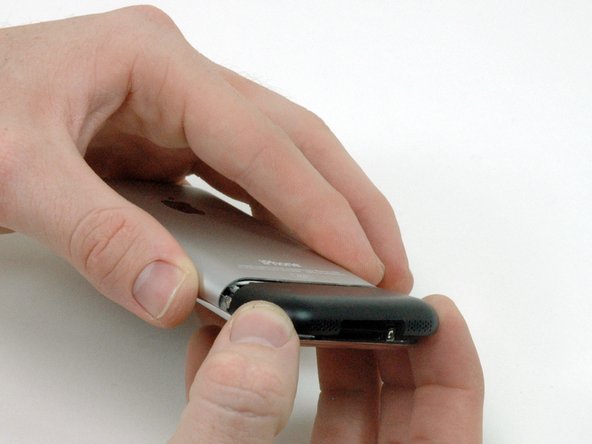
Grasp the antenna cover on either side and slide it up and away from the iPhone. This requires some force. If it does not come free, ensure that the antenna cover is lifted up enough to free the catches.
-
-
-
Start removing the rear panel on the side with the buttons.
-
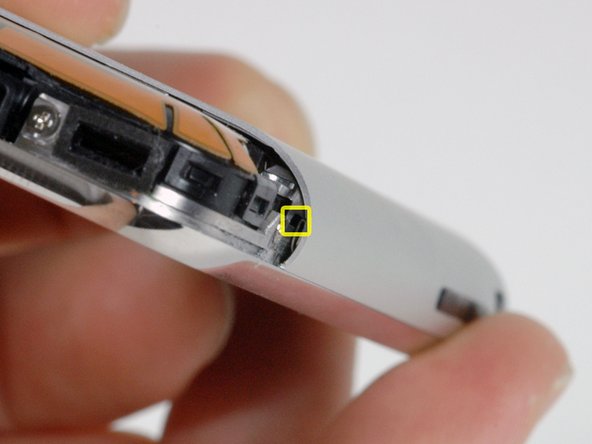
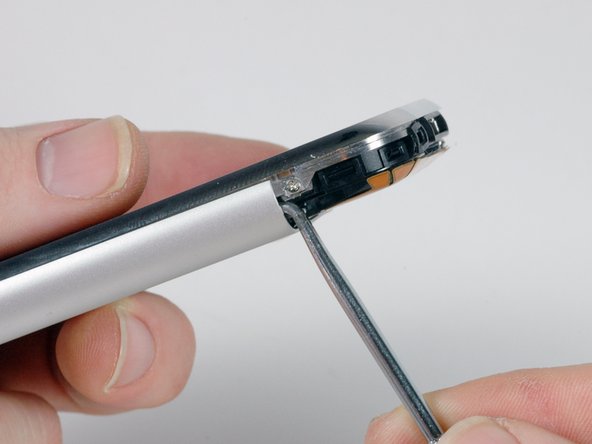
Slide the dental pick completely into the square hole. You may need to wiggle the tool and apply a good amount of force to get it to go all the way.
-
-
-
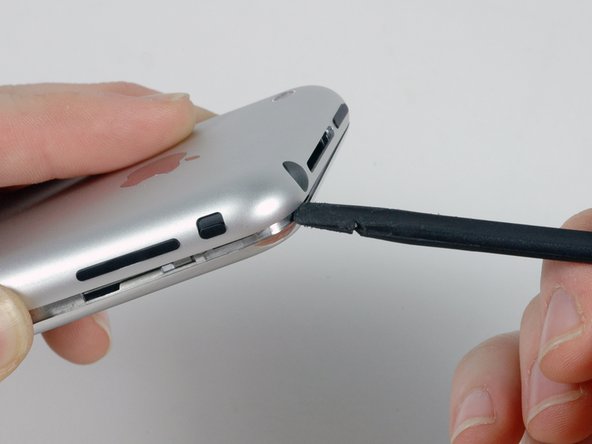
Pry up the rear panel by pulling the dental pick counterclockwise in a quick motion. Apply force perpendicular to the plane of the display assembly. You may be afraid to go fast, but going slowly is more likely to bend the case.
-
-
-
Repeat the same procedure on the other side of the iPhone. Slide the dental pick completely into the square hole. You may need to wiggle the tool and apply a good amount of force to get it to go all the way.
-
-
-
Pry up the rear panel by pulling the dental pick clockwise in a quick motion. Apply force perpendicular to the plane of the display assembly. You may be afraid to go fast, but going slowly is more likely to bend the case.
-
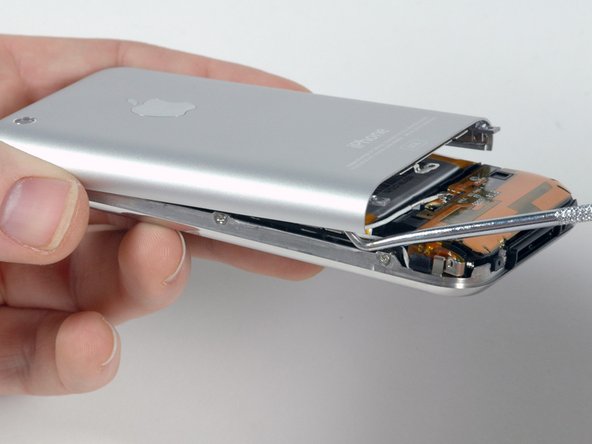
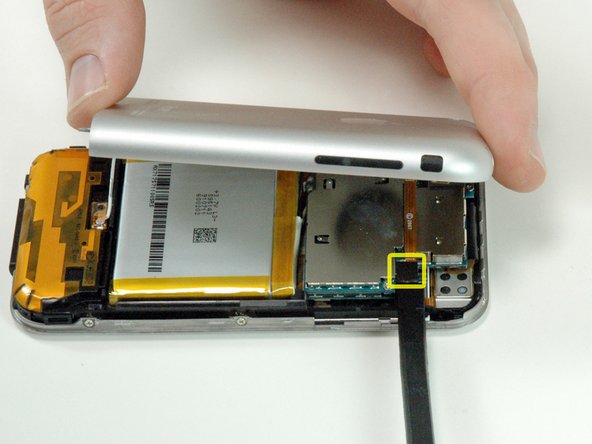
The rear panel is still attached to the iPhone by the headphone jack cable, so don't entirely remove the rear panel from the iPhone just yet.
-
-
-
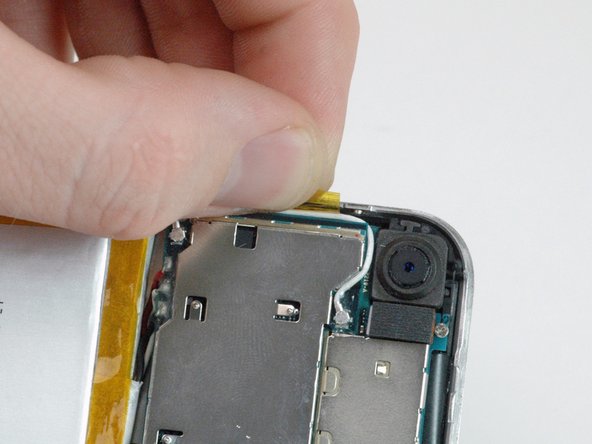
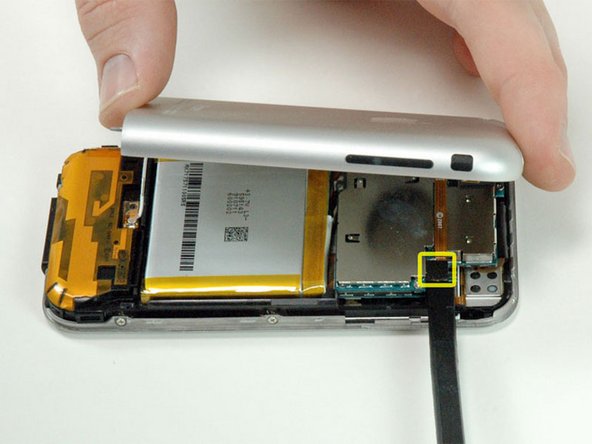
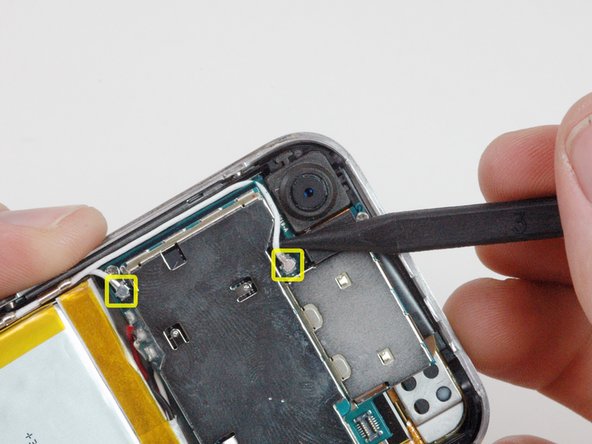
Use a spudger to disconnect the two antenna cables from the communications board. Apple used a small dab of glue on these connections, which may make removing the antenna connections harder.
-
-
-
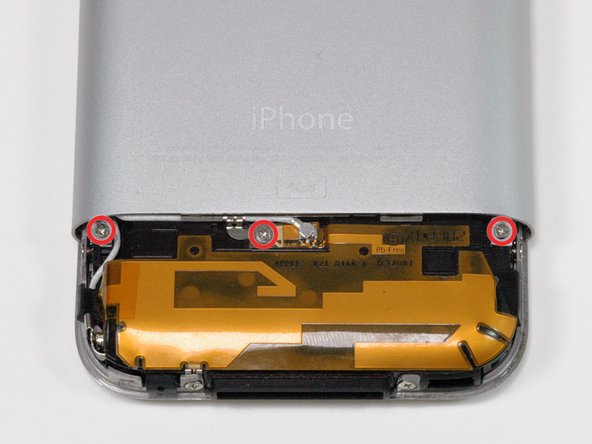
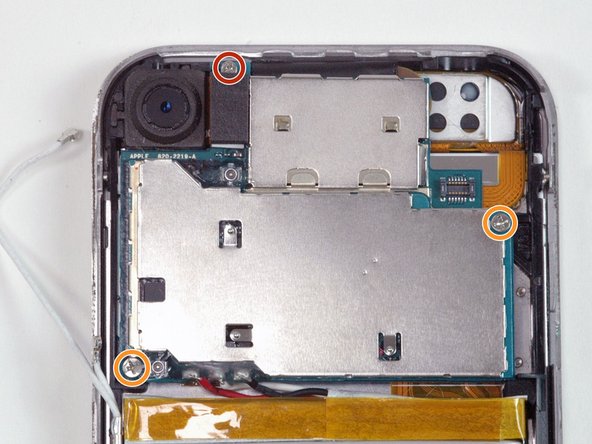
Remove the following 3 screws:
-
One Phillips #00 screw securing the logic board to the iPhone near the camera.
-
Two Phillips #00 screws, one on either corner of the logic board.
-
-
-
Working from the edge opposite the battery connectors, insert a spudger between the battery and the plastic frame and pry up on the battery. It is attached to the casing with an adhesive, but should slowly come free.
-
-
-
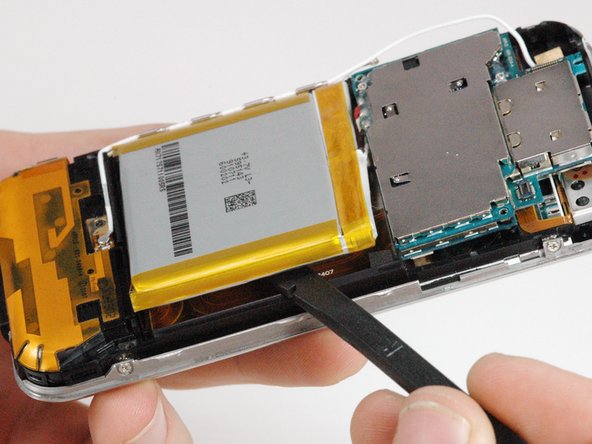
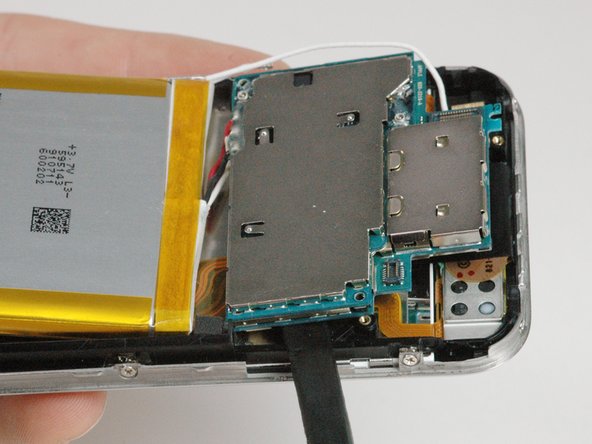
Slide a spudger beneath the logic board on the side opposite the battery connector and pry up slightly. Don't lift up too far, because there are still four attached connectors on the bottom of the logic board.
-
-
-
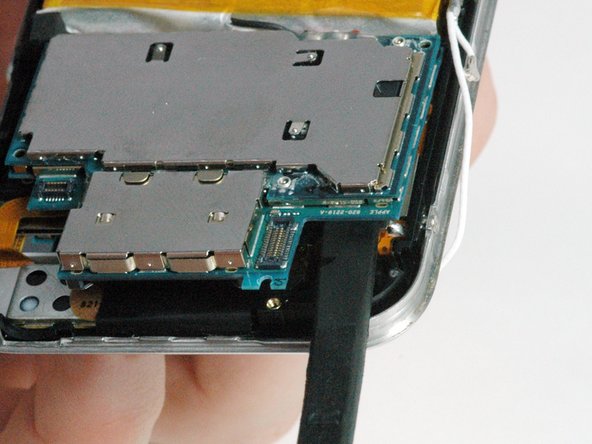
In a similar manner, slide a spudger beneath the logic board where the camera was. Again, don't lift up too far yet as there are still four attached connectors on the bottom of the logic board.
-
-
-
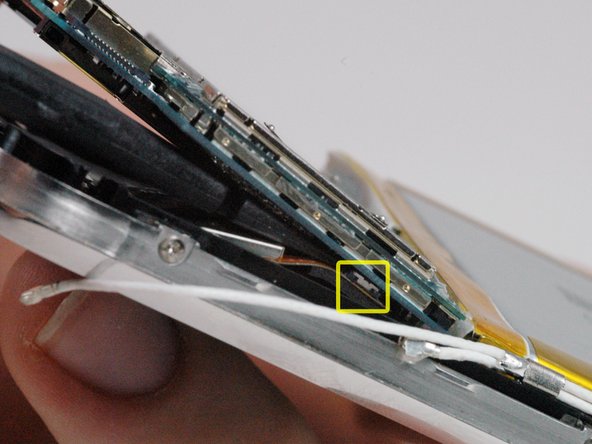
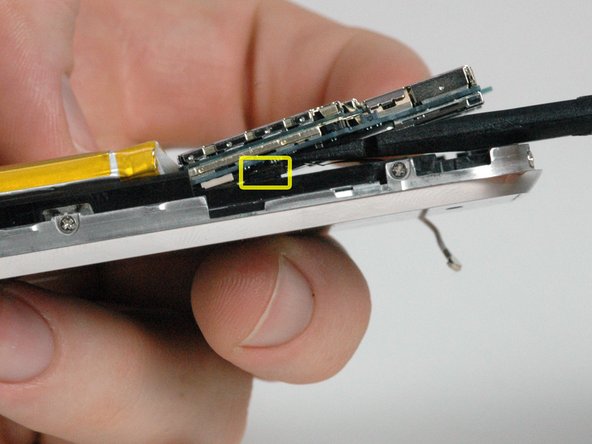
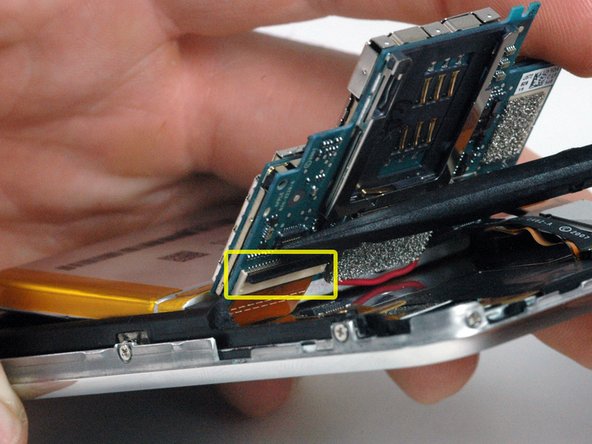
Lift up the logic board slightly and slide a spudger beneath the logic board to disconnect the display ribbon cable.
-
After freeing the first connector, slide the spudger further towards the battery and the center of the iPhone to disconnect the speaker connector.
-
-
-
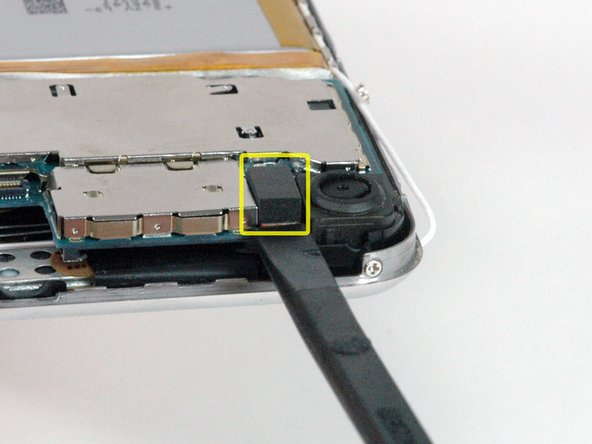
Go to the other side of the logic board and use a spudger to disconnect the touch sensor cable on the under side of the logic board.
-
-
-
Slide a spudger beneath the black locking bar and pry up to rotate the bar 90 degrees (the bar is already rotated in the picture).
-
-
-
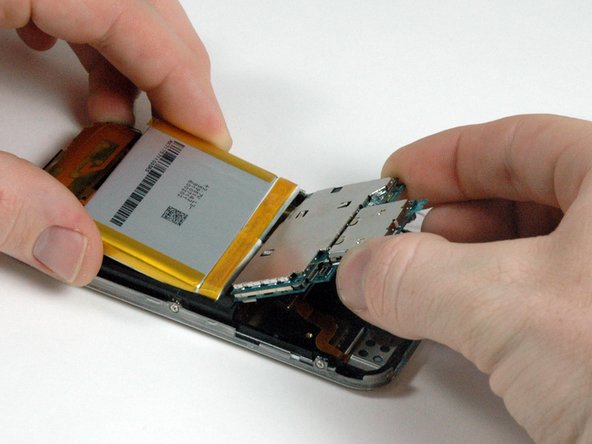
Hold both the battery and the logic board assembly and slide both parts away from the orange antenna and out of the iPhone.
-
-
-
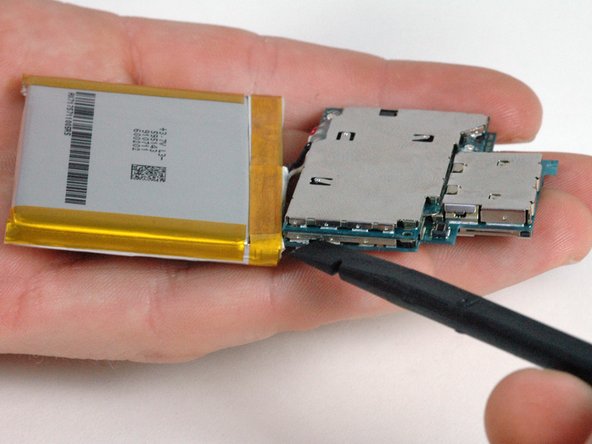
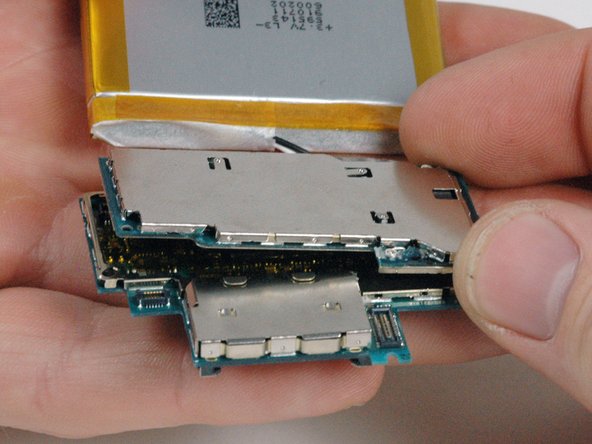
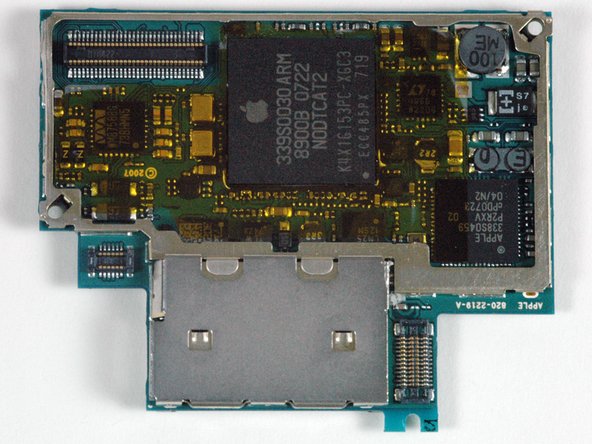
There are two stacked circuit boards on the iPhone. The communcations board is on the top, and the logic board is located on the bottom.
-
To separate the boards, insert a spudger into the gap in the metal shielding as shown. Carefully pry with the spudger to loosen the connector.
-
-
-
Continue to separate the two boards. The silver metal shielding may not immediately separate. If necessary, work around the edge of the board to separate the metal shielding.
-
-



To reassemble your device, follow these instructions in reverse order.

